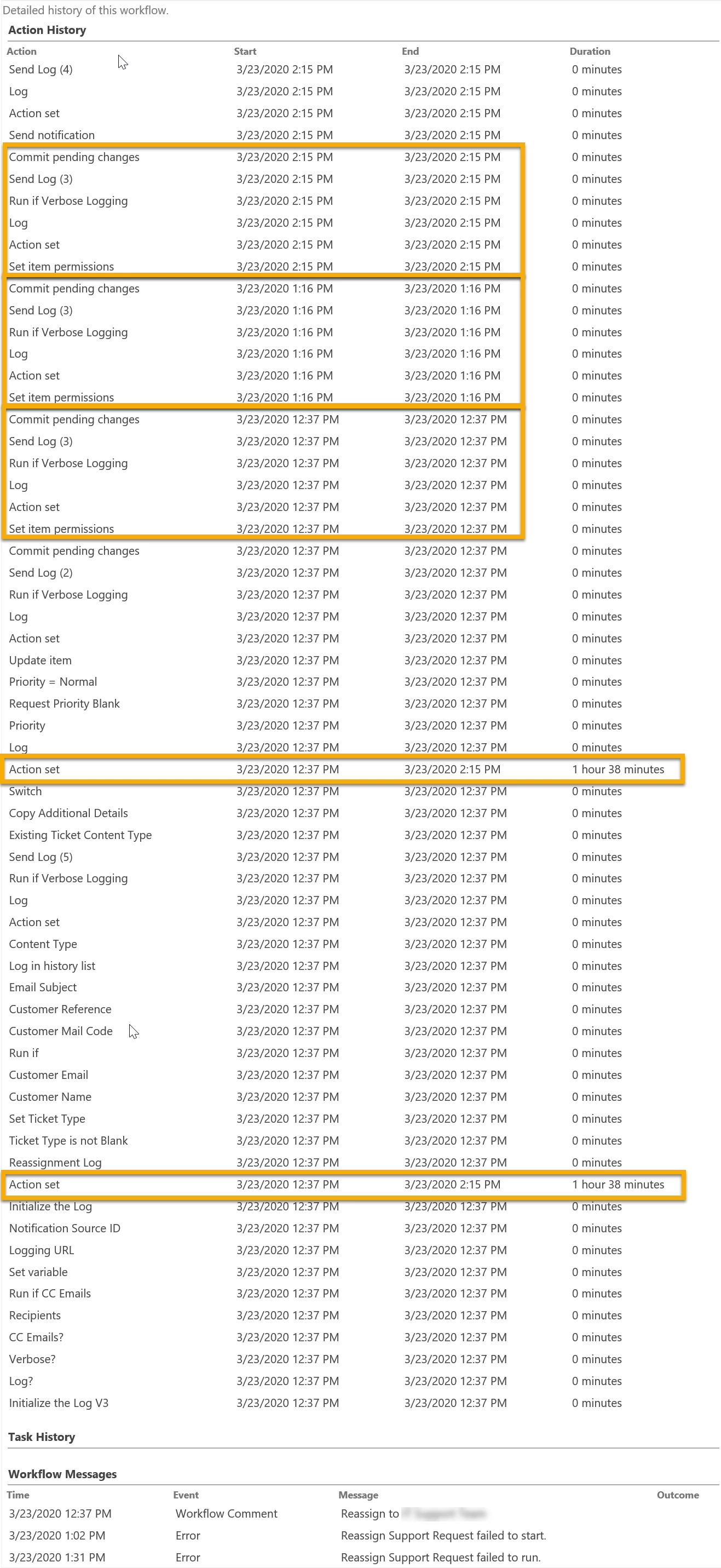
SharePoint 2016 workflow that runs when a list item changes. The workflow runs at 3 pm and generates an error notification that I receive by email. I can't get to it right away; a couple hours later I go to investigate. Reading the workflow actions in the "Workflow Details" page (_layouts/15/NintexWorkflow/WorkflowLog.aspx). Skimming the log I see that actions run all the way until the workflow terminates as it would normally. On closer inspection I'm seeing something I think is really odd.
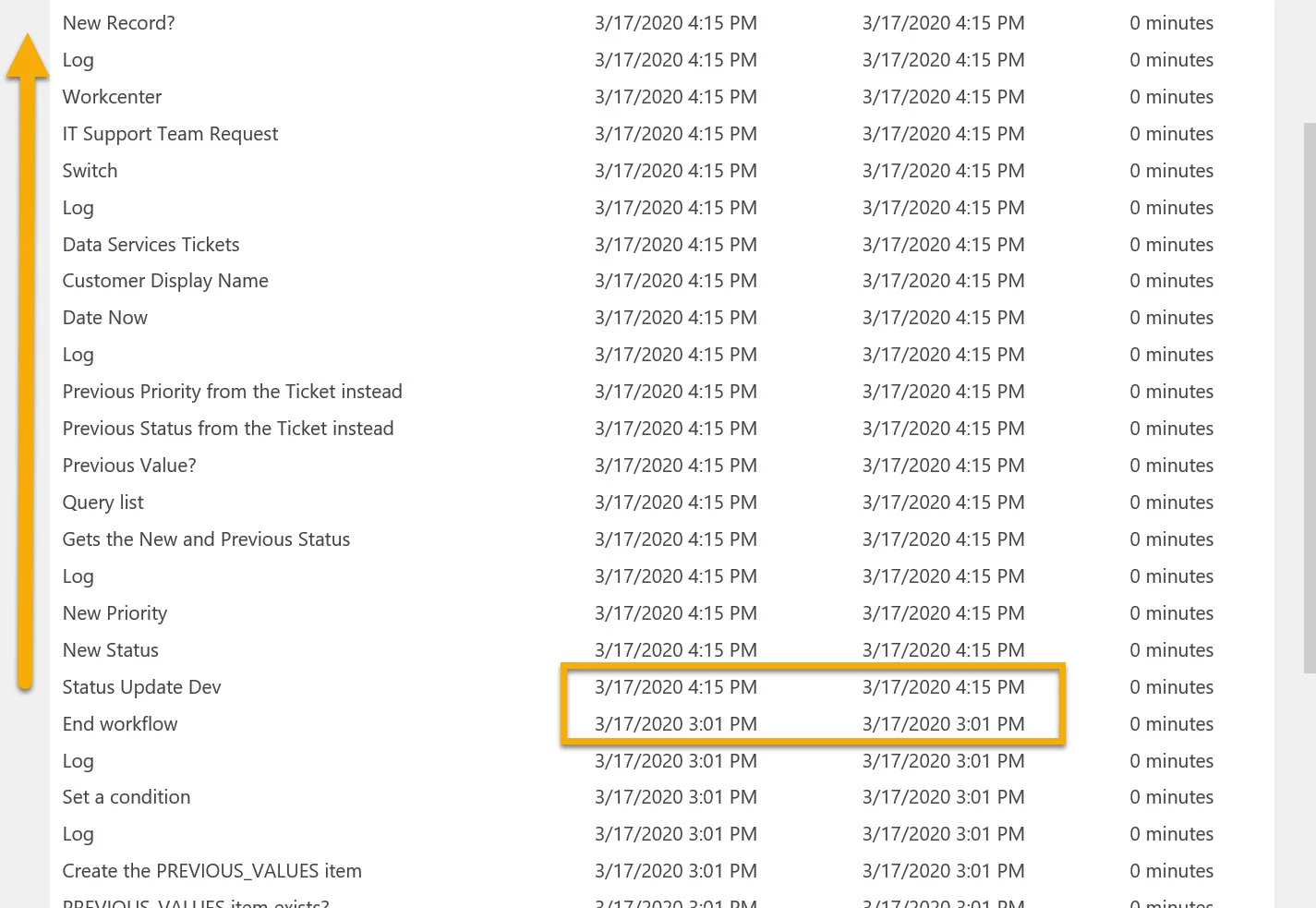
The log reads from bottom to top for whatever reason. Starting at the bottom I see the workflow start at 3:01 pm and it runs all the way through. Then at 4:15 pm it starts running again until it terminates.
In this first screen shot you can see where the workflow ends at 3:01 pm then resumes with action "Status Update Dev" at 4:15 pm. This "Status Update Dev" action, and all subsequent actions already ran back at 3:01 pm! It's as if at 4:15 pm the workflow restarts from the "Status Update Dev" action and runs all the way through a second time.
The screen shot below shows the very start of the workflow and then the actions that are later repeated at 4:15 pm.
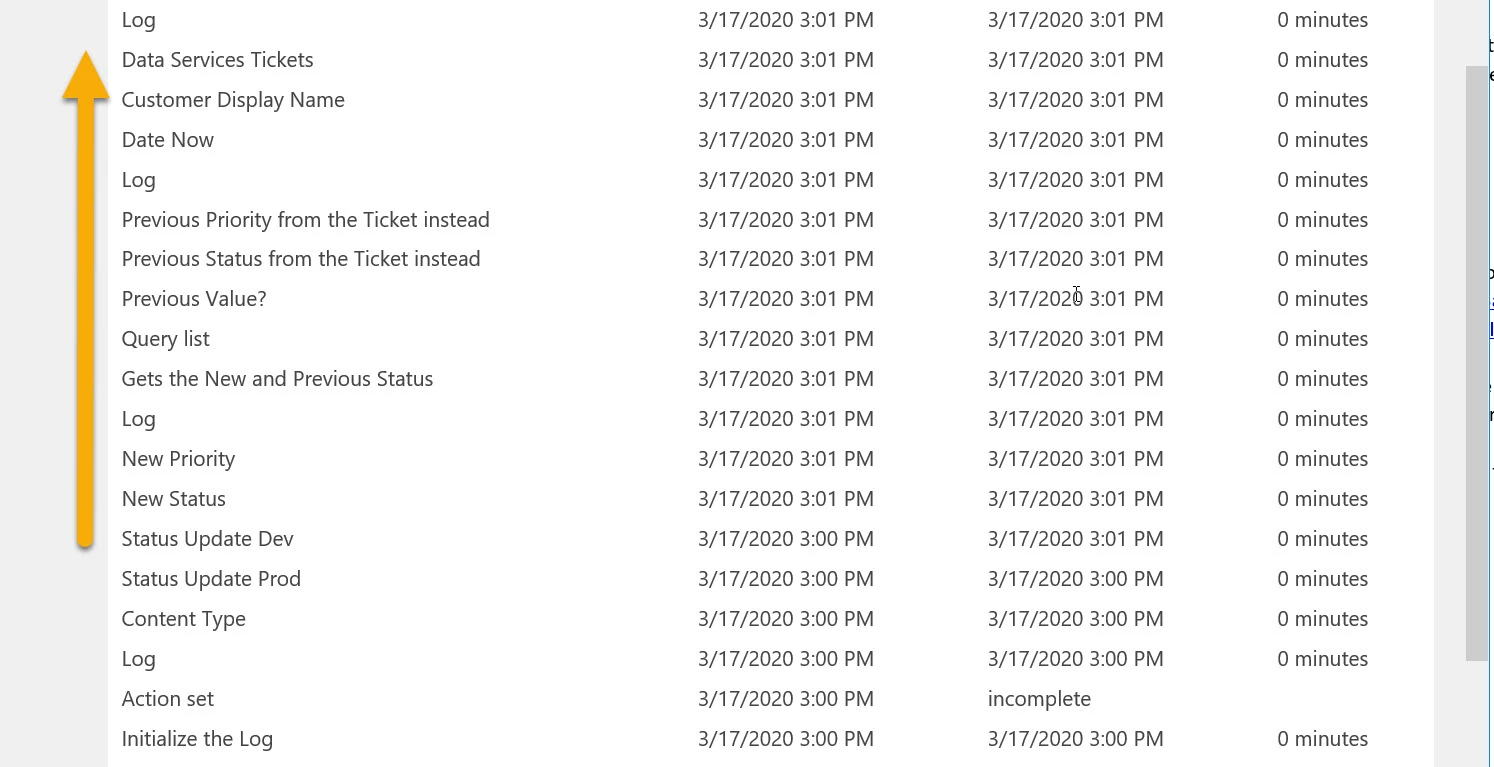
With the exception of a few initial actions, the workflow runs all the way through at 3 pm, and then runs nearly all the way through at 4:15 pm.
Checking the item's version history, the item hasn't changed since 3 pm. There was no modification at 4:15 pm or anything that caused the workflow to repeat or resume.
Any ideas as to what might be going on here?
Thanks!