Nintex Community Menu Bar

Underline each controls to separate one to another using Classic Forms Designer

  • July 16, 2019
  • 2 replies
  • 13 views

Forum|alt.badge.img+3

I'm new for nintex form. I tried to build a form using Classic Forms Designer and i need to underlined the columns to separate one to another. How do i underline or separate each field in the form. 

2 replies

Forum|alt.badge.img+9
  • Nintex Employee
  • July 16, 2019

Hi @Sara_,


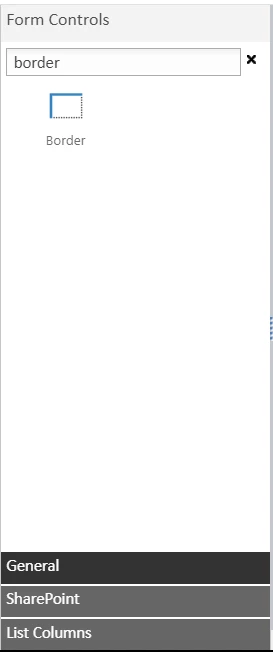
I believe what you are looking for is the Border Control. I took this screenshot from Nintex Forms in SharePoint 2013, but the control should exist in any version.


3172i948E0B551D18728A.png


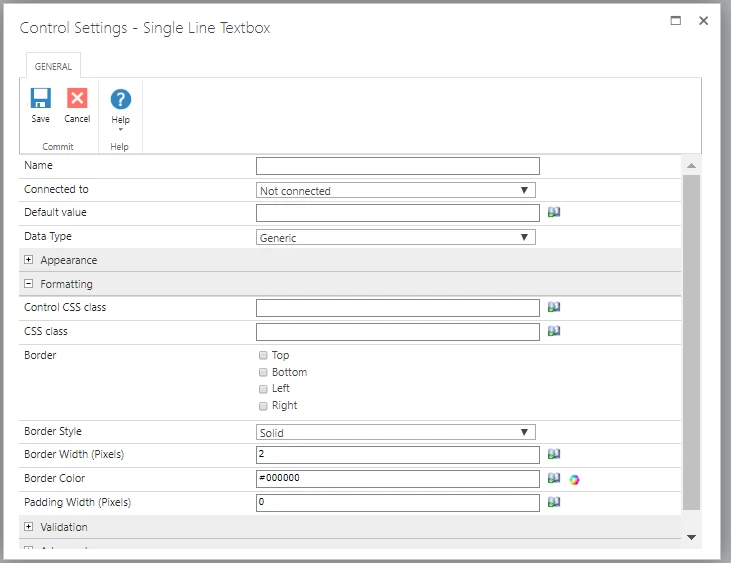
Additionally, you can achieve the same in the Control Settings by double-clicking on a control > Formatting > Border as shown below:


3173i281025ABDE568950.png


Forum|alt.badge.img
  • Nintex Employee
  • July 16, 2019

Sara -
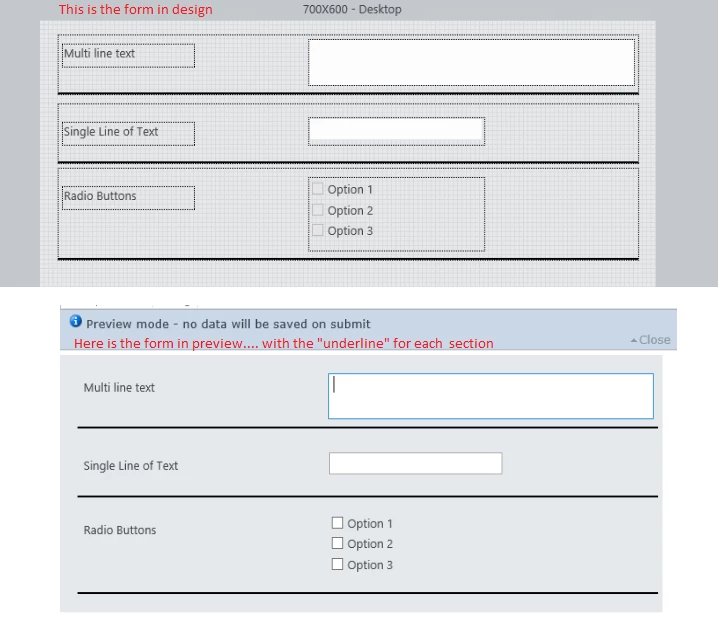
You could use the forms control "Border" - and use the form control settings to turn on the "Bottom" border. This will appear on the from as an underline.


3174i56265784D167B10A.png

This should help....