Nintex Community Menu Bar

Unable to Create a Package

  • May 19, 2017
  • 7 replies
  • 21 views

Forum|alt.badge.img+4

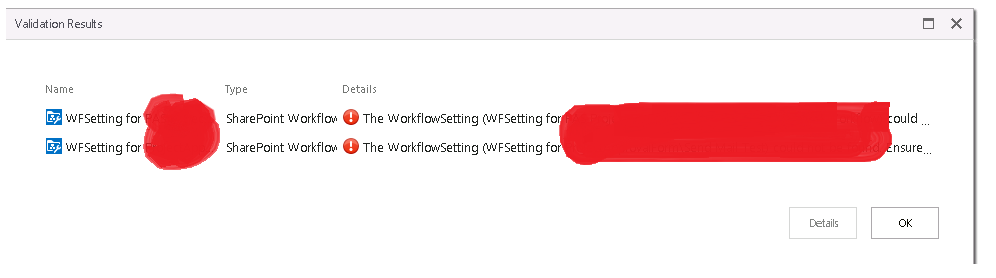
I have an application in test environment for which i deleted a workflow. Now once i try and create a package i am getting error doing it.

Error attached below.


Please note i have already deleted initiation rules from SmartForms.


15273i76623CEF0CBD7A86.png

7 replies

Forum|alt.badge.img+6
  • Nintex Partner
  • May 24, 2017

There could a dependend rule in your forms or view , pleae check it carefully and create the package.


Forum|alt.badge.img+4
  • Author
  • May 29, 2017

I have tried debugging as much i can and still cannot find the issue, is it surely a dependency?


Are there any workarounds to create a package?


Forum|alt.badge.img+13
  • May 29, 2017

Hi  @VerManiacc,


If the workflow is being deleted, it could still be referenced in the [Integration].[ProcessSharePointWorkflow] table in the database. You may perform a check by running this query:


SELECT * FROM [K2].[Integration].[ProcessSharePointWorkflow] WHERE WorkflowName = [ProcessFullName]


Deleting the workflow setting (workflow in error) from the table should then resolve the issue. However, please note that manipulation of data in the K2 database without supervision from K2 support is not supported. We would advise that you log a support ticket for assistance on this. 


Vernon
Forum|alt.badge.img+14
  • Scout
  • May 29, 2017

Since this is in the Appit forum is suggest you open a K2 Support ticket for this, as you will not have access to the db.


Regards


Vernon


Forum|alt.badge.img+4
  • Author
  • May 30, 2017

Deleting a Workflow can lead to this consequences!!


I will consult with my team and log in a ticket as suggested by you all.


Just on the topic of deletion - Is there a Suggested way or may be a Recommended way to delete a WF so as to not face such consequences in futture?

This would be big learning for my team as if someone deletes something in an incorrect way it can lead to some serious troubles in the system!


Appreciate your assistance!!


Forum|alt.badge.img+9
  • June 2, 2017

Hi,


Where did you delete the workflow from, the management page or the K2 application page?


When deleting WF from the K2 application page it will show the dependencies (Forms/views) of the WF and ask you to delete the history.


Deleting from the management page does not remove the dependencies.


Regards


Forum|alt.badge.img+4
  • Author
  • June 5, 2017

Hi Kallie,


I had earlier tried in 4.6.11 and there i was facing some serious issues with the deletion activity.

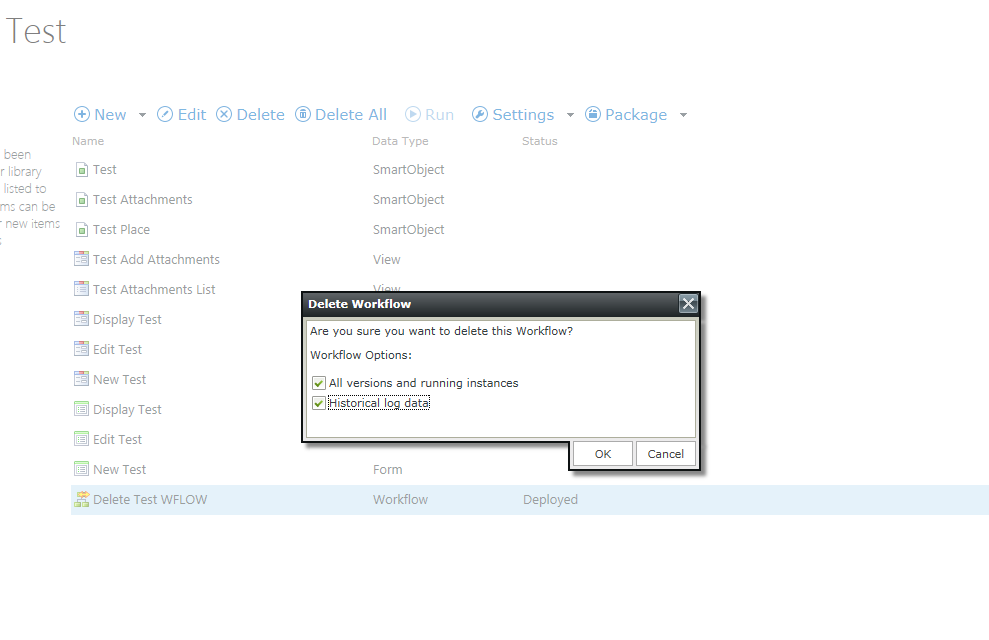
After this post i tried deletion in my 4.7 version and here i actually get options to select before deletion.


This means that now K2 handles all the deletion related stuff automatically!!


A seriously nice update!!!


16532i5A502F43AD94DACE.png