

Nintex Community Menu Bar

Trying to edit a form : blank page with only one field

  • July 25, 2019
  • 2 replies
  • 34 views

Forum|alt.badge.img

Hello


I started to work with Nintex forms for Sharepoint 2016.


I was able to create several forms without any issue.


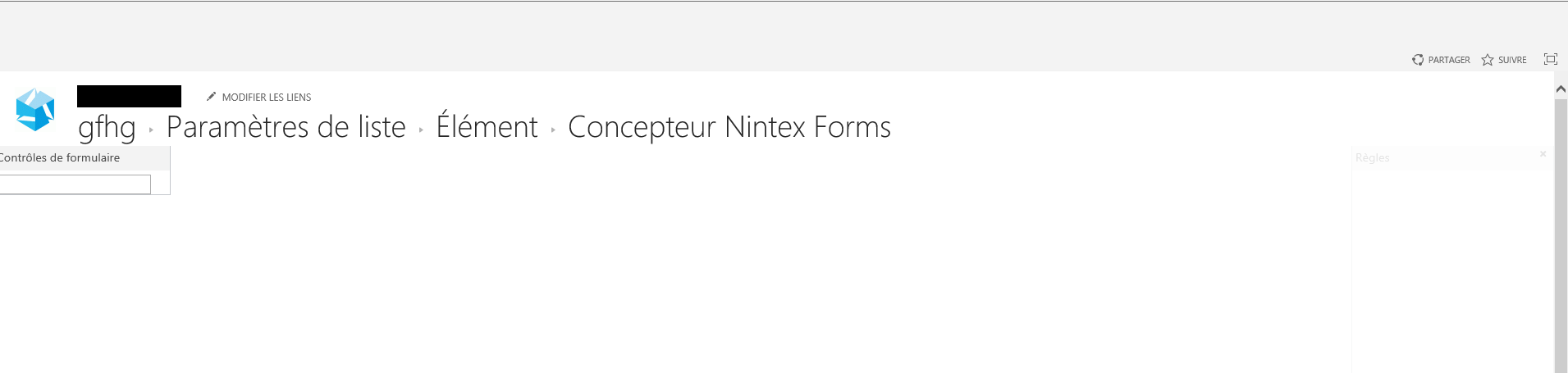
But now, when I want to edit an existing form or create a new one, I click on the "Nintex forms" button and then I get a blank page with only "form controls" and a blank field, no ribbon, no tools,... (see below)


I tried to deactivate the form functionnality in the site collection, no change3285iAB66ADCA0D276A6E.png
2 replies

Forum|alt.badge.img+3
  • Nintex Employee
  • July 26, 2019

Hi,

Navigate to central administration -> Nintex Forms Management and see if the controls are installed.

Do you have custom master page or css in your enviornment? If Yes, test with default page and see if that resolves your issue.


Forum|alt.badge.img+14
  • Scholar
  • July 30, 2019

can you try to open designer with developer console opened? are there reported any errors?



