


Hi guys,
I've been reading quite a long time about terminating list items which don't exist. I've found a solution which says to remove some query strings Terminate WF when items do not exist. It helped me a lot, but I haven't found a solution on how to terminate workflows which are running in the "non-existing" list inside "non-existing" items.
All I have is 43 error workflows which are still running, but I cannot delete them, because SharePoint alerts me with an error depicting "error message, that list does not exist".
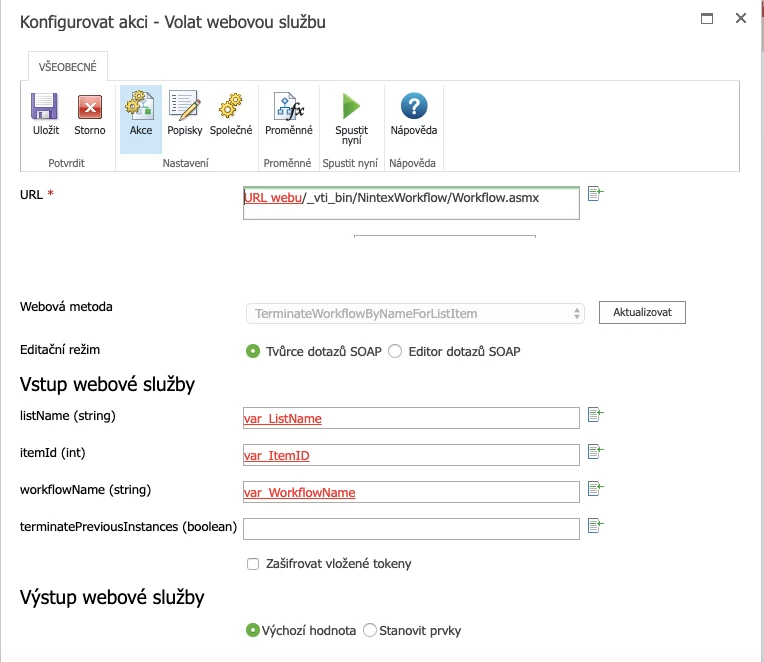
I tried to call a web service on my site and set some variables at the beginning before executing WF.
This is URL of the non-existing list with the non-existing item. So, I had an idea to take ListID to var_listID, ItemID to var_itemID and InstanceID to var_InstanceID.
All seemed to be working because, at first, I tried to push "Run now" and it answered "OK" when I hit "test connection".
I've created a new app (list) on the site and set up the workflow. The variables I set as required before executing the workflow at the beginning.
It showed "Completed," but nothing happened.
Can you help me more?
Thank you very much
Steve



