Nintex Community Menu Bar

Start another workflow after set item permissions (break inheritance) gives error.

  • May 28, 2019
  • 3 replies
  • 21 views

Forum|alt.badge.img+3

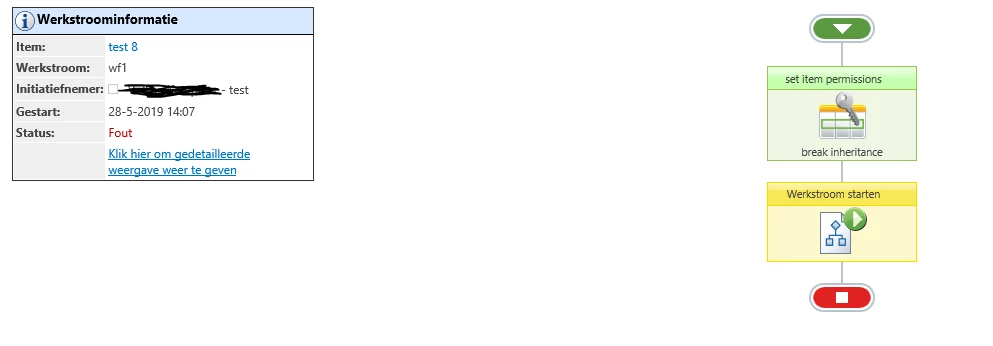
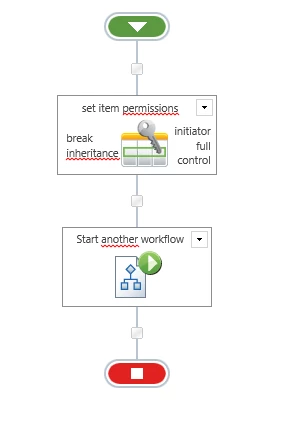
We are using SharePoint 2013 and Nintex 2013. I created a simple workflow which starts a second workflow. Before I start the second workflow I set item permissions. I break inheritance and give the initiator full control. When the workflow try to start the second workflow it thorws an error:


Start workflow failed. The item does not exist. It may have been deleted by another user.


Why is not possible to modify the list item permissions before starting another workflow?


2314i3517132A6FC929D3.png


2315i52449576BB3A1DCD.png

2316i7121984E887518EC.png


3 replies

Forum|alt.badge.img+14
  • Scholar
  • May 29, 2019

try to add pause action after set permission one


Forum|alt.badge.img+3
  • Author
  • May 31, 2019

Is this a known issue/bug? Why is the second activity not waiting till the first activity is finished?


Forum|alt.badge.img+14
  • Scholar
  • June 4, 2019

it's sharepoint feature - it doesn't execute actions immediatelly as they are passed trhough within workflow. it batches action from all over the environment and executes them once in a while.

furthermore there other batching aspects, and different complexity to execute each action. 

that all may have effect on subsequent actions


see eg. this blog for further details

https://community.nintex.com/t5/Community-Blogs/Defensive-Workflow-Design-Part-5-Batching/ba-p/80267?advanced=false