Nintex Community Menu Bar

Set people picker colum to sharepoint permission group and send email

  • May 2, 2019
  • 6 replies
  • 39 views

Forum|alt.badge.img+1

Hi All,

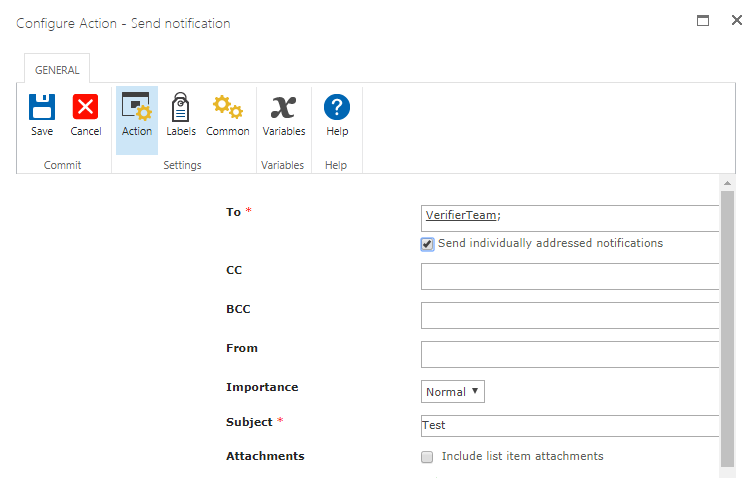
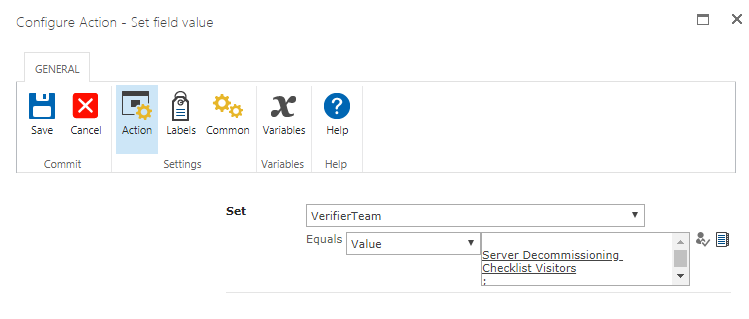
I am trying to update the people picker column with sharepoint permission group, and send email to that group using the updated column. but it is not sending any email.

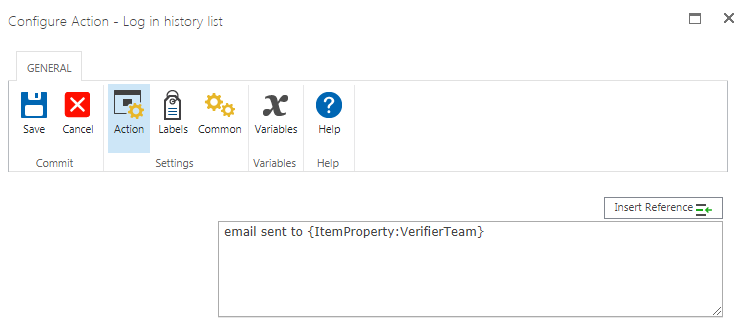
It is updating the column, after updating i am loging the column value its returing nothing .please find the screenshots below.
1771iE3D6965ADCB758B4.png1769i8347C3D4B5EFF7C4.png1770iFD63A04B5A11B237.png


SharePoint people picker colum is set to have people and groups values.

Regards,

Hema

6 replies

Forum|alt.badge.img+14
  • Scholar
  • May 2, 2019

Add commit pending changes action after set field one


Forum|alt.badge.img+1
  • Author
  • May 2, 2019

Still same. It is updating the column but in log history its is not writing the value and not sending email.


Log - email sent to {ItemProperty:VerifierTeam} this is in workflow

history - email sent to

if i set people picker with user name it works, but for the group it is not working.


Forum|alt.badge.img+14
  • Scholar
  • May 2, 2019

then add there pause action to pause workflow for short period of time


Forum|alt.badge.img+1
  • Author
  • May 2, 2019
commit pending changes and then pause action? or only pause action

jesse_mchargue
Forum|alt.badge.img+12

You can use the Pause For action and pause for a minute. Should be good to go from there to use the Item Property within your Log to History and Email.


Forum|alt.badge.img+14
  • Scholar
  • May 2, 2019

Both will not hurt anything, but only pause should be enough