Nintex Community Menu Bar

Service Account Unable to Execute Call Web Service

  • March 16, 2020
  • 3 replies
  • 18 views

Forum|alt.badge.img+9

Web Service: Web URL/_vti_bin/NintexWorkflow/Workflow.asmx

Method: ProcessFlexiTaskResponse


I'm able to execute the call if using my own account, but using a service account returns the following. The service account can access the service but not execute it. It's a site collection admin, and I've gone as far to add it to the site owners group. Why?


<soap:Envelope xmlns:soap="http://schemas.xmlsoap.org/soap/envelope/" xmlns:xsi="http://www.w3.org/2001/XMLSchema-instance" xmlns:xsd="http://www.w3.org/2001/XMLSchema">
  <soap:Body>
    <ProcessFlexiTaskResponseResponse xmlns="http://nintex.com">
      <ProcessFlexiTaskResponseResult>false</ProcessFlexiTaskResponseResult>
    </ProcessFlexiTaskResponseResponse>
  </soap:Body>
</soap:Envelope>




3 replies

Simon Muntz
Nintex Partner
Forum|alt.badge.img+23
  • Nintex Partner
  • March 16, 2020
Hi

The method ProcessFlexiTaskResponse is obsolete.
Use ProcessFlexiTaskResponse2 instead.

Forum|alt.badge.img+9
  • Author
  • March 17, 2020

Hi Simon


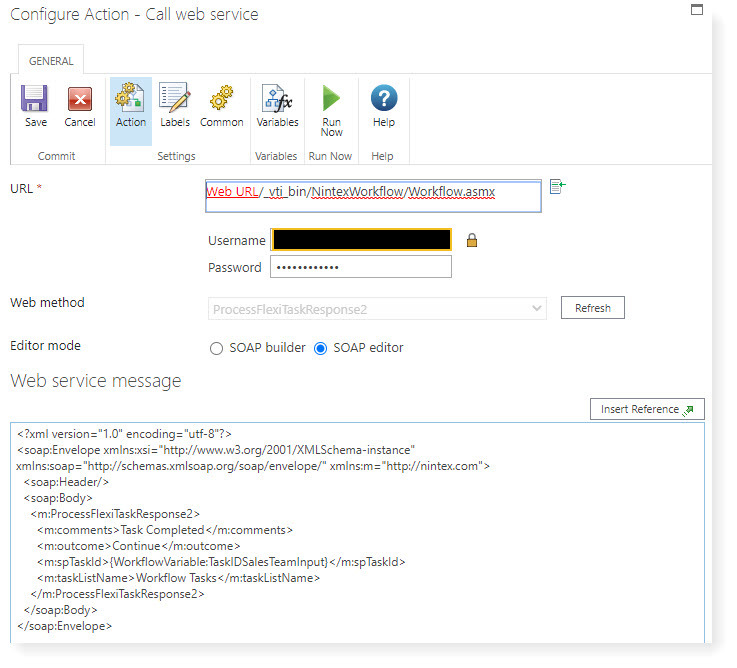
Thanks for the reminder. Using ProcessFlexiTaskResponse2, I'm now seeing "InvalidUser" in the response result:


<soap:Envelope xmlns:soap="http://schemas.xmlsoap.org/soap/envelope/" xmlns:xsi="http://www.w3.org/2001/XMLSchema-instance" xmlns:xsd="http://www.w3.org/2001/XMLSchema">
  <soap:Body>
    <ProcessFlexiTaskResponse2Response xmlns="http://nintex.com">
      <ProcessFlexiTaskResponse2Result>InvalidUser</ProcessFlexiTaskResponse2Result>
    </ProcessFlexiTaskResponse2Response>
  </soap:Body>
</soap:Envelope>

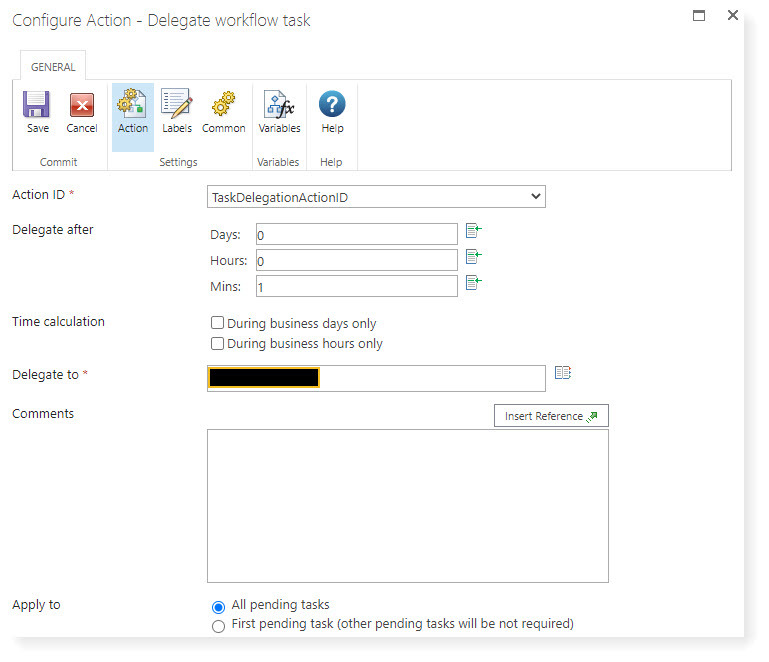
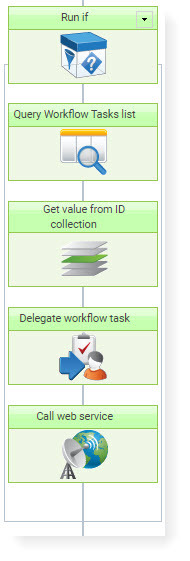
There is a post explaining that the task needs to be delegated to the service account first before calling the web service. I've tried that, but it still doesn't process the task despite the workflow completing as it should.


6851iA57083C8901C8B5A.jpg6852i05F9FC236611D5EB.jpg

6853iA88A00BC8603C35A.jpg


Forum|alt.badge.img+9
  • Author
  • March 20, 2020

Problem solved as follows:


  • Call web service - Delegate Task (to Service Account)
  • Pause - this is absolutely necessary to avoid concurrent processing between delegating and processing
  • Call web service - Process Flexi-Task