Solution showcase: Learn how to use Nintex CE Platform
Simple question, how can I round integer numbers to 2 places after the decimal within a workflow?
Cheers
mai-kel
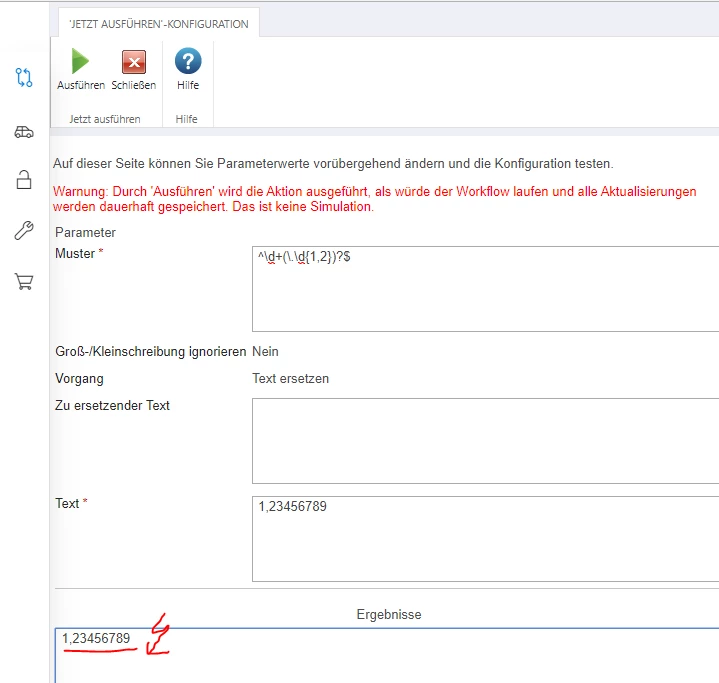
@mai-kel .....Below is the RegEx:
^d+(.d{1,2})?$
BTW, is there a reason you can't do this on a list column?
@kunalpatel : thanks for your reply, unfortunately it does not work here - what did I do wrong?!
Column is saving minutes (which is ok), but I need time in hours. But I do not want to add another column... table is already quite huge. : /
@mai-kel .....Can you tell me how you're getting that value? Is it some calculation in the workflow or is it coming from a form/list?
Hi,
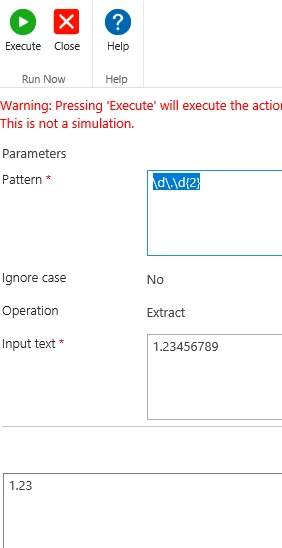
Use a regular expression with an extract operation and this pattern:
d.d{2}
Seems to work.
In regular expression syntax, d is "a single digit". Therefore you need d+ (one or more).
@beckettj is correct.
The pattern should be.
d+.d{2}
Already have an account? Login
Enter your E-mail address. We'll send you an e-mail with instructions to reset your password.