Nintex Automation K2 5.10 Product Release
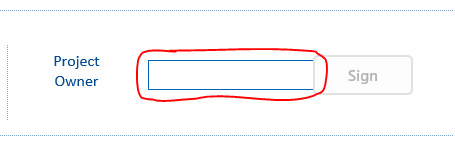
How do you remove the input field cell outlines in "edit" view?
You can select the field you want to remove the border on and add a CSS Class, say ProjectOwnerField for example. Then add the following custom css for a text field.
.ProjectOwnerField input {border: 0 !important;}
Or this for a people picker
.ProjectOwnerField .ip-container{border: 0 !important;}
Already have an account? Login
Enter your E-mail address. We'll send you an e-mail with instructions to reset your password.

 +7
+7