

Nintex Community Menu Bar

Removal of the Workflow Task Notification

  • June 18, 2019
  • 2 replies
  • 26 views

Forum|alt.badge.img+7

I have created a Nintex workflow that has an action  - Start a task process which sends out an approval / rejection request.


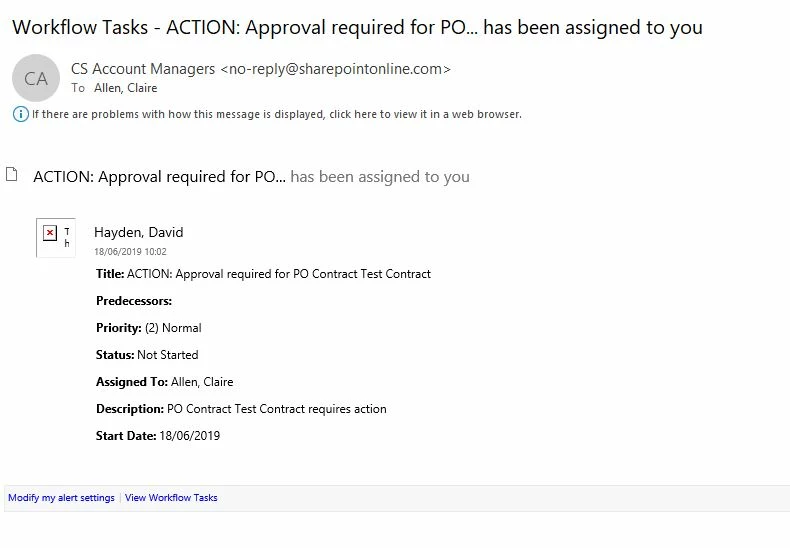
The workflow or SharePoint is also sending out a Task Notification from the system so I have two emails where I only require one, also when the task has changed, the system also sends out a notification of the changes.


How can I remove the  Workflow Task emails as shown below
2632i4964503A012FA1E0.jpg


Thank you

Claire


2 replies

Forum|alt.badge.img+17
  • June 20, 2019

That is slightly odd. There should only be the one task email that comes out when the task gets executed. The workflow task email is standard and should come from the SharePoint engine, I'm not sure where the other notification is coming from.


Can you possibly export your workflow and attach it for me to look at?


Forum|alt.badge.img+7
  • Author
  • Novice
  • June 21, 2019

Issue has been resolved, when you create the workflow in SharePoint it creates a workflow task list, you need to go into the list setting and into advanced options and tick a box not to send the email for the task.


2706i5F2A25F38D3FBE69.jpg

