
Nintex Community Menu Bar

Reference a control's value from a repeating sectuion dynamically

  • January 6, 2020
  • 4 replies
  • 12 views

kelliganp
Forum|alt.badge.img+10

Hi Folks,

My colleague, @gbone02, and I are experimenting with responsive forms and have an issue that we need some guidance on.
On a "Stock Issue Form" we have a repeating section with a calculated value control with the "Item Identifier" and an image control that should populate with an image from another library. Each related image is named with the same string as the Item Identifier. The url for the image field should be https://domain/site/ImageLibrary/{Image Identifier}.jpeg. The issue we are having is how to get the URL to build dynamically based on the value in the other control in the same repeating row.  
Any help would be greatly appreciated.


Thanks and Regards,

Patrick



4 replies

Forum|alt.badge.img+12
  • Scholar
  • January 7, 2020

@kelliganp .....how about using the calculated control to build the URL and use Named Control of the calc control to reference the Image? I haven't tried this on my end yet.


kelliganp
Forum|alt.badge.img+10
  • Author
  • Rookie
  • January 7, 2020

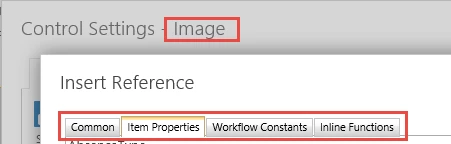
@kunalpatel... We are able to build the URL in a calculated value control but we are still unable to get that value into the Image URL input box when configuring the Image control. The Image URL input box will not accept named controls whether in or out of the repeating section.

6079iF88DBCDF1DE4F551.png


Forum|alt.badge.img+12
  • Scholar
  • January 7, 2020

@kelliganp ....does it has to show image when you the URL is generated? I mean what if using workflow, you re-write the URL in another column and connect that with the image control?


kelliganp
Forum|alt.badge.img+10
  • Author
  • Rookie
  • January 8, 2020

@kunalpatel... The form is a stock/supply issue form. The image is related to a catalog. We want a runtime selection of an item to display what they will get in the repeating row. My coleague @gbone02 found a post where @emha pointed another user to this link: Populate a Calculated Value Field with HTML/Picture.

We had to add a calculated value field to the image library so as to build up the HTML there. Once we had that, Gary finished it quickly.

Thanks for responding!