

Hi,
We’re trying to set up the Lazy Approval for our client and we have found the guide for setting up from here:
LazyApproval Guide: Nintex Workflow 2013 & Nintex Workflow 2010
Our farm is using the Microsoft SharePoint 2016 Minrole Installation, with 3 SharePoint servers as below:
- One Web Application (Server role: Application with Search => incoming email feature (Microsoft SharePoint Foundation Incoming E-Mail) is available)
- Two Web Front-End (Server role: Front-end with Distributed Cache for both servers => incoming email feature (Microsoft SharePoint Foundation Incoming E-Mail) is NOT available)
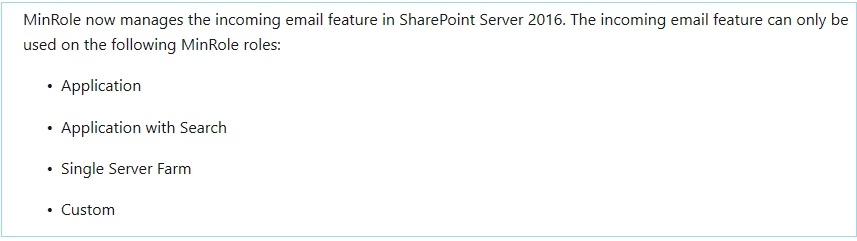
Because the incoming email feature (Microsoft SharePoint Foundation Incoming E-Mail) is only available on the Web App, so can you advise if we can set up the Lazy Approval in Web Application server only (meaning install SMTP feature on Web App only) and don’t need to enable the incoming email feature as well as setting up the SMTP in Web Front End Server?
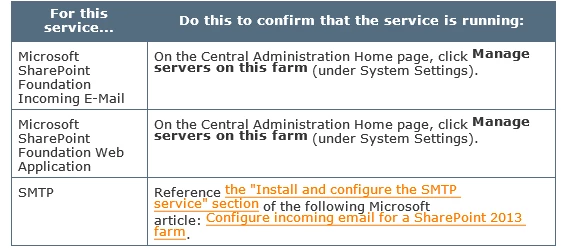
As according to the guide, “on each server in the farm that is running the service Microsoft SharePoint Foundation Incoming E-Mail, do the following:”
Thanks & Regards,