Nintex Community Menu Bar

Problem with Set Condition control always defaulting to True never False

  • June 5, 2019
  • 4 replies
  • 13 views

Forum|alt.badge.img+3

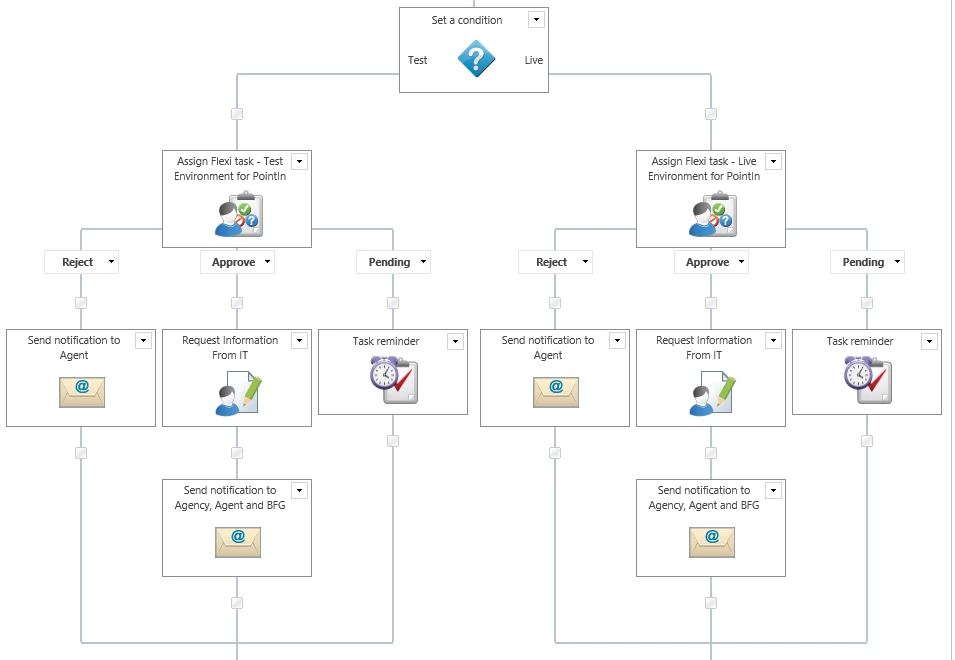
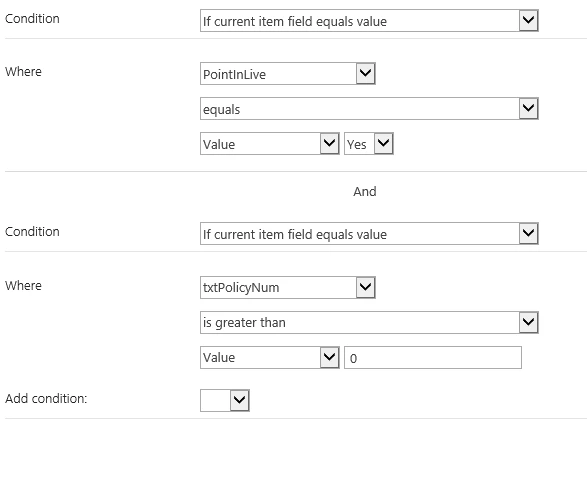
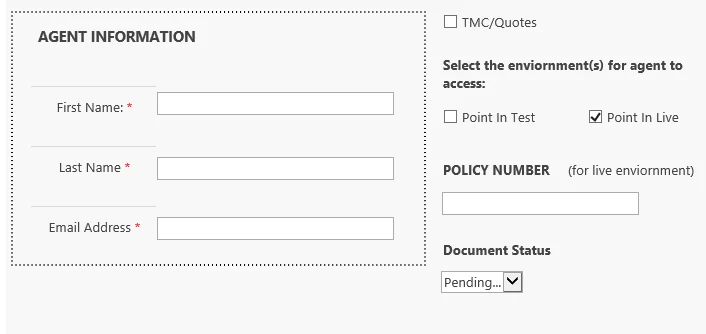
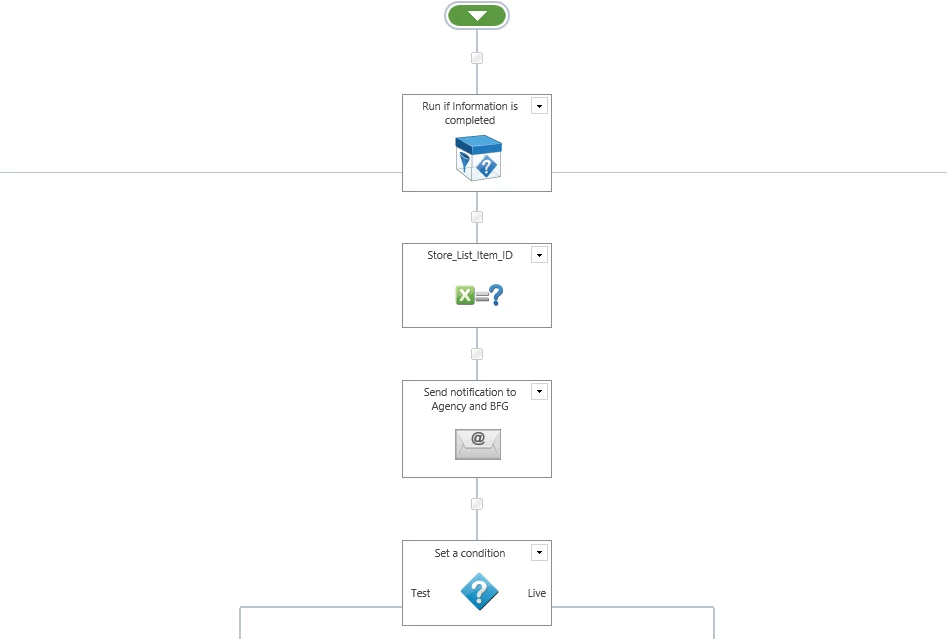
Hi, I've been working on this form where I want the user to select either a Test or Live enviornment. I added conditions that in order to get to the live enviornment the user must click the checkbox for the Live and also enter a policy number. At the moment when I test this workflow I'm only going to the test enviornment not the Live enviornment, no matter if i select the live checkbox and add the policy number. Can anyone point out what I need to change in order to get this resolved. 
 

2466iD96F07A6044515EB.png2468i2DE161AA242ABB8F.png2465i5F9BEDC716985493.png2469i16329E7707F7E48D.png

4 replies

Forum|alt.badge.img+4

Does Point in Test and Point in Live are connected to two different columns on the list. As per the form you are using checkboxes for Test and Live in that case if you select both, only one condition will be executed all the time which is set to true. 


Instead of checkboxes you can use radio buttons and connect to a single field and have the condition based in that field.


If you need to have both using checkboxes, then change the condition.


Forum|alt.badge.img+3

Point in Test and Live are connected to two different columns on the list. 


Thank you I will try this out and let you know if this works out. 


Forum|alt.badge.img+8
  • June 7, 2019

An alternative way to do it would be to run just on the live option. If Live is checked, then do Live actions. If not, do the test actions. This works since you only have two options. If you had more than 2 possibilites you would need additional condition actions.


Forum|alt.badge.img+3
I tried this way and it worked out fine for me...