

Nintex Community Menu Bar

problem in Blackpearl project templates

  • November 21, 2007
  • 7 replies
  • 11 views

Forum|alt.badge.img+4

Hi all,


 i installed successfully Blackpearl after a lot of troubles.now i facing another problem.pls find the solution.i am attching screenshots also.


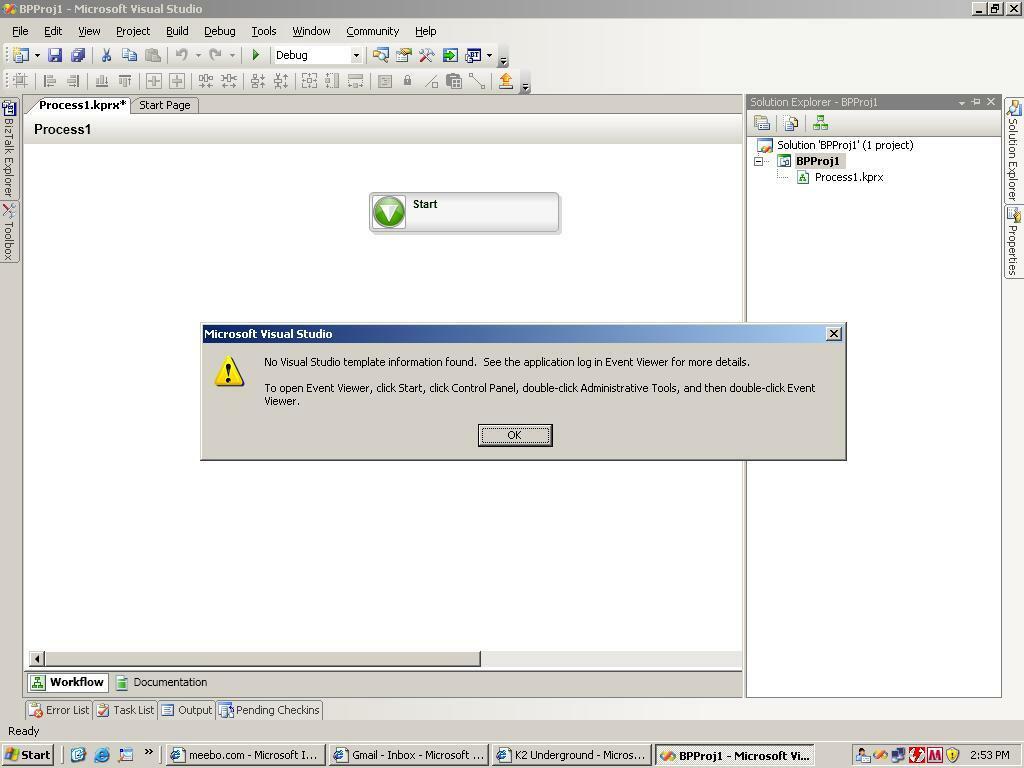
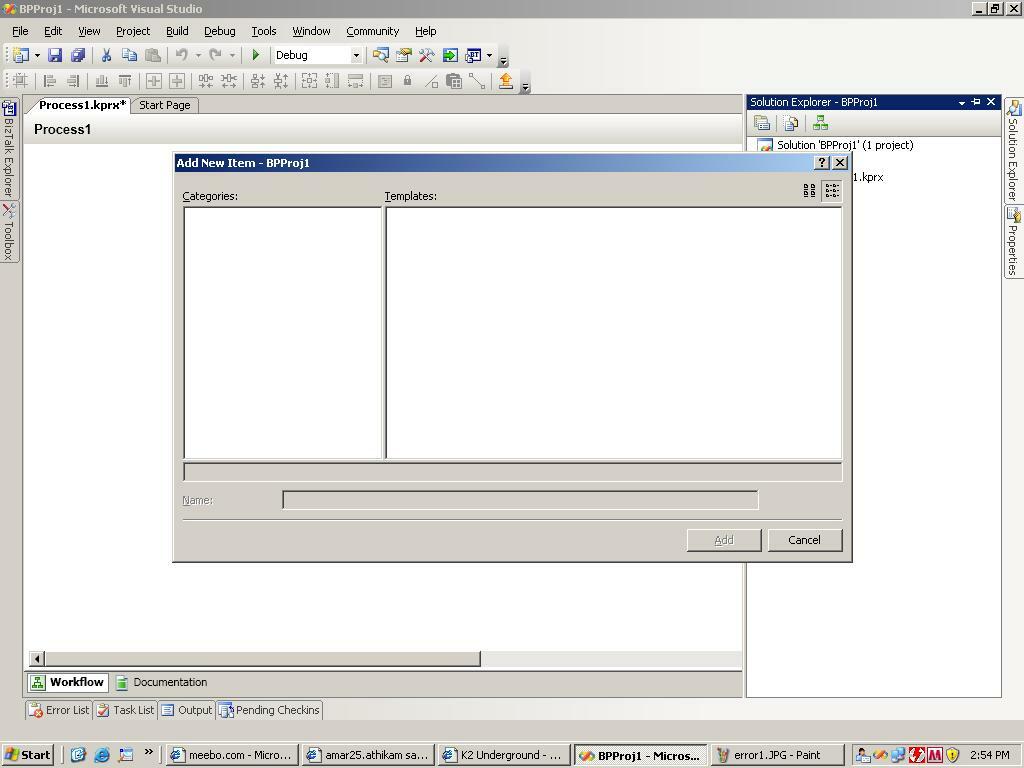
    goto program files---->k2 blackpearl---->K2 studiodesigner--->opens the VS--->open the new project----select k2 under k2 i select k2 empty project---given the project name--->click ok--->In solution explore right click on the project name---->select add new item--that time as shown in screen shot error1jpg is displaying ----->if i click ok ---->show in other screenshot error2.jpg


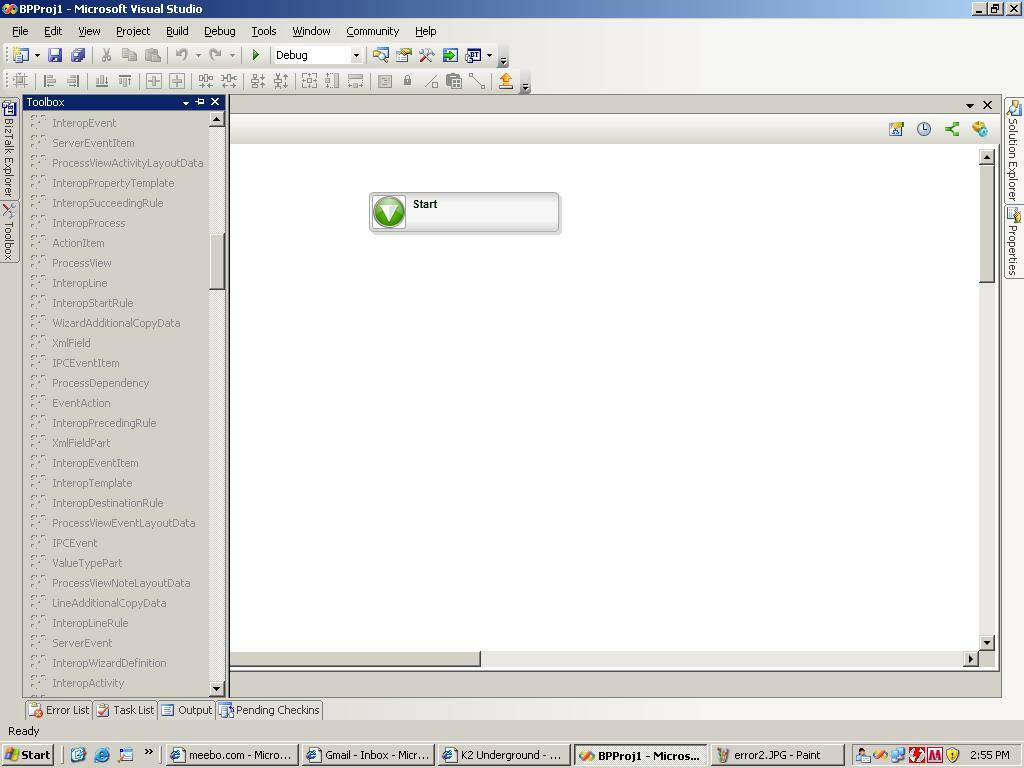
      if select directly in new project template under k2--K2 workflow project----that time the process is opened but in the tool box the tools are disable as show in error3.jpg,pls give me the solution of this issues.
12870i2FD5F274BDB9DD50.jpg

7 replies

Forum|alt.badge.img+4
  • Author
  • November 21, 2007
hi this is 2 nd screen shot
14000iBDB3171B0CEFB964.jpg

Forum|alt.badge.img+4
  • Author
  • November 21, 2007
this is the 3rd screen shot error3.jpg
16515iCC4B6BE651973293.jpg

Forum|alt.badge.img+7
  • November 21, 2007

Could you check the event viewer to see anything about the installation and the error when you create k2 projects and when you click the process.


Also please check the folder, "C:Program FilesK2 blackpearlBinDesignTemplatesCSharp" if this is exist.


Please make sure you installed .NET 3.0 runtime, WF extention for VS2005. Did you install VS2008 in your machine?


Forum|alt.badge.img+4
  • Author
  • November 22, 2007

Hi,


  in Desgin templates-->CSharp---> 2 folders are also there 1) codeExtender 2)WindowsWorkFlowExtender  is exist ,this is fine


in evertviewer for this regarding is showing like this


    warning:The Visual Studio template information is out of date. Regenerate the templates by running 'devenv /installvstemplates' or reinstalling Visual Studio. Note: corrective action requires Administrator privileges


Forum|alt.badge.img+4
  • Author
  • November 22, 2007
I instaleed  .NET 3.0 runtime, WF extention for VS2005 also,but what is the problem i cant understand.pls help me how to solve this problem

Forum|alt.badge.img+4
  • Author
  • November 26, 2007

Hi all,


  i solved above shown problems.the solution is


  goto program files-->VS2005---->VS tools----->command prompt---type  as  devenv /installvstemplates


            the project templates are opened properly now.


Forum|alt.badge.img+7
  • November 27, 2007

Great. This is good news.


Anyway, please change this thread status to "resolved".
