
Hi @eharris04 ,
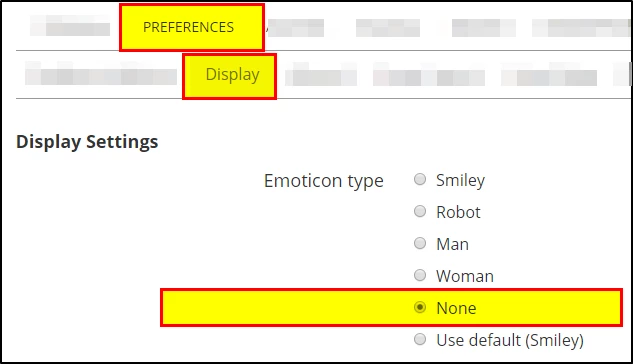
I wanted to take a momment and make a suggestion. I noticed when using the code window in forum posts, sometimes, character combinations create emoticons that translate out to long text for the emoticon when the code is coppied and pasted in a solution. If caught, not a big deal if you know the keyboard combinations for emoticons but with larger blocks of code, it can be a challenge to sort out if you do not know what you are looking for. Is there a way you can have emoticons turned off in the code window?
An example is where the following is used (lets see if it actually happens in this test instance)...
(function(formControlCall, isHidden) {
    some code
}("{Control:Self}", AccountAssignment !== "F")
Then when coppied and pasted, the offending characters show up as...
}("{ControlSmiley Frustratedelf}", AccountAssignment !== "F")
I got the above example from a code window in the following post:
Repeating Section Rows Resizing With Hidden Controls
Thanks for all you do for us!
Best Regards,
Patrick