Nintex Community Menu Bar

Not able to stop save button saving the form using custom OnClick function

  • May 2, 2019
  • 7 replies
  • 78 views

Forum|alt.badge.img+4

Hi 

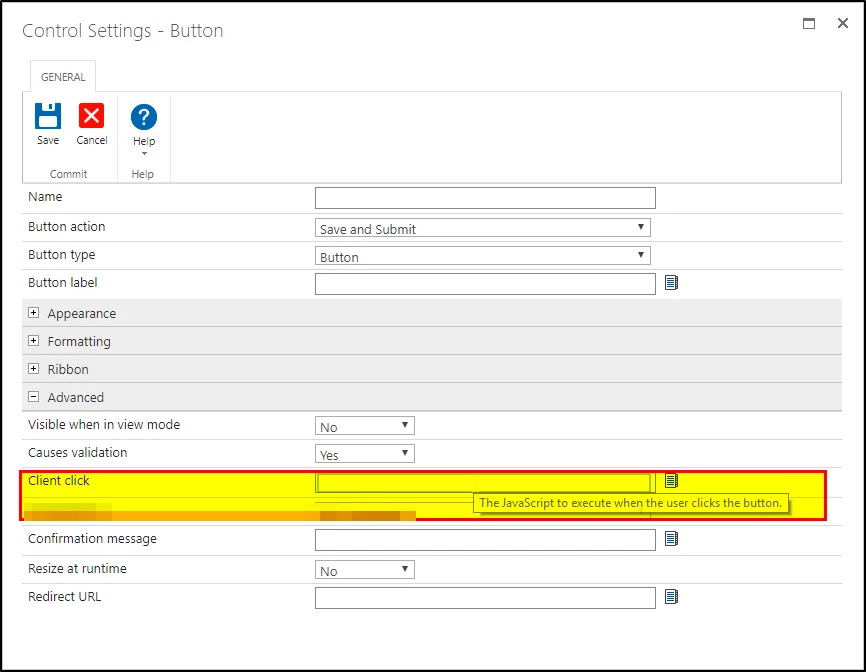
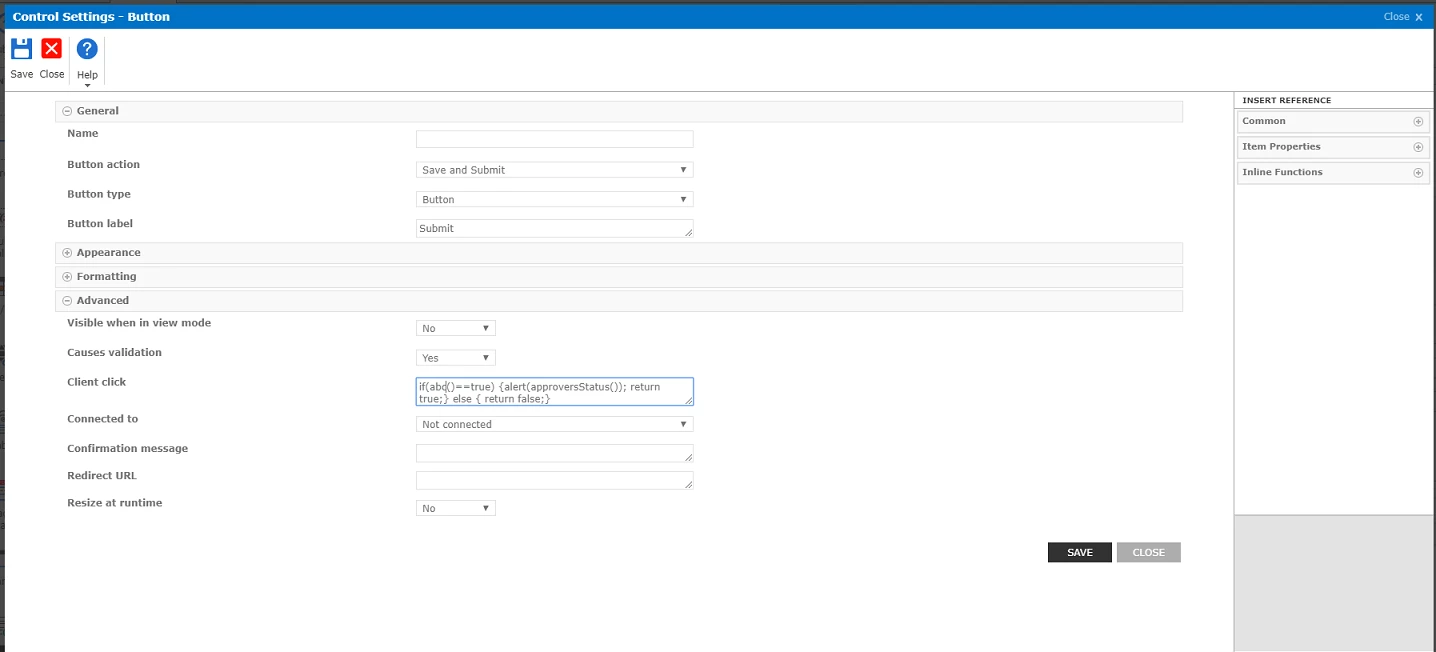
I want to put some custom validation and seems like I doesn't work like it suppose to. I have used the same command for on-prem and this worked fine. When I click the button and  function value is false ,it will stuck at saving the form and neither does it save or come back to ask for filling the missing data. Any idea how we can go back to initial screen for filling the missing data if the value is false.
 

1773iC2D5175608DB83D8.png

1774i2914C23951C979CE.png

7 replies

MegaJerk
Forum|alt.badge.img+14
  • Scholar
  • May 2, 2019

It's probably because when you click the button it starts the 'Submit' event, which will always be handled and will try to Submit the Form. 

Ideally, you should not be doing validation using something that isn't a Validation Rule. If the configuration of your Form is Invalid, then it would be wise to simply Invalidate the Control(s) that do not pass the check. Additionally, you use this in parallel with Formatting Rules to prevent access to certain controls based off of the selections made elsewhere. 

If you'd like to add a custom function to your Save and Submit button that ensures that the Validity of the Form is confirmed before it's submitted, you can use the following code: 

(function(event) {
      var myAlert = confirm("Do you really wanna process this form!?");
      
      if (!myAlert || (!Page_ClientValidate() && NWF$(".nf-validation-summary").hide().length > 0)) {        
        /* Validation FAILED */

        /* This will force the Form to scroll to the top */
        NWF$("#s4-workspace").scrollTop(0);

        /* This will prevent the Form from firing the Submit event */
        event.preventDefault();
      } else {
        /* Validation PASSED */

        /* Optional place for housekeeping if you'd like to
        perform some type of work before the Form is
        committed to SharePoint */

        /* 
          NWF$("#" + someControl).prop("checked", true); 
        */
      }
    }(event));


This should ensure that the Form is Valid before it's submitted, and if it isn't, will scroll to the top of the Form in order to show the user that there are Validation Issues (which will be shown in the Validation Summary). 

On the other hand if it is valid, then nothing of importance will happen unless you so choose to place code inside of the 'else{}' block. 


Forum|alt.badge.img+4
  • Author
  • May 20, 2019

Thanks, after giving some thoughts I did it with rules. Will try this method when I face some limitations over there.


Forum|alt.badge.img+4
  • September 8, 2019

Have same issue, where to place the code? Custom JavaScript in form setting?


MegaJerk
Forum|alt.badge.img+14
  • Scholar
  • September 9, 2019

4291i191E25696384DBBE.png


You place it in the Settings of a Button: 

4292i1CE0963254BF0A43.png


Forum|alt.badge.img+4
  • September 9, 2019

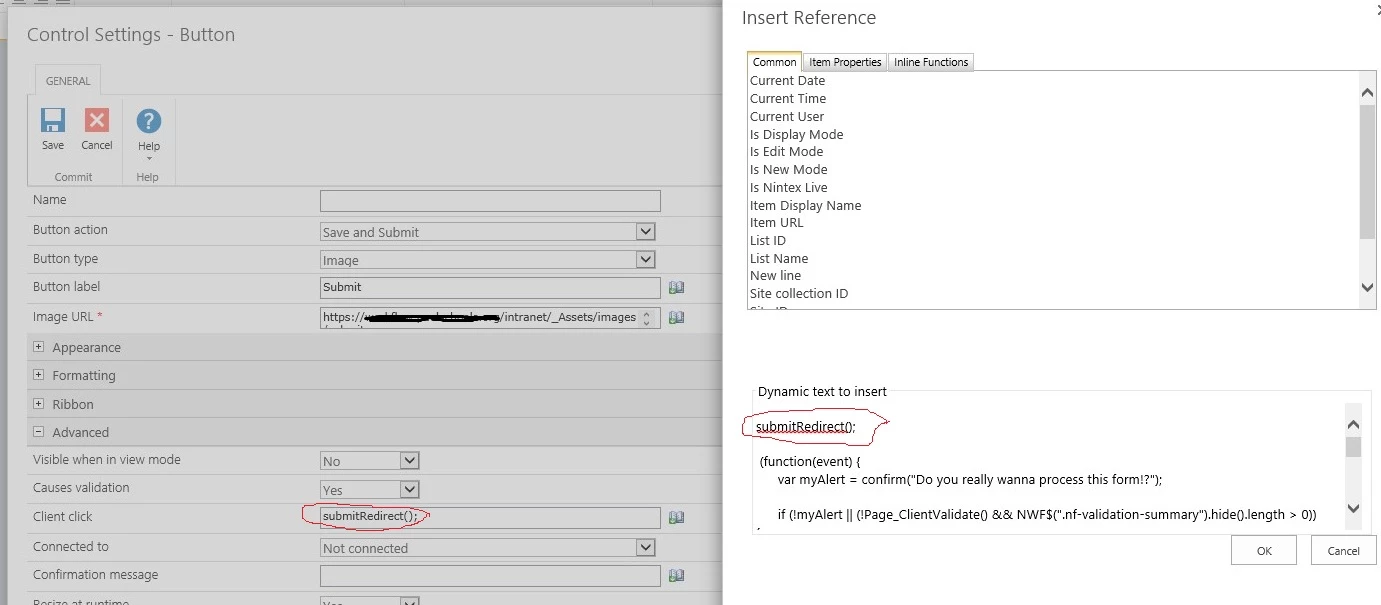
Thanks, MegaJerk. It does not working, it shows message "Do you really wanna process this form!?" but not stop Submit. In my submit button, it has a redirect() to redirect it to Thanks page, is that affect? see picture4296iEA6E85CF92309F63.jpg


Forum|alt.badge.img+4
  • September 9, 2019

I use a few validation rules such as 

and(equals(PanelSelect,"Panel 1"),isNullOrEmpty({Self}))

within several panels. the validation rules for required fields within panels are working ( if not be filled, the form would not be submitted), but Submit button would not stop the submission since the Client Click is set redirecting to Submission page (Redirect()). How can it stop, like a required field set in Sharepoint List' column?


MegaJerk
Forum|alt.badge.img+14
  • Scholar
  • September 9, 2019

Being that this thread has already been marked as solved, and it is a thread that you did not start with the explicit purposes of asking these questions, I advise you to please create a NEW thread so that a conversation can take place there without bothering the original creator of this one. 

Thank You.