Nintex Community Menu Bar

Nintex O365 Foam Repeating section

  • December 18, 2019
  • 3 replies
  • 14 views

Forum|alt.badge.img+1

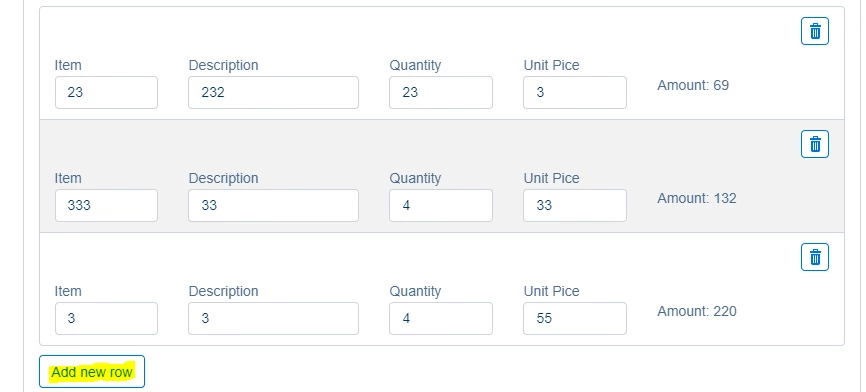
Nintex O365 form Repeating section Issue:


How to disable Repeating section Add New row button in my task foam.
6003i86187F4E02BDD8C5.png


2nd Issue :

How can i get total value of amount calculated filed is missing on o365 workflow app.

3 replies

Forum|alt.badge.img+12
  • Scholar
  • December 18, 2019

@harisIrfan ....Just go into repeating section configuration and select the max allowed rows for your repeating section.


Issue 2 - Don't have O365 so can't help there.


You can post this to Nintex for O365 forum instead of Nintex for SharePoint. This one is mainly for on-prem.


Forum|alt.badge.img+1
  • Author
  • December 22, 2019
my problems one is solved. thanks

Forum|alt.badge.img+12
  • Scholar
  • December 23, 2019

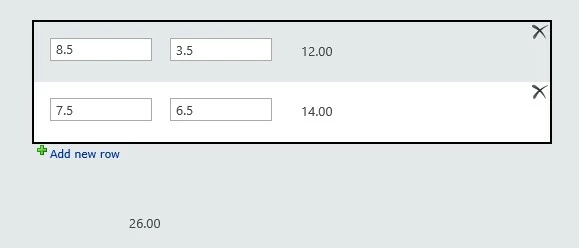
@harisIrfan ....I've tried the below steps in my on-prem setup, I don't know if you can apply the same steps in O365 or not !!!


  • In my RepSec, I've 2 SLT fields sum1 & sum2, data types are decimals
  • Added a calc control called sumtotal and formula "sum1+sum2". Re-calc on all 3 views
  • Outside RepSec, added another calc control called GrandTotal and added "sum(sumtotal)" in the formula. It re-calculates on all 3 views

6035i172866149B99296E.jpg