Nintex Community Menu Bar

Nintex Forms lookup functions

  • April 23, 2019
  • 13 replies
  • 160 views

Forum|alt.badge.img+7

I have been using Nintex Responsive forms for a while now and have used the Look up functions on various forms.


For some reason I am not able to get the result I was expecting when doing the following


lookup("LIST NAME", "ID", parseLookup(NAMED CONTROL, false), "COLUMN NAME")


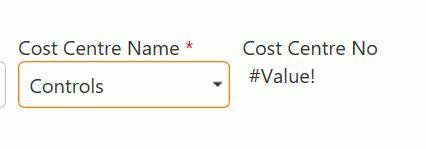
So the image below in the first picture I am doing a look up from a SP list "Cost Centre Number" which works okay and I can select from the options given, then in the second image I want to show the Cost Centre Number once I have selected the cost centre name from the drop down using the lookup formula as shown above, this has worked loads of times on previous forms but for some reason which I can not work out I get the #value!
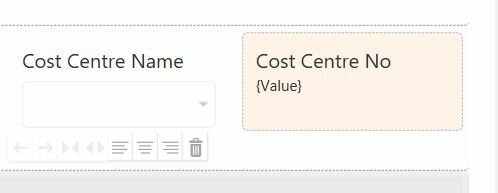
1637i246F8FFC66A452A4.jpg1636i3B7737D10EA50C03.jpg


Any suggestions!

13 replies

Forum|alt.badge.img+14
  • Scholar
  • April 23, 2019

have you carefully checked for a typo/case issues?

an extra or missing space character somewhere? non-breakable space instead of simple space? - typical issues if you copy over formulas or object names

different display and internal object names?

some 'sentive' characters in 'NAMED CONTROL' value(s)? (commas, apostrophes, back/slashes...)

permission issue on 'LIST NAME'?


have you tried to add a calculated value control for 'NAMED CONTROL' and parseLookup(NAMED CONTROL, false) just to see how do they evaluate on their own?

any errors on the form reported on developer console?


Forum|alt.badge.img+7
  • Author
  • Novice
  • April 24, 2019
I have tried various solutions, I have taken the whole thing out and started it again, I've mirrored a previous formula that I have used to make sure that all the character's are the same, still getting the same #value.

I've copied the names from the lists I am looking at then taking them back out again and typed it in.


Forum|alt.badge.img+14
  • Scholar
  • April 24, 2019

I'd suggest to debug it out from basics...


first of all check the developer console for any errors reported. if there are any resolve them first.


then as mentioned let evaluate simply 'NAMED CONTROL' in a calculated value control, next parseLookup() function, etc.


Forum|alt.badge.img+7
  • Author
  • Novice
  • April 25, 2019
I've not used the developer console before, so I don't actually know how to check if any errors have been reported.

I've have tried various evaluations and nothing seems to resolve the issue.

Thank you for your assistance.


Forum|alt.badge.img+14
  • Scholar
  • April 25, 2019

simply hit F12 in browser and developer console should pop up.

switch to console tab in there.

run the form and watch what is reported on the console.


Forum|alt.badge.img+7
  • Author
  • Novice
  • April 25, 2019

@emha 

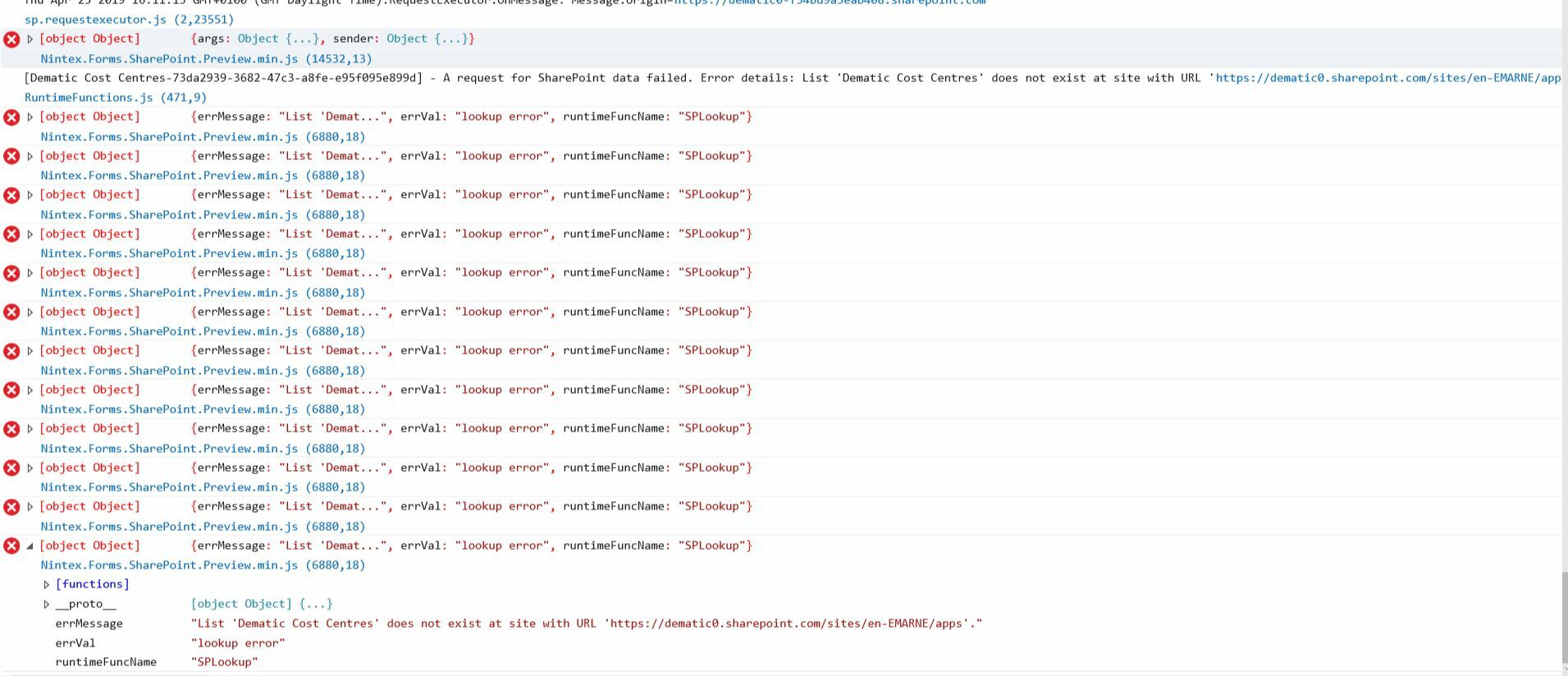
Thank you for coming back to me, I have run the developer console and I get error messages.

1684i00267CFCB7A27860.jpg

It shows that the List is not valid, even though it's looking up a SharePoint list in the First look up column on my form and this works okay, but when I add a calculated value this is where I get the error message, as I want it to select from the look up column and then show related information, a bit like a cascasding look up.

I have added test look up to the columns I am trying to look up and they work fine, it's only when I add this formula to the list it does not work as it has before.


Any further suggestions?


Thank you

Claire


Forum|alt.badge.img+14
  • Scholar
  • April 26, 2019

fuuu, that's quite a bunch of errors. so it's of no surprise someting doesn't work as expected.


I think the error messahe is quite clear - it's not pssible to find a list with name 'Dematic cost centres' within the site 'https://dematic0.sharepoint.com/sites/en-EMARNE/apps'

so there is either problem with list name or site url.


do yo by any chance look for a list from the other site than where the form runs?

could you share what's the exact 'Dematic cost centres' list URL, and what's the URL of the list the form runs on?


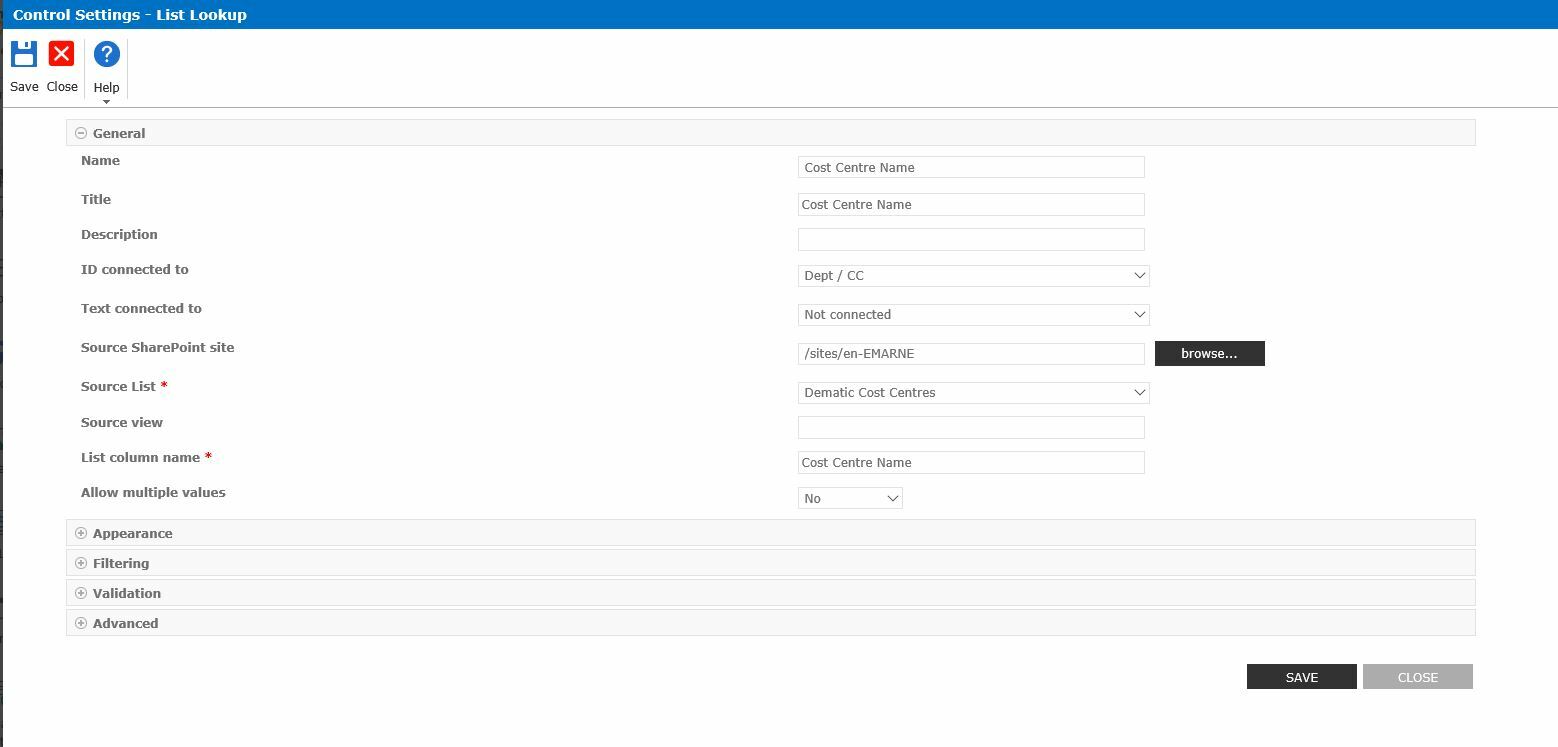
could you post configuration of working 'First lookup column on form'? have you configured 'Source SharePoint site' option there?


Forum|alt.badge.img+7
  • Author
  • Novice
  • April 29, 2019

The master list is on the top site en-EMARNE-

https://dematic0.sharepoint.com/sites/en-EMARNE/apps (This is a sub site).
This is where the list is stored - https://dematic0.sharepoint.com/sites/en-EMARNE/Lists/Dematic%20Cost%20Centres and configured in the first column which works okay, it looks up the list and finds the information required.


1732i23EAD9B9FF1E7B84.jpg


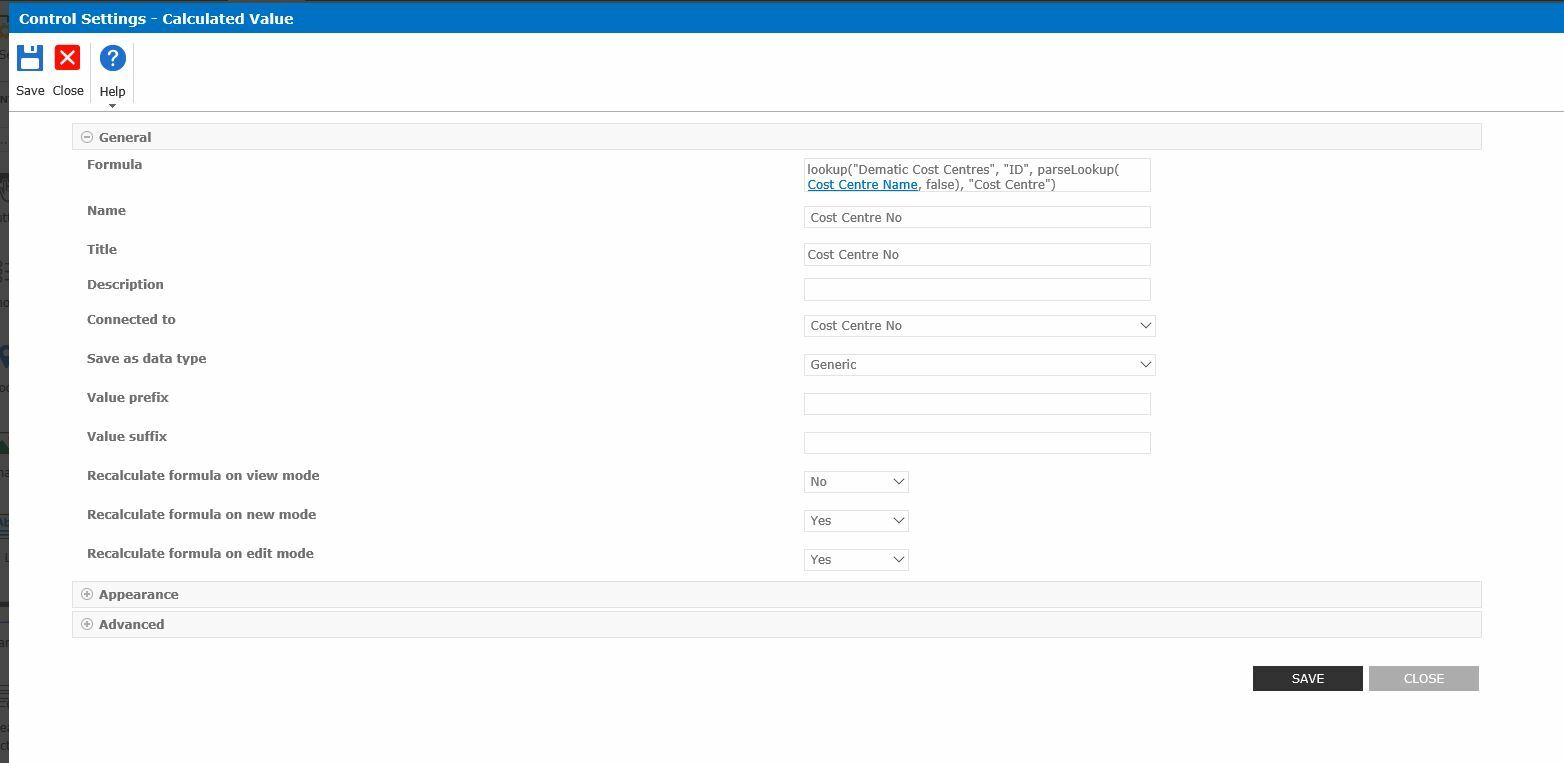
The Calcualted column configuration is as shown below, 


1733i7C8177F8054051E6.jpg


is it becuase I'm creating the form on a sub site of the main site?


Regards


Claire


Forum|alt.badge.img+1
  • April 29, 2019

I am not getting the same (or any) IE errors but I am seeing the same result (#value!) from an almost identical lookup function in a named control.

Any ideas?


Forum|alt.badge.img+14
  • Scholar
  • April 29, 2019
is it becuase I'm creating the form on a sub site of the main site?

definitelly!

have a look on documentation how list from a differrent site or subsite should be referenced - https://help.nintex.com/en-US/nintex2013/help/#Forms/RootCategory/Designer/Nintex.Forms.LookupFunction.htm%3FTocPath%3DForms%7CUsing%2520the%2520Form%2520Designer%7C_____21


1736iB32EA5F0CBB9539A.jpg


Forum|alt.badge.img+1
  • April 30, 2019
Found my issue, I was hitting the 1000 row query limit :(

Forum|alt.badge.img+7
  • Author
  • Novice
  • May 3, 2019
Sorry I'm not able to follow this for some reason, I think it may be me not understanding what I actually need to do.

I'm going to do a work around and remove the calculated values from my form and manage the workflow in a different way.

Would you like me to accept your solution?

Thank you for your assistance with everything.

Claire

Forum|alt.badge.img+14
  • Scholar
  • May 3, 2019

out of your above screenshots, I'd say the list reference in your formula should look like.

the rest seems to be correct. 

have you tried it that way? didn't it work?


/sites/en-EMARNE|Dematic Cost Centres