Nintex Community Menu Bar

Nintex Forms Formula Builder issues after Windows 10 upgrade

  • November 13, 2019
  • 6 replies
  • 36 views

Forum|alt.badge.img+1

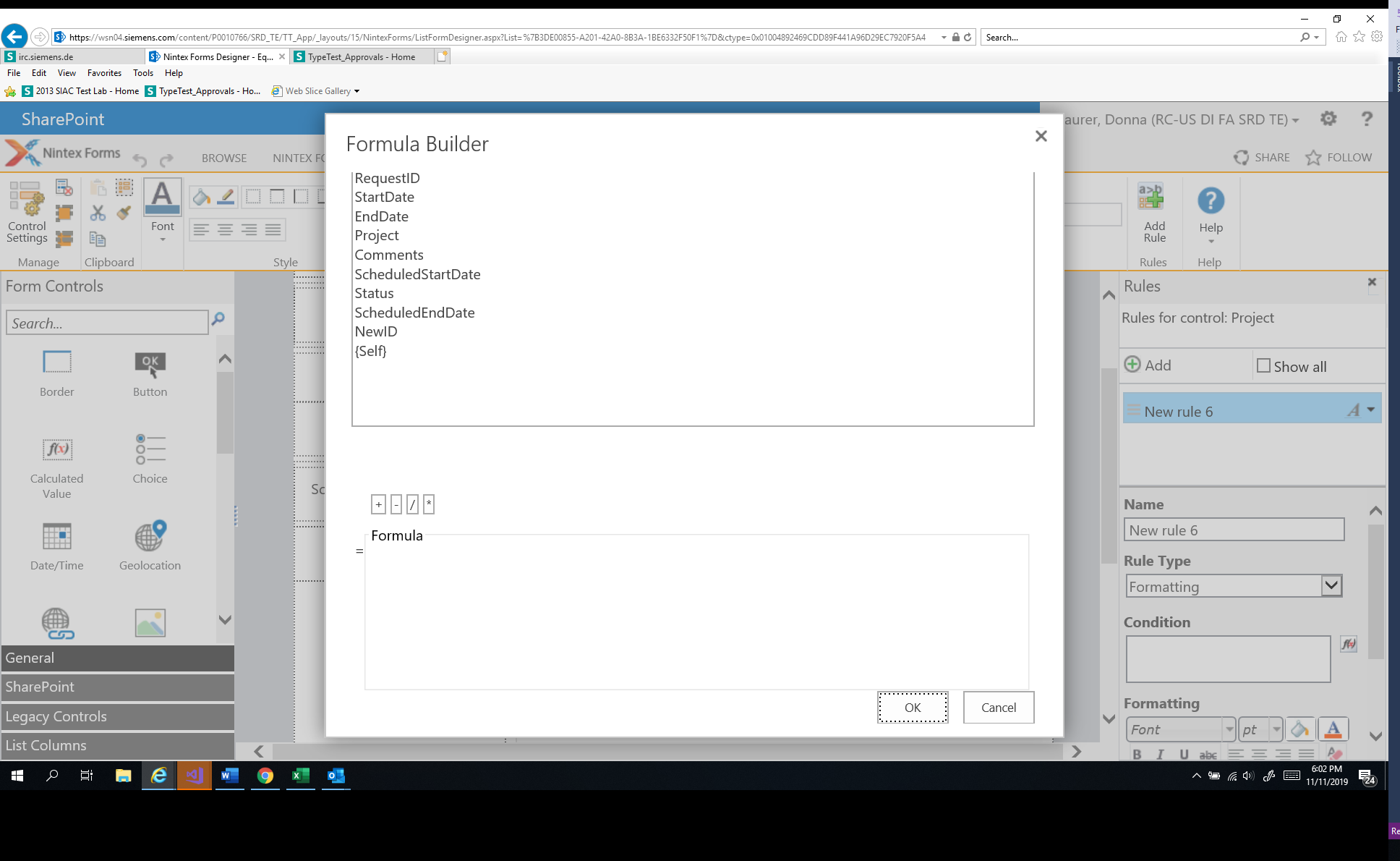
I recently upgraded computer to Windows 10 and now have issues with Formula Builder not displaying correctly in Nintex Forms.  Only part of the screen is available. 

Is it required to have Visual Studios installed?

I installed Visual Studios Team Explorer 2017 (had Visual Studios Enterprise 2015 before with Windows 7).  Could this be reason for the issue observed with the Formula Builder in Nintex Forms?

6 replies

Simon Muntz
Nintex Partner
Forum|alt.badge.img+23
  • Nintex Partner
  • November 13, 2019
Hi,
Do you have a screen shot showing what is wrong with the formula builder?
VS is not a requirement to use Nintex Forms.

Forum|alt.badge.img+1
  • Author
  • November 13, 2019

5544i80DA7482EA11A88C.png


Simon Muntz
Nintex Partner
Forum|alt.badge.img+23
  • Nintex Partner
  • November 13, 2019
Hi,
Since the upgrade have you updated IE11 to the latest build?
Do you see the same issue in Chrome browser?

Forum|alt.badge.img+1
  • Author
  • November 13, 2019

Hi Simon,

I have IE11 version 11.805.17763.0 Update Versions: 11.0.155

I thought I checked Chrome browser earlier and found the same issue but I just checked and the Formula Builder displayed correctly.  No issue in Chrome browser.  


Do you know why the issue exists on IE?  Do I not have latest version?


Thanks for your help


Simon Muntz
Nintex Partner
Forum|alt.badge.img+23
  • Nintex Partner
  • November 13, 2019

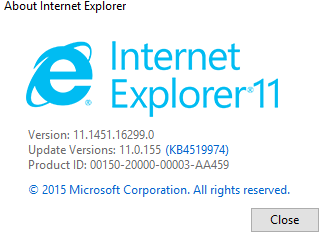
I dont think that is the latest build of IE for Windows 10.

Mine is showing:

5545iA82E4C9192FDF967.png


Forum|alt.badge.img+1
  • Author
  • November 13, 2019
Ok, thanks.
I will try updating to the latest version to see if the issue is resolved in IE. At least I can use the Formula Builder in Chrome browser.