Nintex Community Menu Bar

Nintex Classic Form Hyperlink Control doesn't resize?

  • June 18, 2019
  • 7 replies
  • 28 views

Forum|alt.badge.img+7

I'm having difficult with the display of a Hyperlink control on a form during Display Mode. Specifically, it doesn't appear to resize at runtime despite the respective control's attribute set to 'yes'?


The Hyperlink control is curious control in that during New/Edit modes it presents two fields; the web address and the text to display:
 

2627iB03AC3C8C02D96BD.png


And during Display mode, it only displays one field; the rendered hyperlink:
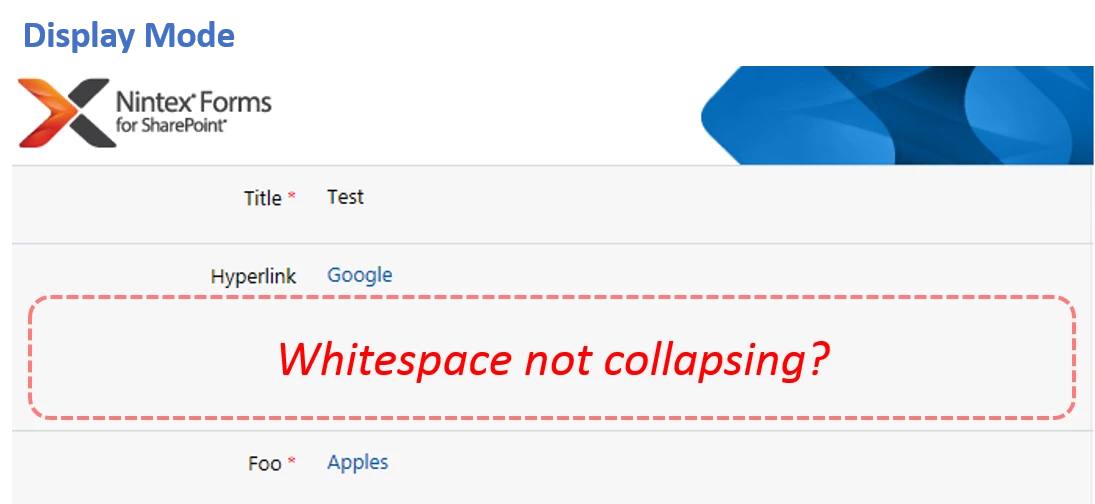
 

2628iFD3AA19D91EF8669.png


However, all of the whitespace used for the two fields during the new/edit mode remains during the display mode.  One workaround that comes to mind is create a rule to only display the Hyperlink field during the New/Edit mode, and during Display mode to instead show a Rich Text control with formula:


<a href="{ItemProperty:HyperlinkField}">{ItemProperty:HyperlinkField}</a>


However, the limitation is that this omits the "text to display" attribute in the rendered link. Are there any other suggested workarounds for this?

7 replies

Forum|alt.badge.img+14
  • Scholar
  • June 19, 2019

resize at runtime only extends control size if needed, it never shrinks control size below designed size


Forum|alt.badge.img+7
  • Author
  • Novice
  • June 20, 2019

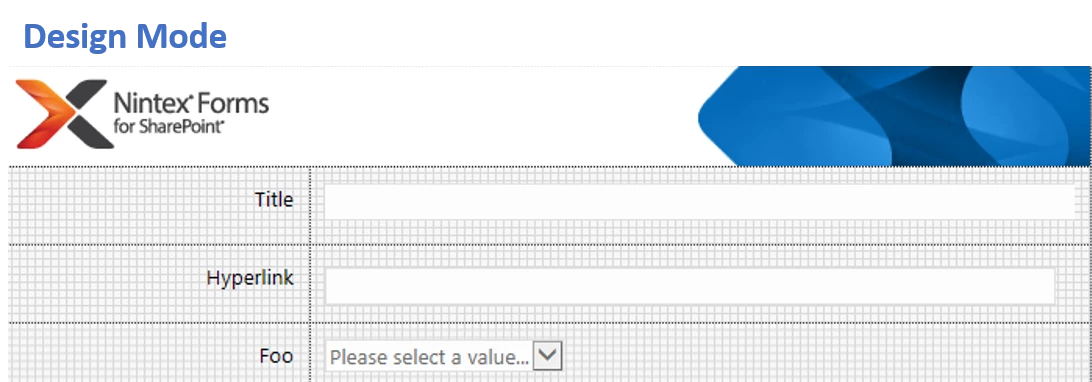
Yeah, the term "resize" is actually a misnomer and could more appropriately be referred to as "Can grow" (yes/no). However, despite this behaviour, shrinking the Hyperlink control to, say, half of its height with the expectation that it'll "resize" (or grow) as required doesn't quite work. Here is the shrunken Hyperlink control during Design mode:


2678i007D1B57293208FC.png


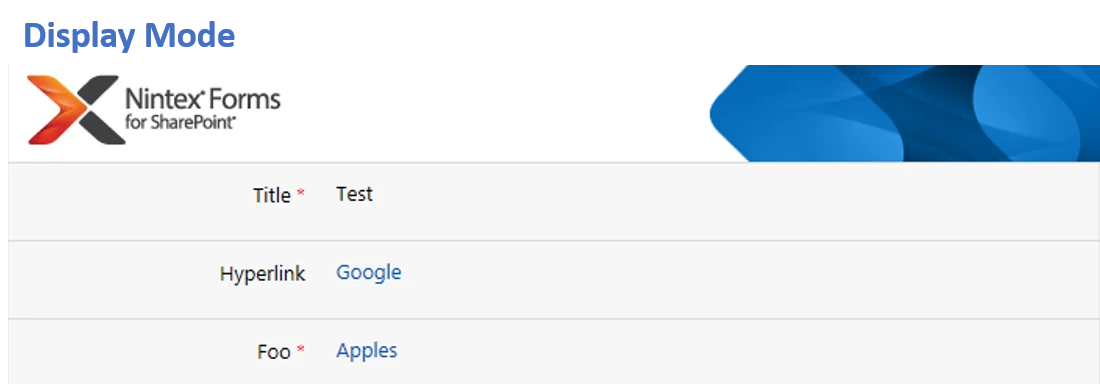
During Display mode, this appears OK since there's enough space to render the link:


2677iAC6B37E20D22CA70.png


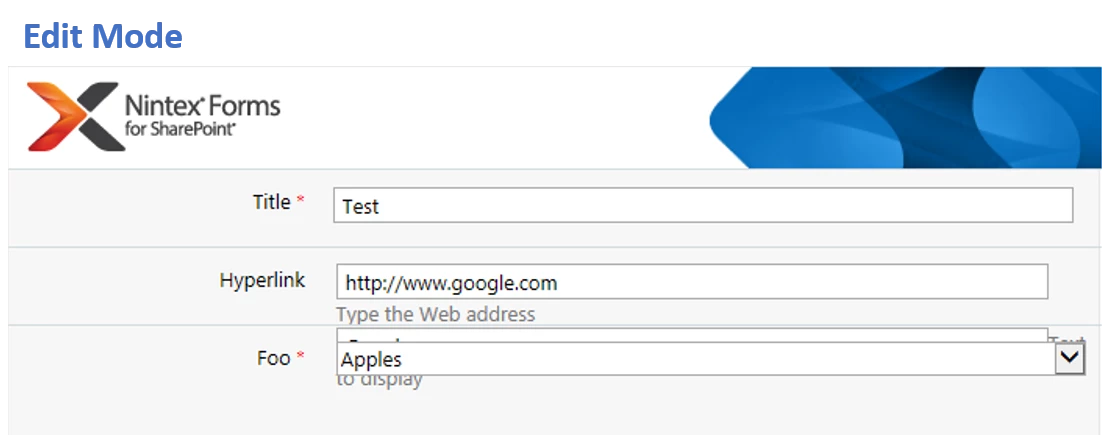
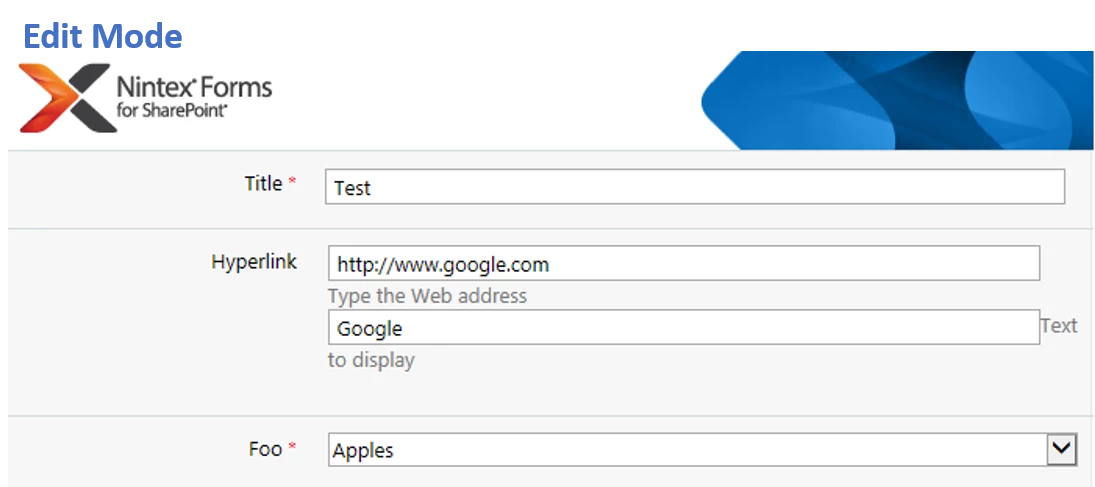
But when in Edit mode, the two Hyperlink fields (URL and Text) overlap rather than push the content below:

2676i325CB9EE29E1D4F5.png


Forum|alt.badge.img+14
  • Scholar
  • June 20, 2019

add hyperlink label and hyperlink control into one panel.

add foo label and foo control into another panel.


Forum|alt.badge.img+7
  • Author
  • Novice
  • June 20, 2019

Tried that too, and the Hyperlink control "grows outside" of the panel and overlaps the panel/content below during New/Edit mode.


Forum|alt.badge.img+14
  • Scholar
  • June 21, 2019

it seems to be a bug ...


Forum|alt.badge.img+7
  • Author
  • Novice
  • June 25, 2019

It appears that way, and that is strange that it seems fundamentally broken when it does not adhere to its own "resize at runtime" setting.


Forum|alt.badge.img+7
  • Author
  • Novice
  • June 26, 2019

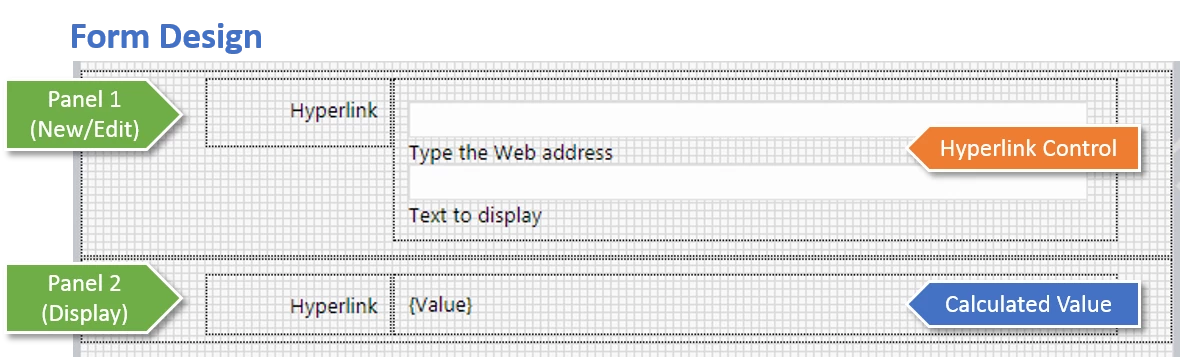
The workaround I ended up implementing was to include two versions of the Hyperlink field within respective panels with conditional display rules. One was the native Hyperlink control for New/Edit mode, and the other was a Calculated Value control that constructed a basic URL from the Hyperlink Item Property. Details for anyone interested are as follows.


2837i2660CC99CF5EEE7C.png

Panel 1 is shown during New/Edit mode and has the following rule:

  • Rule Type: Formatting
  • Condition: Is Display Mode
  • Hide: checked

The contents of Panel 1 is simply the native Hyperlink control. Resize this as required as it does not appear to respect the "resize at runtime" setting (bug).


Panel 2 is shown during Display mode and has the following rule set:

  • Rule Type: Formatting
  • Condition: not(Is Display Mode)
  • Hide: checked


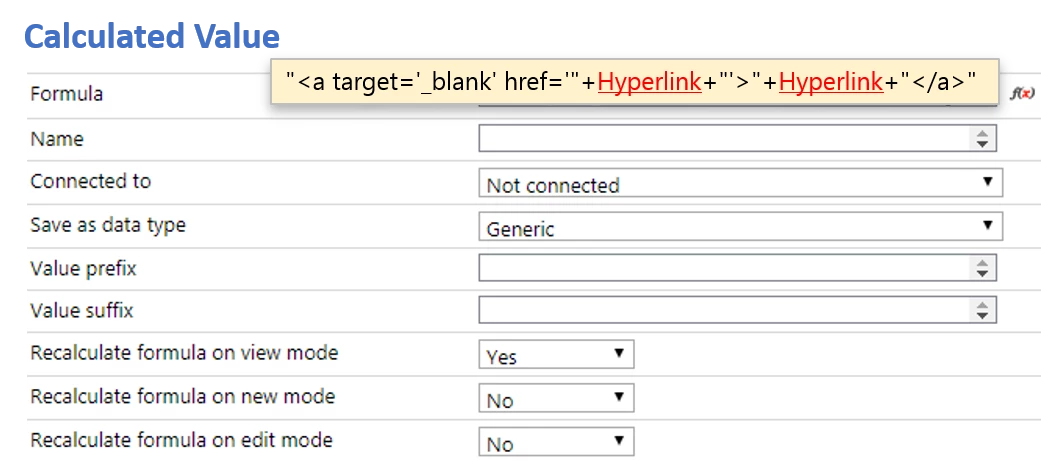
The contents of Panel 2 is a Calculated Value control. It's simply the URL string using the Hyperlink Item Property. Settings as shown below:


2838i98D82BF69C76F8DA.png


Optional: if you prefer not to have the link open in a new window, omit the target='_blank' attribute from the formula.


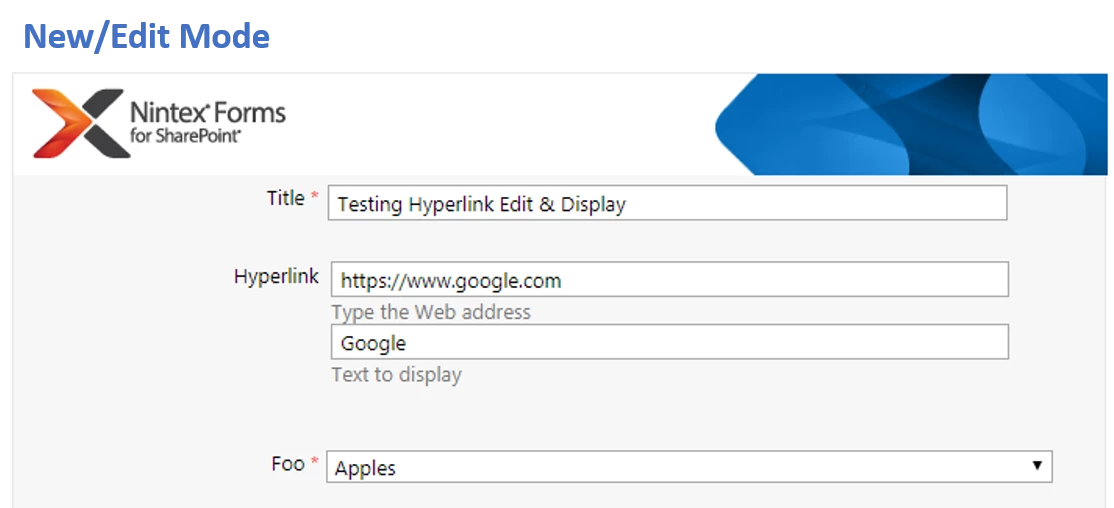
Once you publish the form, viewing in New/Edit mode should only reveal the native Hyperlink control (with two fields: address and display text):2839i6AAB55C2ABEBDFD7.png


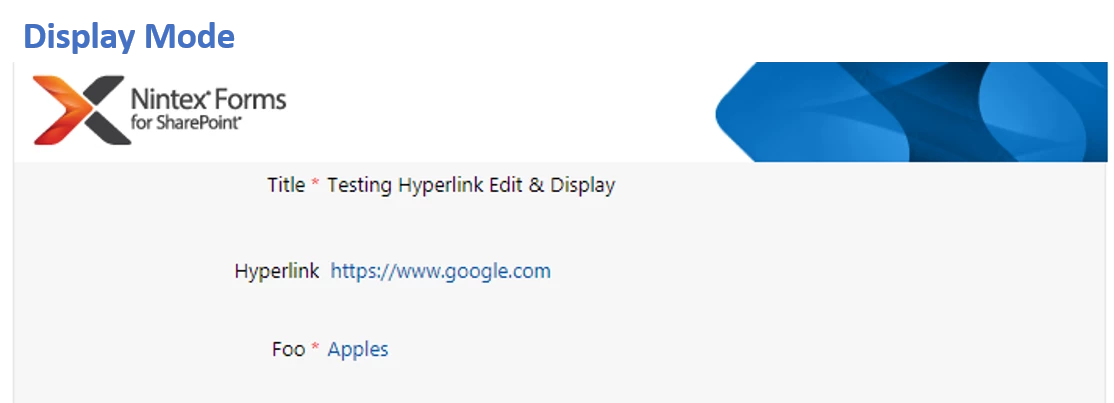
During Display Mode when you view the form you should see the result of your Calculated Value control:

2840i86A7A5E960586331.png


As you can see, the Calculated Value has no way (that I could find?) of using the "Text to display" attribute of the Hyperlink control. As a result, the Hyperlink's display text is the same as the web address. Not ideal, but at least it's functional!