



Nintex Community Menu Bar

Modify date format when action executed

  • April 29, 2020
  • 2 replies
  • 20 views

Forum|alt.badge.img+1

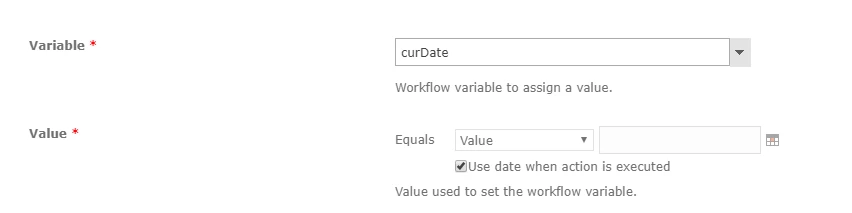
I am using nintex workflow to log the date when action is executed through the following window:
7651i253258755FEACEC1.png


once that happens, it logs the date in sharepoint list column in the following format, 'MM/DD/YYYY', whereas I am looking to log the date in the format, 'DD/MM/YYYY'.


Any suggestions ?

2 replies

Forum|alt.badge.img+12
  • Nintex Partner
  • April 29, 2020

Nintex just drops a data in the column. The final representation of the date string is depentant of the regional settings of your site. So updating the regional settings of your SharePoint site should to the trick as long as your column is a date column and not just a text column.


If it is a text column then you need to format the date using the fn-formatdate method

https://community.nintex.com/t5/Community-Blogs/Date-and-Time-Format-Strings-Quick-Reference-Guide/ba-p/81050


Best regards

Enrico


Forum|alt.badge.img+1
  • Author
  • Nintex Partner
  • April 30, 2020
Thanks for that. The 'Regional Settings' change worked for me.

Best Regards,
Mudassir