Nintex Community Menu Bar

Link to Document in Nintex Form

  • July 3, 2019
  • 15 replies
  • 199 views

Forum|alt.badge.img+8

I have a form with a lookup to a document library. When a person selects a document to associate to the list item I want to then have a label populate with a clickable link to that document. I've searched the forum and can't find this solution. TIA!

15 replies

Forum|alt.badge.img+17
  • July 3, 2019

This is not native functionality for Nintex Forms. The list lookup does associate the item, but populating a clickable link is not something I've ever seen done to date. You may be able to accomplish this with javascript but I'm not entirely sure since the relative and absolute URLs aren't typically surfaced through the list lookup view.


Forum|alt.badge.img+8
  • Author
  • July 3, 2019

I'm considering writing a simple workflow to populate the link. Once I've got it worked out I can add the functionality to an existing workflow.


Forum|alt.badge.img+14
  • Scholar
  • July 4, 2019

it's not possible with a label but it's possible with calculated value control.


once you select a document from lookup dropdown, you basically know it's item ID. you can use the ID for one another lookup made with calculated value control and lookup() function to query for one of library item URL fields (eg. FileRef).

finally you just need to properly wrap lookup() function result up into a html snippet that makes up a valid clickable link. see eg. example - https://community.nintex.com/t5/Nintex-for-SharePoint/Add-variable-to-URL-on-Nintex-Form/m-p/64187/highlight/true#M53056


Forum|alt.badge.img+8
  • Author
  • July 5, 2019

I will work on this solution today. Thanks!


Forum|alt.badge.img+8
  • Author
  • July 5, 2019

I've got the calculated value pulling the link, and then trying to append the variable into the URL. I tired appending the relative URL to the domain address but had trouble with that too.


"<a href=" + calcLinkVar + """>Item Link</a>"


I get a page not found error with this code.


3036iE548B998F8E034D2.jpg


Forum|alt.badge.img+14
  • Scholar
  • July 8, 2019

you miss there a starting apostrohpee for href attribute.

try 

"<a href=""" + calcLinkVar + """>Item Link</a>"

Forum|alt.badge.img+8
  • Author
  • July 8, 2019

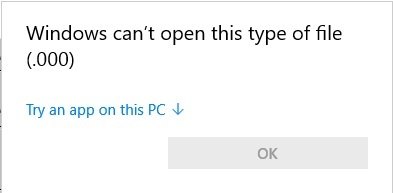
That does try to open, but then I get the option to open or save when I click the link. Then when I select open I get this message.


3057i2C3F5453E9BC59C7.jpg

FYI, the URL that I am using in the calcLinkVar variable looks like what I have pasted below. I suspect that is the problem, but I cannot get it to resolve without the .000


/sites/SiteName/Lists/ListName/3_.000


Forum|alt.badge.img+14
  • Scholar
  • July 8, 2019

yes, sharepoint appends some digits to the URL field(s).

I hoped this would be easy to resolve :)


have a look on this example - https://community.nintex.com/t5/Nintex-for-SharePoint/Site-Workflow-Getting-list-Item-URL/m-p/11560/highlight/true#M9676

it's for a workflow, but in forms you can use replace() inline function with the same regular expression to stripp off URL tail.


Forum|alt.badge.img+8
  • Author
  • July 8, 2019

Should I put the whole lookup function within the replace function, or just the FileRef attribute?


Forum|alt.badge.img+14
  • Scholar
  • July 8, 2019

yes, you have to clean URL returned by lookup() function, FileRef is just attribute name


replace(lookup(.....),"_.d+$‍","")


Forum|alt.badge.img+8
  • Author
  • July 8, 2019

@emha 

I tried that but still get the tail. This is so frustrating!


Forum|alt.badge.img+8
  • Author
  • July 8, 2019

I wonder if the data type of the calculated value has something to do with it. I've tried generic and string. Doesn't seem to make a difference which one I use. Still get the numeric tail.


Forum|alt.badge.img+8
  • Author
  • July 8, 2019

We decided to just use the OOTB functionality from view mode. The hot link is already there.


Forum|alt.badge.img+14
  • Scholar
  • July 17, 2019

I tried that but still get the tail. This is so frustrating!


ah, sorry - to use regex within calculation formula you need to double backslashes

replace(lookup(.....),"_\.\d+$‍","")


Forum|alt.badge.img+1
  • July 30, 2020
Hello , can elaborate what do you means? how to achieve this