Nintex Community Menu Bar

K2 blackpearl web designer not started

  • August 6, 2009
  • 9 replies
  • 20 views

Forum|alt.badge.img+1

Hello


 I just installed last verzion K2 blackpearl 0807 (4.8210.3.0) and after clear installation i am not able to start web designer from Sharepoint List menu. I dont receive any error just clear peage with title K2 Web Designer.


Have you any idea what i need to set for figure this issue out?

9 replies

Forum|alt.badge.img+4
  • August 6, 2009
Hi,

In your IIS Manager, check if the WebWorkflow application was created? You can find it under Web Sites-> [YourSharepointSite]-> _Layouts. Their should be a Webworkflow folder. Right click on it and select properties and on the 'Directory' tab select the 'Create' to create the Application.

This ussually happens when your Central Admin Service Account is not a physical user account but rather a Network Service and you try to deploy the solution, the application will not be created.

hth

Forum|alt.badge.img+1
  • Author
  • August 6, 2009

Hi, 


before i read your answer i found this soulution on http://kb.k2workflow.com/articles/kb000288.aspx :-) Thank you very much for your initiative :-)


Forum|alt.badge.img+2
  • October 13, 2009

hi, can not open  http://kb.k2workflow.com/articles/kb000288.aspx, (i also cannot start k2 web designer)


Vernon
Forum|alt.badge.img+14
  • Scout
  • October 13, 2009

Forum|alt.badge.img+2
  • October 15, 2009

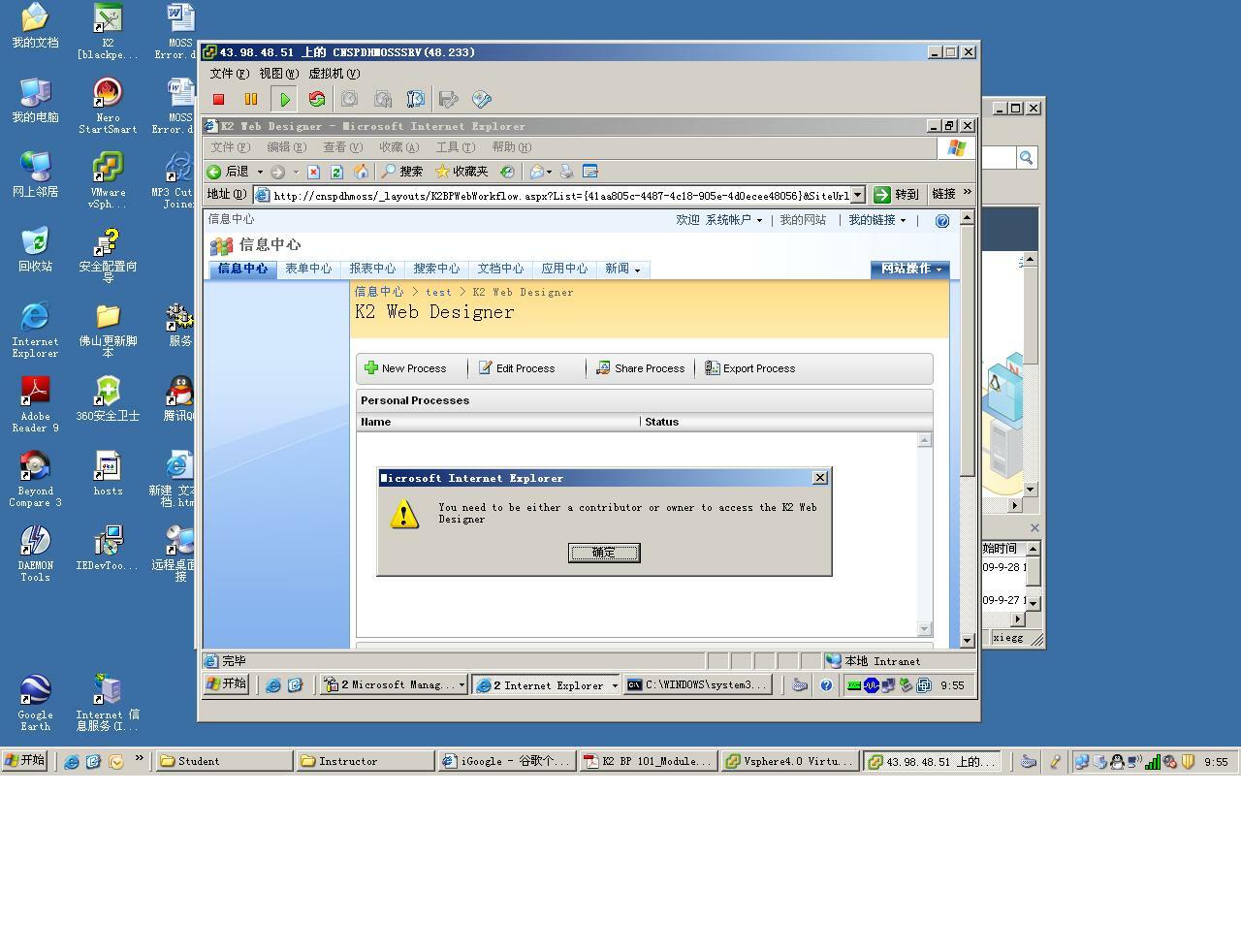
hi,please everybody help me!i had tried ,but can not successed. (Login account is administrator)


12828iBD944D324DFD264C.jpg

Forum|alt.badge.img+9
  • Nintex Partner
  • October 20, 2009

From what I recall, you cannot use the MOSS system account.  Somehow the identity doesn't get passed correctly in the web designer.  It gets passed in as "System" instead of "Administrator"


Forum|alt.badge.img+2
  • October 26, 2009

hi johnny ,


         I tried as you approach, but  the same fault reported

Forum|alt.badge.img+1
  • March 2, 2010

I followed the knowledge base article which got me past the error, but now I am getting a new error.


I just installed version 4.8210.3.0.


any help would be great...


Forum|alt.badge.img+9
  • Nintex Partner
  • March 3, 2010

Looks like a permissions error.  Did you check if the MOSS app pool account has db_owner rights to the WebWorkflow database?  This is part of the setup instructions in the documentation.