

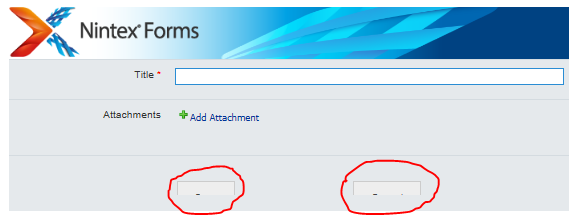
There is custom branding solution applied to our SharePoint 2013 on-prem site. When I create a Nintex form, the button controls in Nintex doesn't visible completely (please see below screenshot 1).
I tried to modify custom solution CSS and this seems to resolve the Nintex button issue but it is causing OOTB SharePoint button controls to appear small (please see screenshot 2).
Screenshot 1:
Screenshot 2:
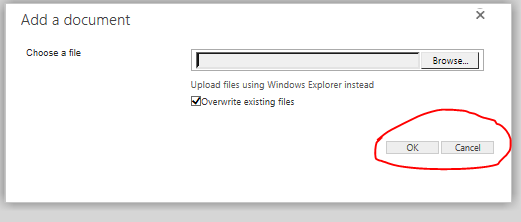
Below is the CSS class which I have added to Custom solution (ref: Screenshot 2):
nf-filler-control-inner, input[type=button], input[type=submit], input[type=reset]
{
padding-left:1em !important;
padding-right:1em !important;
padding-top: 0em !important;
padding-bottom:0em !important;
margin: 0 0 0 0 !important;
}
