Nintex Community Menu Bar

Instructions for Nintex Sign On-Prem

  • August 14, 2019
  • 4 replies
  • 14 views

Forum|alt.badge.img+9

I've started a 30 day trial for Nintex Sign for On-Prem and for the life of me, I cannot find any instructions on how to get it setup.  Is there an installation for it or some setting that needs to be turned on within Central Admin.  I've looked around trying to figure out how to integrate this, and I am not seeing anything.  Does anyone have or know where the instructions are?

4 replies

Simon Muntz
Nintex Partner
Forum|alt.badge.img+23
  • Nintex Partner
  • August 15, 2019
Hi,
Firstly you need to be on the latest build of Nintex Workflow.
Next you must activate Nintex Live in CA.
Then activate Nintex Sign and then Add it to allowed actions.

The instructions are in the help files here :
https://help.nintex.com/en-US/nintex2013/help/#Workflow/RootCategory/Actions/Nintex.Sign.htm

Forum|alt.badge.img+9
  • Author
  • Scholar
  • August 15, 2019

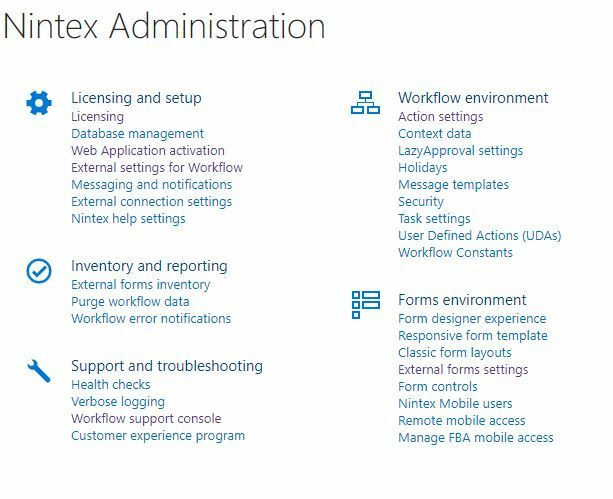
Thank you for your response.  Not sure if it is a version  issue or what, the first step says to go to "Nintex Workflow Management" from the CA home page.  I do not see that any where in my CA home page.  I went into Nintex Administration where I see "External settings for Workflow"3932iE2FD93F20452C963.jpg

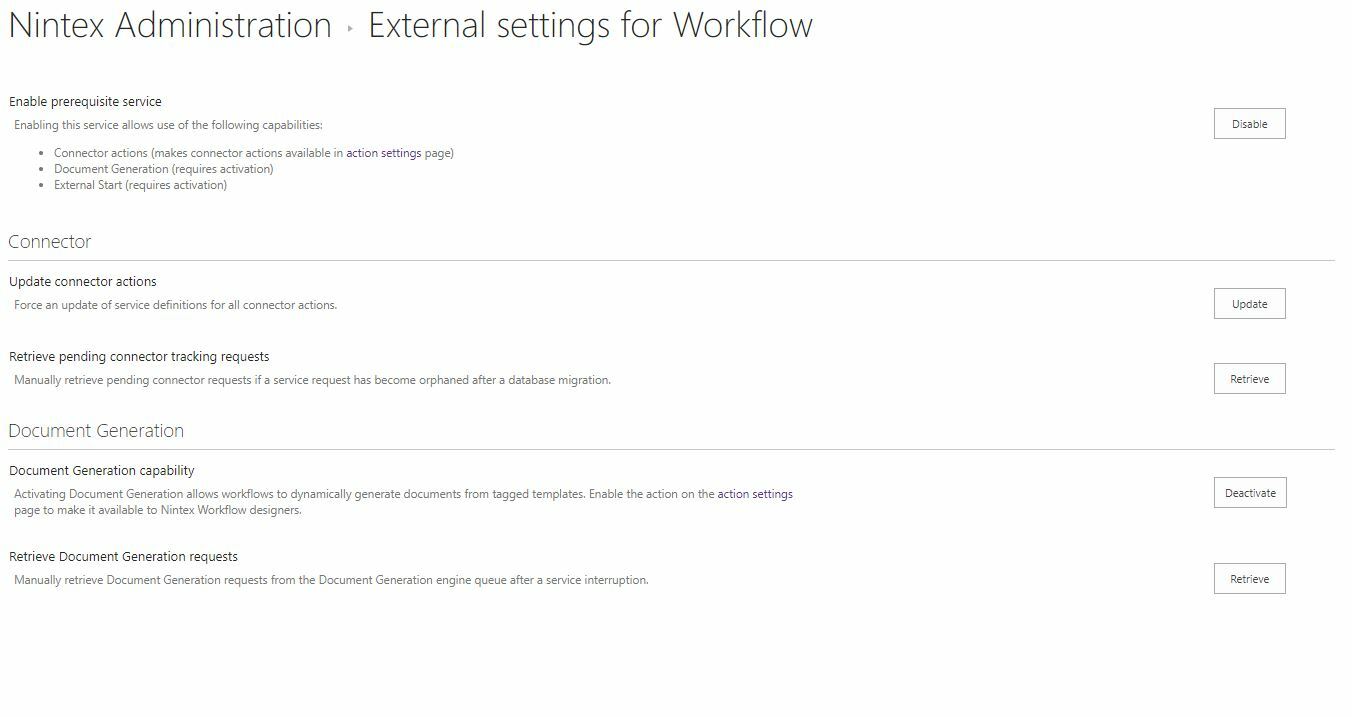
When I go into that menu, there is no setting for Nintex Sign

3933iEAEA34C2B287C222.jpg

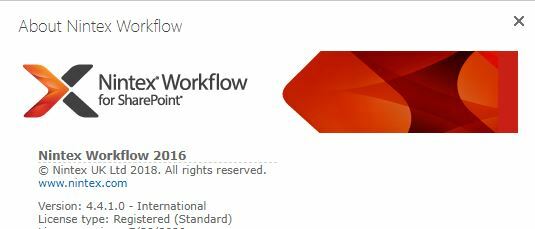
I am on Sharepoint 2016 with Nintex Workflow 4.4.1.  I only have standard version of Workflow, is that the problem?3934i48A7C46B1E3CD600.jpg


Simon Muntz
Nintex Partner
Forum|alt.badge.img+23
  • Nintex Partner
  • August 15, 2019

Hi

As advised you need the latest build of Nintex Workflow. 

For 2016 that would be 4.5.0.0. 

https://community.nintex.com/t5/Release-Notes/Nintex-Workflow-2016-Release-Notes/ta-p/87905


The menus are slightly different between 2013 and 2016 but you found the 2016 equivalent. 


Forum|alt.badge.img+9
  • Author
  • Scholar
  • August 15, 2019

I could have sworn 4.4.1 was the newest version.  Thank you, I will download and schedule an install for it.