

Nintex Community Menu Bar

How to send an email about form update after editing it

  • May 31, 2019
  • 3 replies
  • 23 views
  • Translate All

Forum|alt.badge.img+1
I have such a problem.

I need an email to be sent after editing the form, indicating that the form has been modified and what change it is.


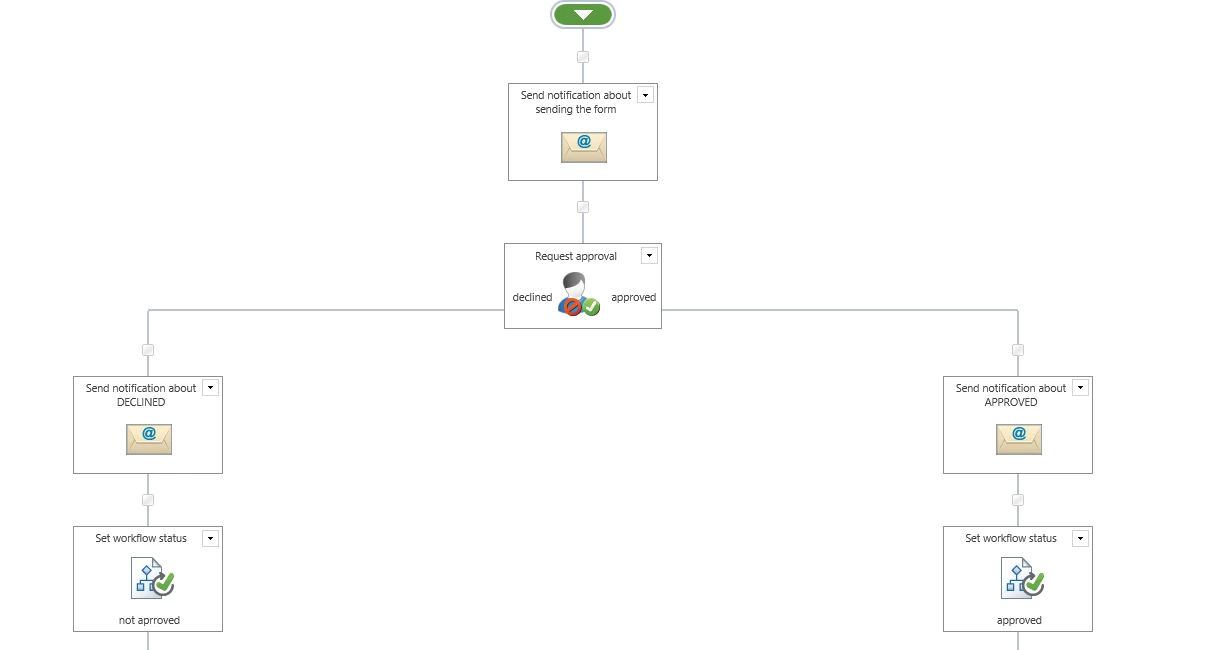
Here is my workflow view:
2397i66B595440326DC8A.png
 
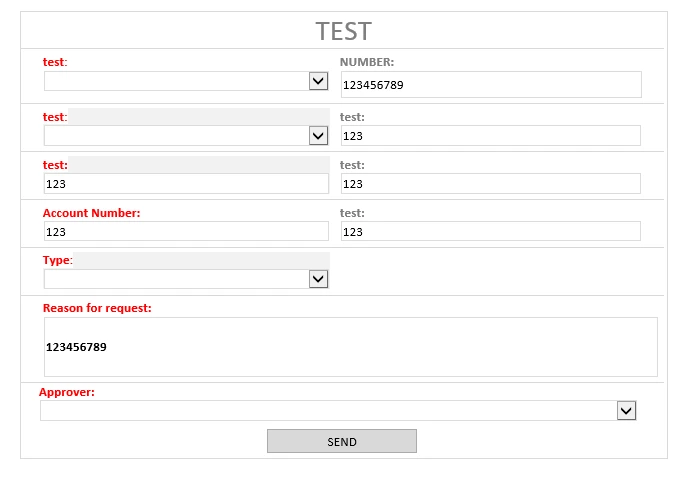
And Here is my form:
For example: I want to change the column NUMBER from 12456789 to 555555555. I changed it and then I press button SEND. After that, I want to be send an email about form update and that the column NUMBER was changed to 555555555.2399i1F17682A10B0CC12.png


Please, is it somehow possible? 

Thank you for your advice.

 

3 replies

Forum|alt.badge.img+4

May i know how the workflow is running (manually, on creation or on modified). 


When are you trying to update the form and send notificaiton and to whom do you want to send the notification?

Translate

Forum|alt.badge.img+1

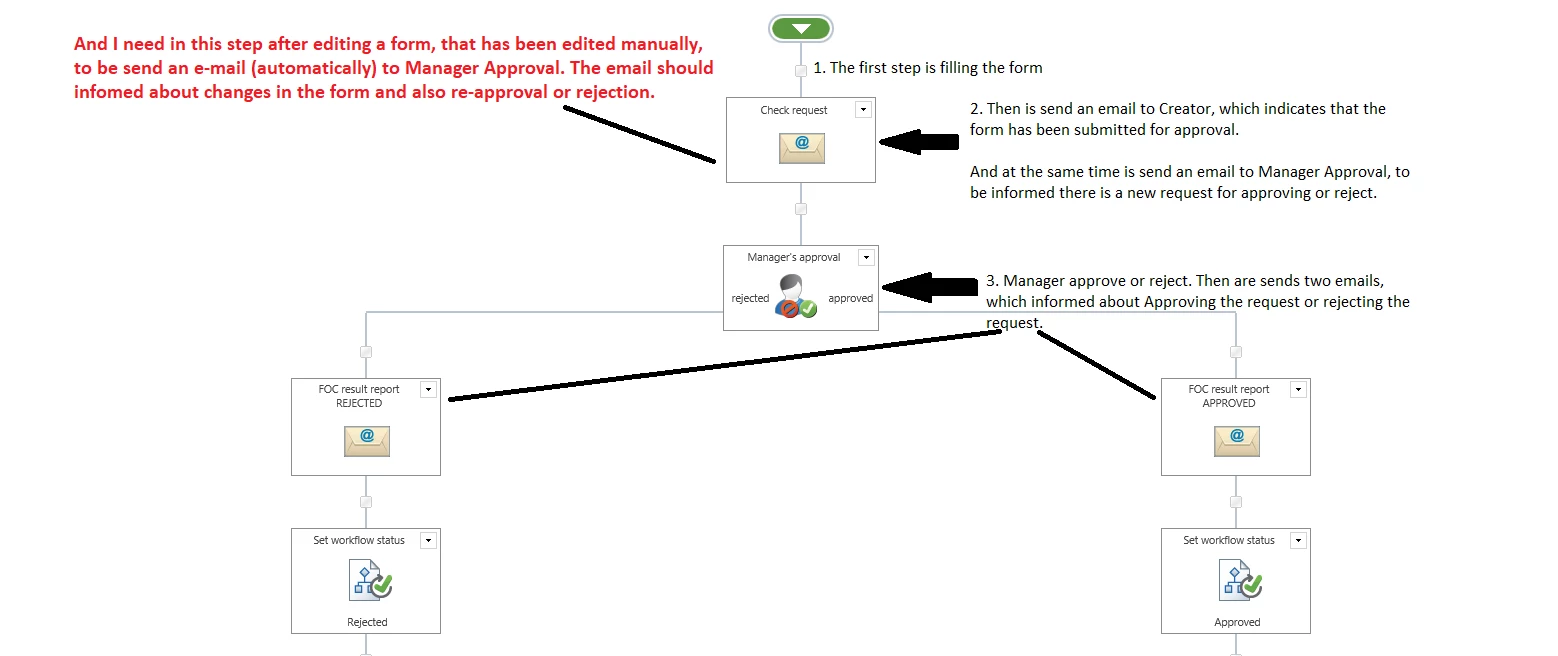
The Workflow is started manually by sending a filled form and then everything is automatic (everything is sent automatically).

Here is an explanation of the procedure:2413iE5F1CEA96974C5DA.png


Translate

Forum|alt.badge.img+14
  • Scholar
  • June 4, 2019

it's quite difficult to achieve what would you like with nintex ....

see explanation here 

https://community.nintex.com/t5/Nintex-for-SharePoint/Nintex-Workflow-sending-an-email-with-only-changed-fields-in-the/m-p/3876/highlight/true#M3306

Translate
