Nintex Community Menu Bar

How To - Get your KUID

  • May 10, 2016
  • 2 replies
  • 13 views

Forum|alt.badge.img+9

How does one get their KUID for their Appir instance?


There are 2 methods for getting the KUID for an Appit instance.


Both methods require you to go to the Appit app on the SharePoint site.


1)


14735iF1F3CD1C47A6F61F.png


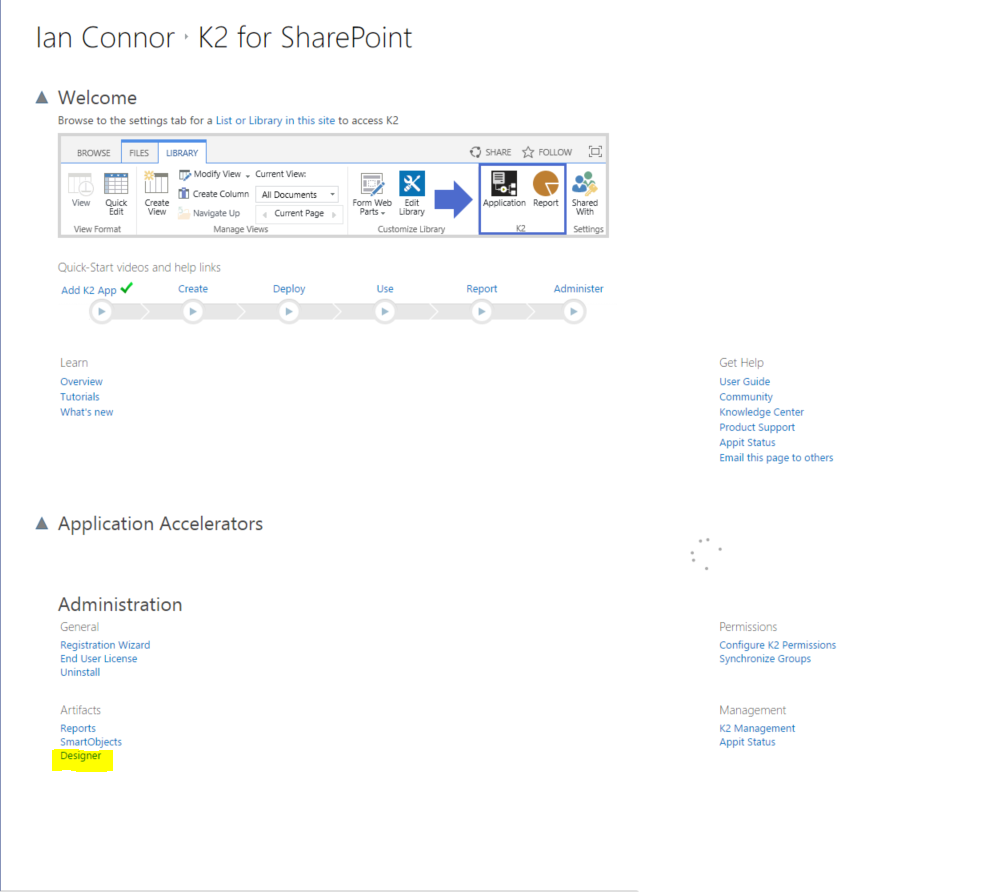
a) Go to the Designer


11473i8C3FD04DEAFAECF3.png


b) The KUID will be the 7 digit alphanumeric code in the URL.


2)


12840iB1F6AF32B2927782.png


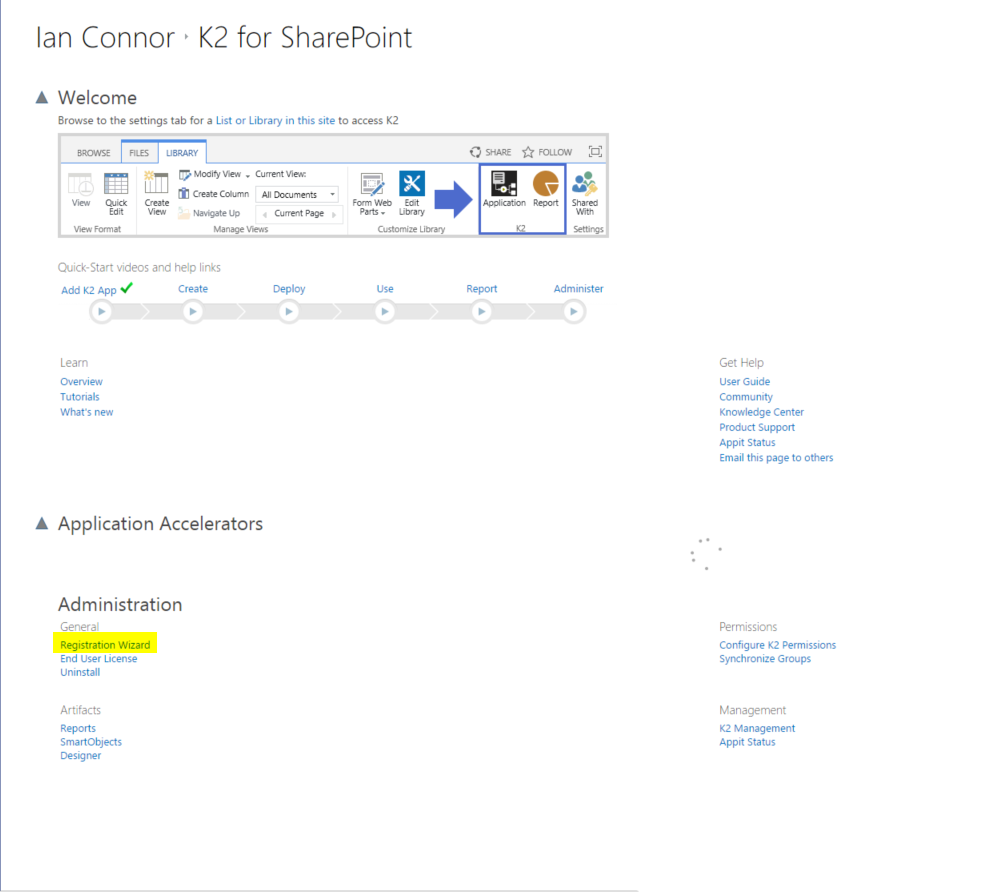
a) Go to the Registration Wizard.


12264i9ED0D8EE2BDCA468.png


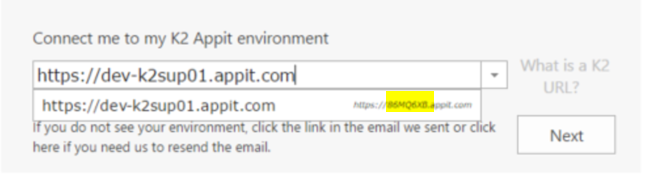
b) The KUID, while hard to read, is presented in the drop down next to the URL of the K2 Appit instance.

2 replies

Forum|alt.badge.img+18
  • August 25, 2017

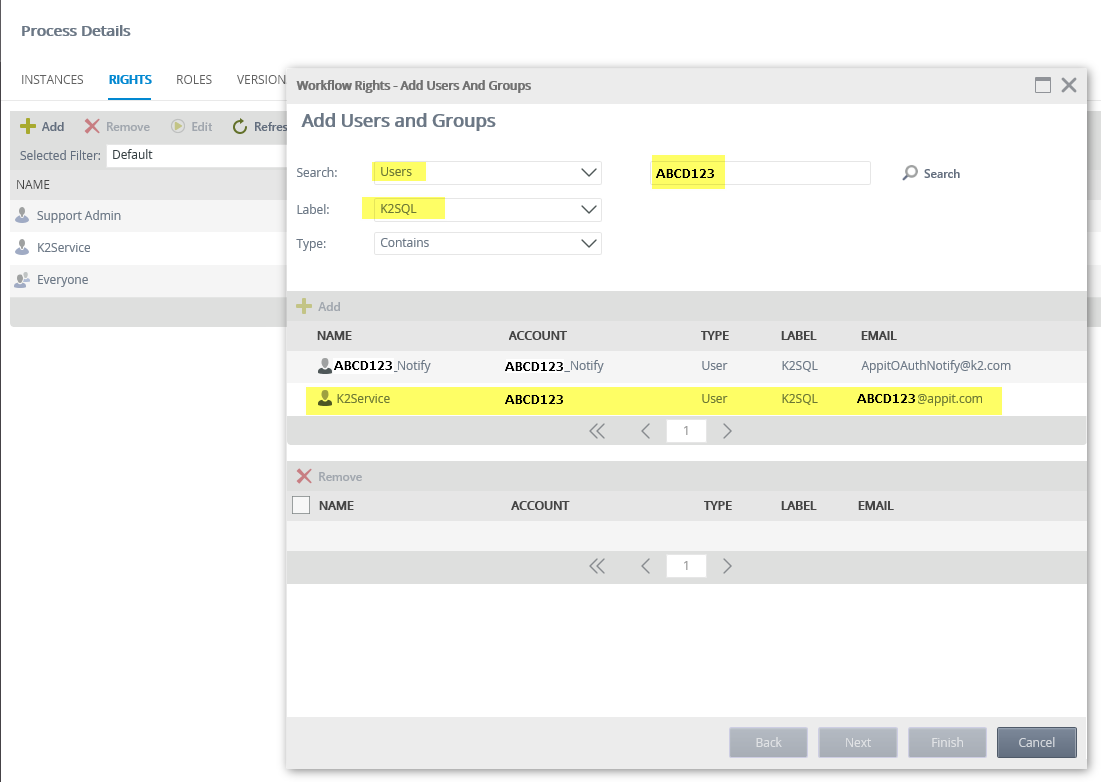
Sometimes, you may need to find the K2 Service account and add it to a process to give it Start rights; such as when using the process scheduler or a 'Call Sub-workflow' event (as it will try to start the workflow as the K2 Service account), if so, it can be found as follow:


12544i5FBFA10290601404.png


Forum|alt.badge.img+16
  • January 7, 2018

Alternatively, you can add autodiscover/autodiscover to the end of the url (https://Appit_name /autodiscover/autodiscover), the utodiscover.json file contains all the information about the environment.