Nintex Community Menu Bar

How to get another site library from current list workflow

  • June 20, 2019
  • 14 replies
  • 106 views

Forum|alt.badge.img+3

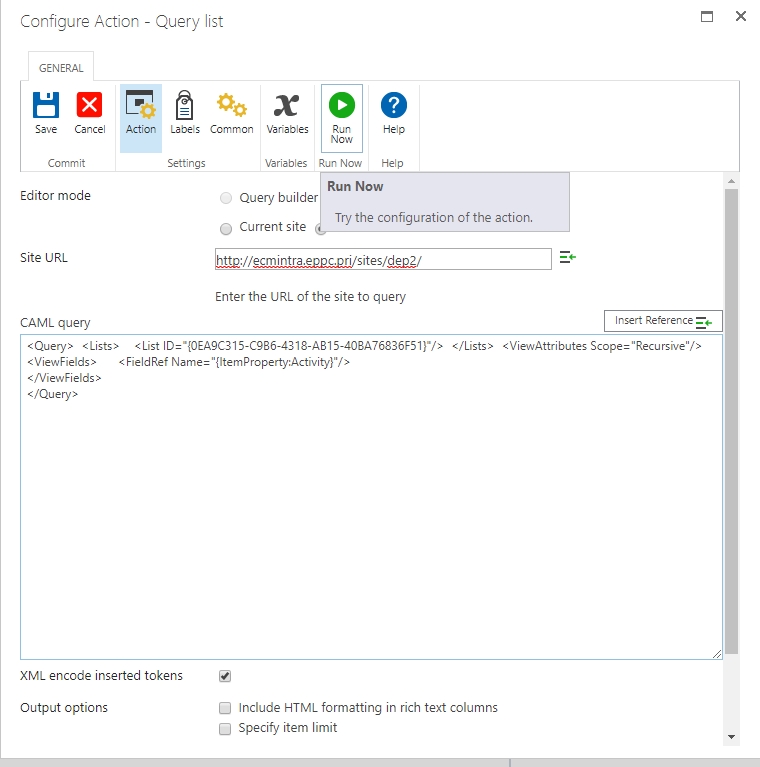
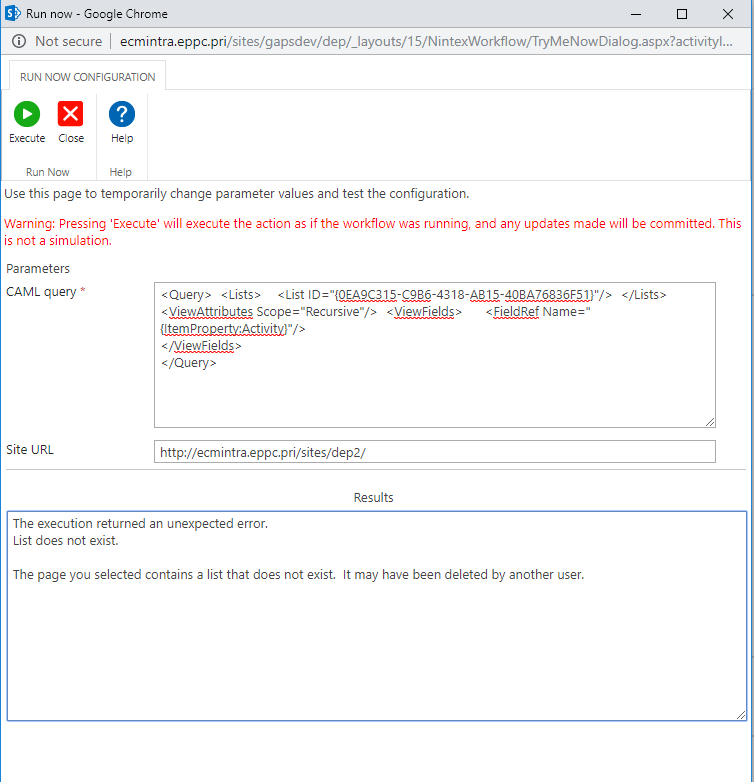
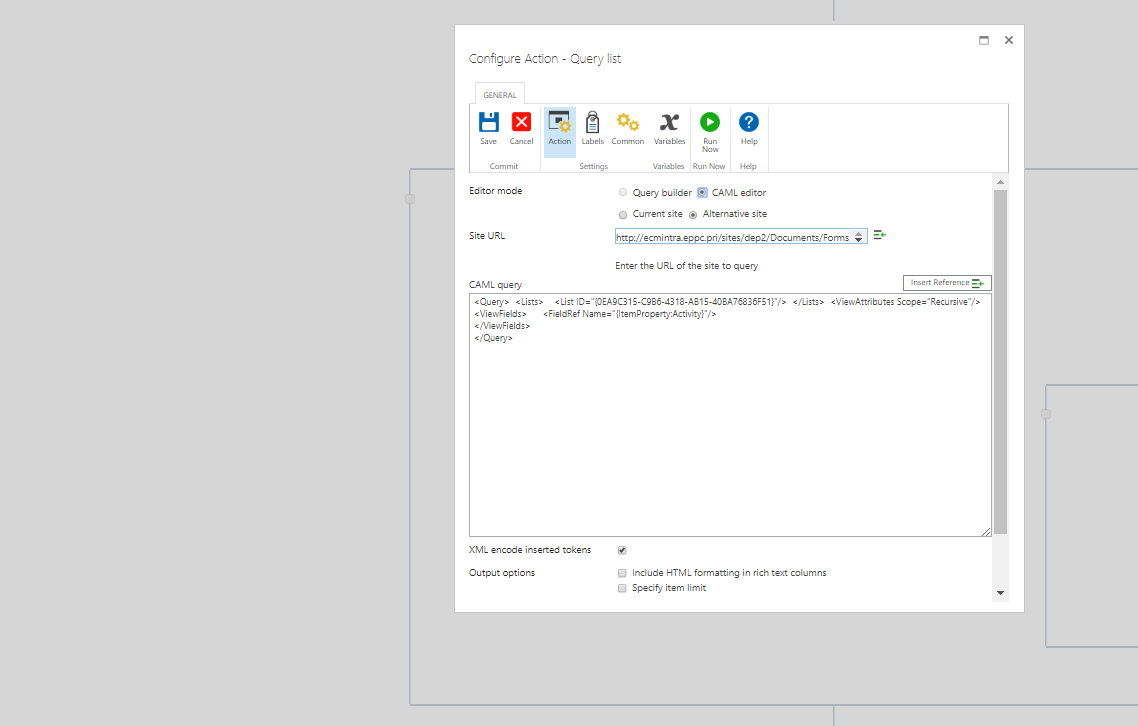
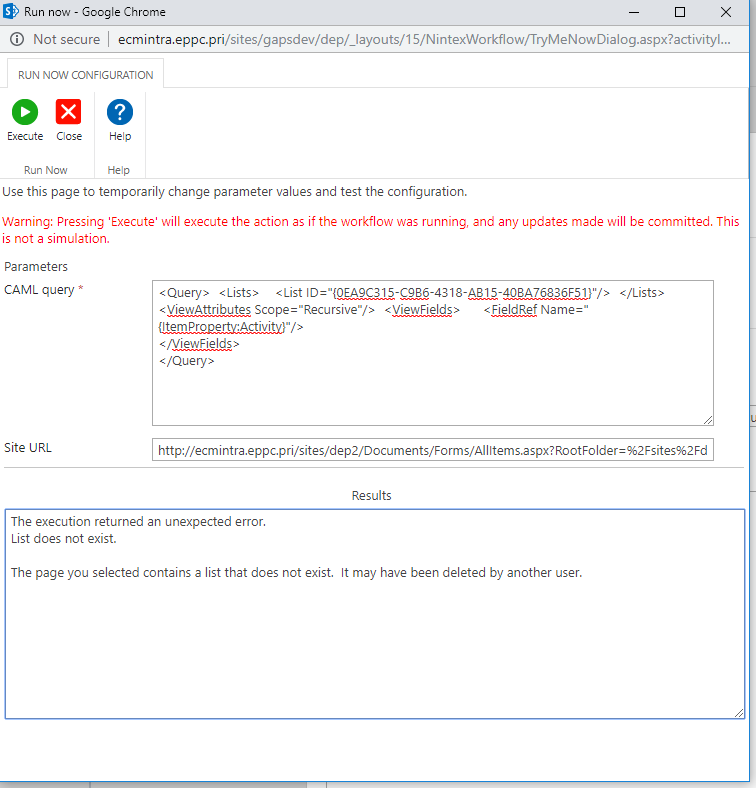
I am trying to get the Library which is located in different site from my list workflow. i am trying to do Query List to fetch using alternative site option but I am getting List not Found.
2693iD58E45323281DB63.png2697i1B23DB8BA39C4DB8.png

14 replies

Forum|alt.badge.img+7
  • June 21, 2019

Your site URL is wrong. You only need the direct link to the site itself. Remove everything after 'dep2'.


Also, confirm that the List ID is correct for the list you're trying to pull.


Forum|alt.badge.img+3
  • Author
  • Nintex Partner
  • June 21, 2019

Its failing as well if I try till DEP2 path.2701i964D2EC9EE7ECA27.png2702i38CA4AD72265D562.png


Forum|alt.badge.img+7
  • June 21, 2019

Did you confirm that the List ID is correct? You should be able to get it from the URL in the List Settings page.


Forum|alt.badge.img+3
  • Author
  • Nintex Partner
  • June 25, 2019

How should I confirm?


@chaddavis wrote:

Did you confirm that the List ID is correct? You should be able to get it from the URL in the List Settings page.


Forum|alt.badge.img+7
  • June 25, 2019

On the list you want to query, go to the List Settings page.

Look at the URL. It should have something similiar to this at the end:

List=%7B3548B49E-11E6-4185-A43E-0771E6893073%7D

Now compare that to the List ID in your CAML Query.


%7B = {

%7D = }


So, in my example:

%7B3548B49E-11E6-4185-A43E-0771E6893073%7D 

=

{3548B49E-11E6-4185-A43E-0771E6893073}


If they don't match, you need to replace the List ID in your CAML Query with the List ID from the URL. If you do, make sure you replace the %7B and %7D with the correct characters.


Oh, and when you use the Run Now option, you have to use real data. You can't just leave this line the way it is:

<FieldRef Name="{ItemProperty:Activity}"/>

You have to replace 

{ItemProperty:Activity}

with real data to test.


Forum|alt.badge.img+3
  • Author
  • Nintex Partner
  • June 25, 2019

Thanks a lot. It is working now. It has been a great help.


Forum|alt.badge.img+3
  • Author
  • Nintex Partner
  • June 25, 2019
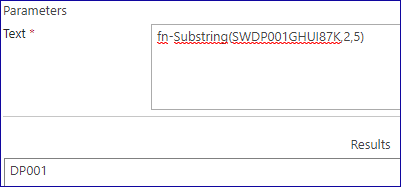
Also I want to know how to get characters from string for example. I have a string as "SWDP001GHUI87K" I need to get DP001 from this string. I tried substring(str.Length-(str.Length-2),5). but is is not working. can you give any suggestion.

Forum|alt.badge.img+7
  • June 25, 2019

I would suggest opening a new question for this if you're not able to figure it out.


However, it sounds like you're trying to just type JavaScript into your formula, and you can't do that.


Use the Inline Functions. There's a substring function.


I used the Build a String action and this worked great:

2834i27DA8F5392C45822.png


Forum|alt.badge.img+3
  • Author
  • Nintex Partner
  • June 26, 2019

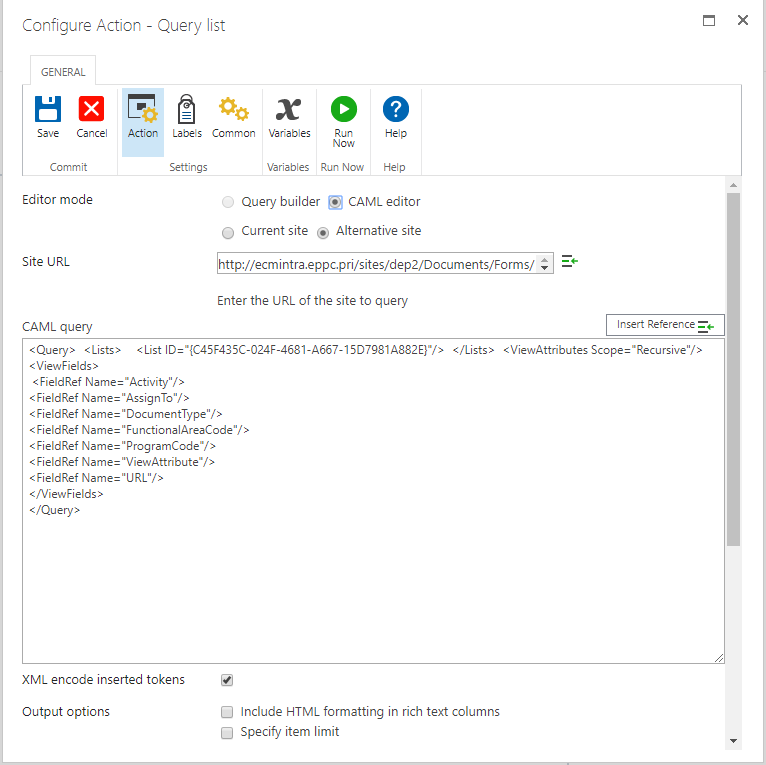
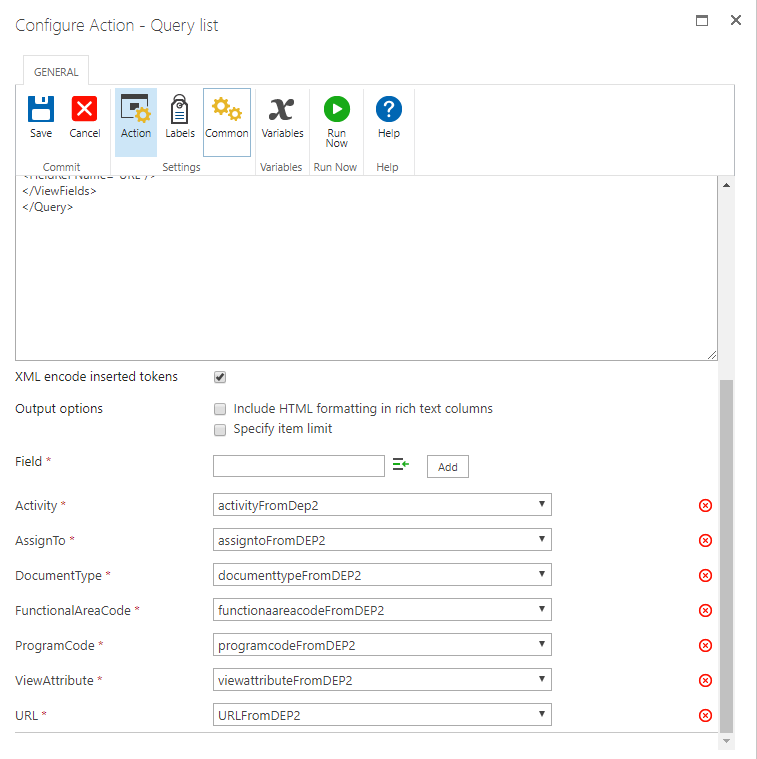
Great!!! I have one more issue with this workflow. I got data from other site I need to query it and get the matched record from that list. can you tell me how can I do this. please find below screenshot.2846iBFD0365858BEC38A.png2845i8EB634B5BAD225CC.png


Forum|alt.badge.img+7
  • June 26, 2019

When you query a list, each column's values need to be added to a collection variable. Make sure all of the variables in the second screenshot are collection variables.


Then, you'll need to use a For Each to loop through the collections because each collection variable will hold content across all of the records returned.


Forum|alt.badge.img+3
  • Author
  • Nintex Partner
  • June 26, 2019

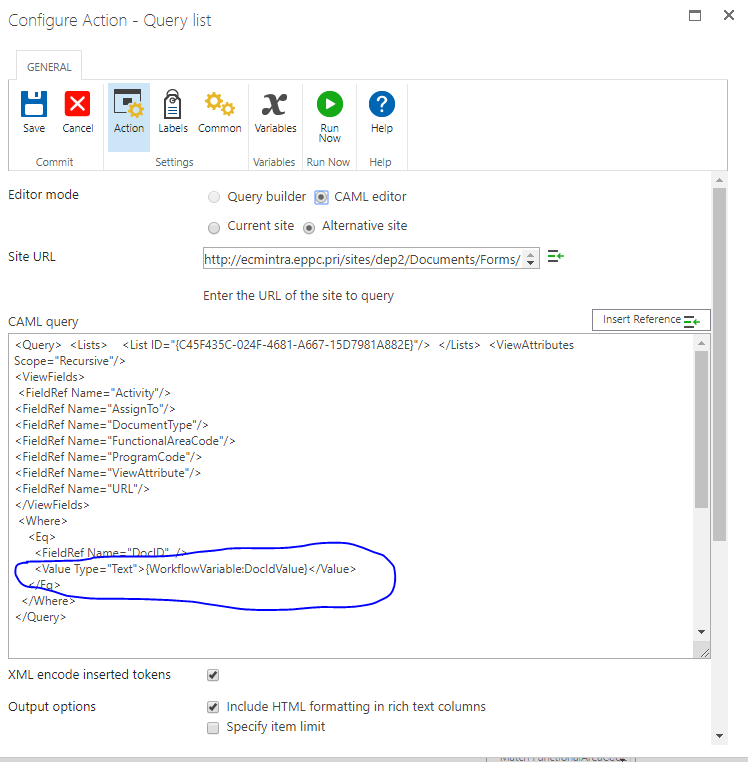
I need to fetch one record from the list which matches one of the list. I need to get one record from another site which matches DOCID of the current workflow. like in SQL select * from where DocID='*******'


Forum|alt.badge.img+7
  • June 26, 2019

In the query where you only need one result, you won't need collection variables. However, you will need a <where> clause in the CAML. There are a number of posts and articles online showing how to properly setup a CAML query with what you're looking for. Or, you could use the standard Query List action on something in the current site, then click CAML to convert the query and deconstruct/modify it to meet your needs for the other site.


Forum|alt.badge.img+3
  • Author
  • Nintex Partner
  • June 26, 2019

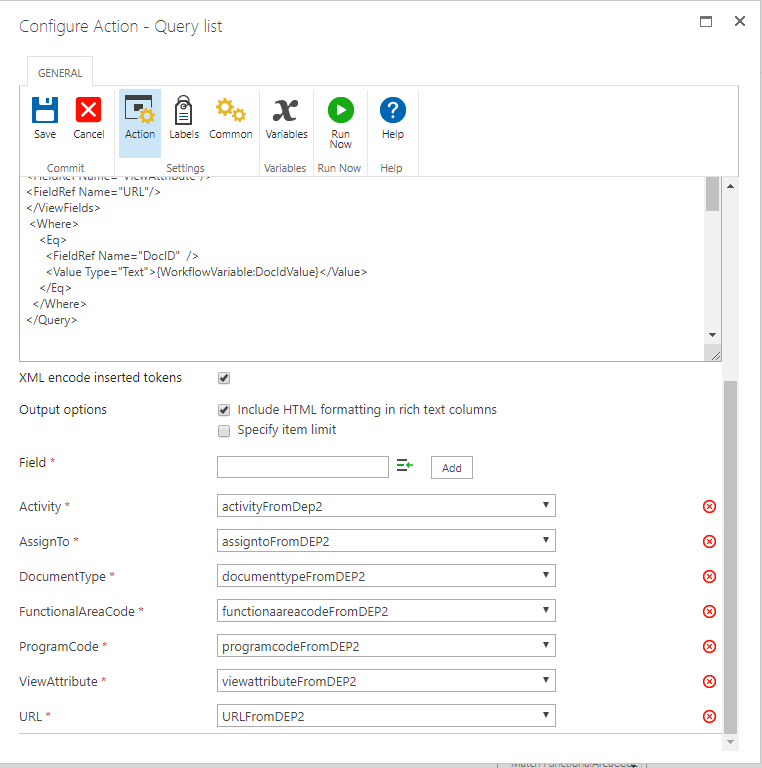
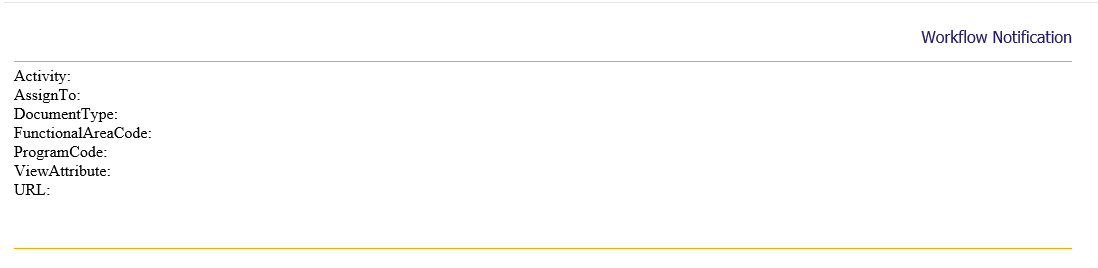
I am trying to get the record but I am getting null even after running the workflow. please find below screen for more information.

2851i39794BFBE570A9B4.png2853i664DBB8600DE2967.png2852i8F245C624EDE3AB3.png


Forum|alt.badge.img+7
  • June 26, 2019

Does it work in the Run Now screen when you use a real value?

If so, that Workflow Variable isn't being populated correctly.

If not, then something else is wrong. Unfortunately, I'm not going to have anymore time to help with this right now. You're going to want to do a lot more research on how to correctly use the Query List action, especially using CAML Query.