Hello,
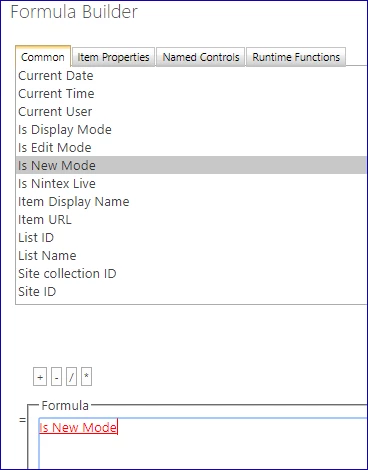
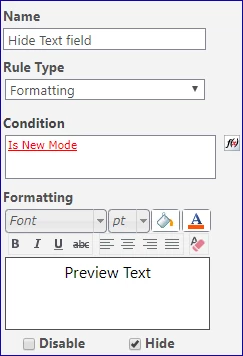
I need to hide text field in nintex "request" form once its used by a person ho creates a request, but make it visible and in edit mode once it's used by others who works with the request.
Thank you.

 +1
+1Hello,
I need to hide text field in nintex "request" form once its used by a person ho creates a request, but make it visible and in edit mode once it's used by others who works with the request.
Thank you.
Enter your E-mail address. We'll send you an e-mail with instructions to reset your password.