Nintex Community Menu Bar

Generate unique ID in child list based on ID in parent list

  • February 10, 2020
  • 13 replies
  • 36 views

Forum|alt.badge.img+5

Hi All,

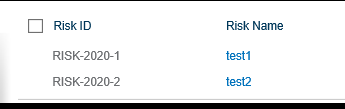
I have two list, i want to generate an unique ID in child list based on ID in parent list.

parent list ID
6416i0091B4E9D722CBFE.png

Child list

6417iBCD37D1B8E781689.png

The format should be as below

RISK-2020-1-1

RISK-2020-1-2

RISK-2020-1-3

RISK-2020-1-4

RISK-2020-1-5 and so on.....

RISK-2020-2-1

RISK-2020-2-2

RISK-2020-2-3

RISK-2020-2-4

RISK-2020-2-5 and so on.....

Please guide me how can i achieve this.

Regards,

13 replies

Forum|alt.badge.img+8
  • Novice
  • February 10, 2020

In parent list, create a hidden field which keeps track of the number of children. (childCount)

When a child gets created, increment the childCount field of the parent by 1, write it back to the parent and use this value to create the id.


Forum|alt.badge.img+5

Dear Tarf,

Would you please explain me a bit elaborative wtih steps if possible............................

Regards,


Forum|alt.badge.img+8
  • Novice
  • February 11, 2020

Hi,

  1. Go to the parent list and add a new column.
    1. Name it childCount (or something)
    2. Type: Number, default value 0
  2. Go to the child list and create a workflow
    1. Under Workflow Settings -  Start when items are created -> Yes
    2. Using a query list action, read the childCount from the linked parent and store it in a variable
    3. Using a math operation, increment the variable by 1
    4. Update the parent with the variable (which for the first child should then be 1)
    5. Generate the child id ( ParentElement-Title - variable) 

Regards


Forum|alt.badge.img+5
Tarf,
4 & 5 point don't know how to do or what action to be inserted, i am newbie to nintex

Forum|alt.badge.img+5

Hi Tarf,

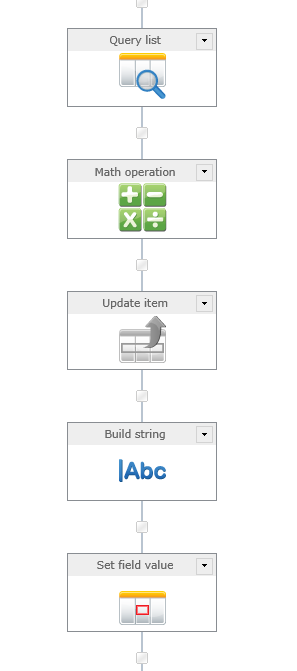
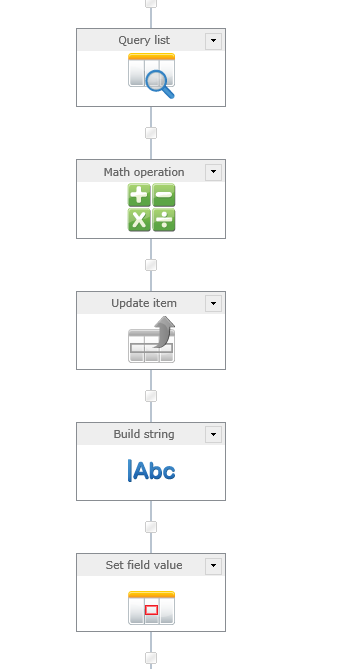
My workflow as below

6428i0C07020EA75A9FE9.png

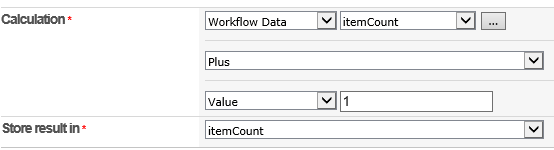
Math Operation

6429i616DFD35025B2B2B.png

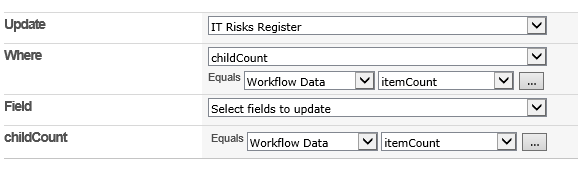
Update item in Parent list

6430i73301BA871842FA7.png


Forum|alt.badge.img+8
  • Novice
  • February 11, 2020

Hi,

how is your query list configured?

I wouldn´t update the parent based on the childcount, because then childcounts would have to be unique for all parent elements.

It´s better to update based on the childs parent or by id (which you could get from the query list action)


Forum|alt.badge.img+5

Tarf,

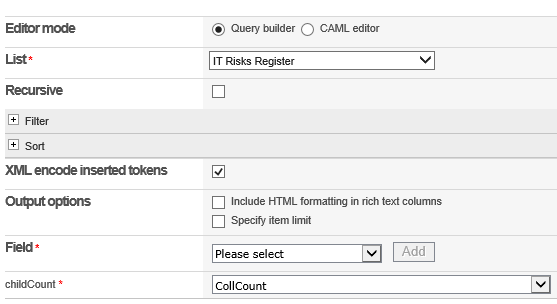
Parent list query action as below and there is no filter

6431i03A17E99496E5456.png

Regards,


Forum|alt.badge.img+5

Tarf, 

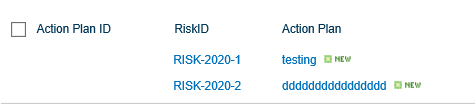
I am able to generate unique ID in child list but not able to update childCount in Parent list.

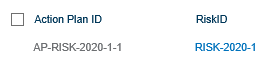
Child list


6432iA73EAFCCF36BD630.png

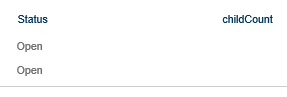
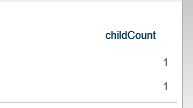
in Parent list childCount is blank, we need to update

6433i454D02FA0E216E1A.png

Regards,


Forum|alt.badge.img+8
  • Novice
  • February 11, 2020

Hi,


you are connecting the Action Plans (Children) to their Risks (Parent) using a Lookup Column, correct?

If so:

  1. Update your Query List Action to receive the parents childCount
    Filter: Where RiskID equals {Your Lookup Column}
  2. Use the same filter to update the correct parent only
    Update Risks where RiskId equals {Your Lookup Column}


Forum|alt.badge.img+5

Tarf,

final workflow as follows

6445iC33D2EDC147CD672.png

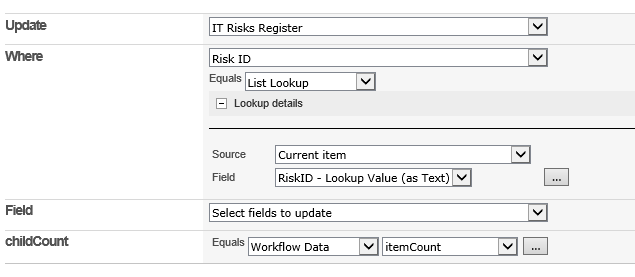
Update childCount in parent list (update item action as follows)

6446iCBC8B172D3B25CFE.png

Still it is not updating

6447iC85DA28E850B2938.png


Forum|alt.badge.img+8
  • Novice
  • February 12, 2020

Hi,

in your Screenshot, the update item action is disabled. May this be the cause?

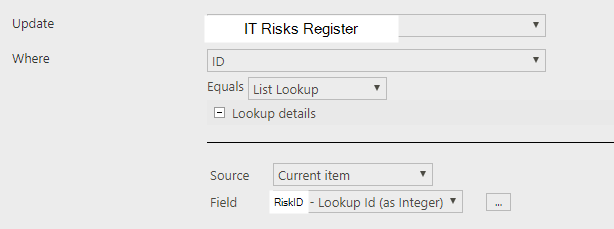
You could also update using the id of the element.

Should look like this then:

6448iB81252CB8F795581.png


Forum|alt.badge.img+5

Tarf,

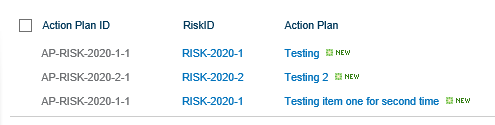
Now it is updating but it is not increasing, refer below screenshots, i have created two child items under parent item RISK-2020-1

6449i4BADE808D7CCCF1B.png

6450i7C391E0D12E1CE44.png

Regards,


Forum|alt.badge.img+8
  • Novice
  • February 12, 2020

Hi,

are you sure your query list returns the current childcount?

The rest looks fine to me.

Try placing a "log to history" action and log the itemCount variable.

Also I saw in a earlier response, you were not filtering in the query list action, have you fixed that? You want the childCount from the parent element (using the same filter as in the update item section)