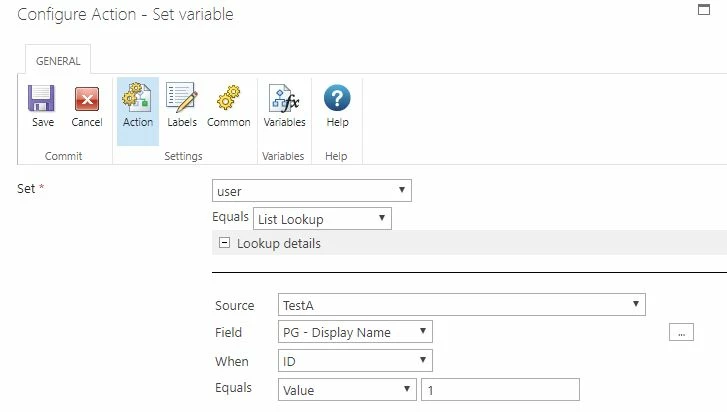
I get a "Failed to send notification. Cannot get the full name or e-mail address of user "#..." error when I attempt to use a Set Variable action to pull data from a Person or Group column in a companion list for the notification addressees.
The Send Notification action does not fail when I use data for the same addressees from a Person or Group column (in the main list) without using the Set Variable action. This confirms the accounts are valid.
No error occurs when I use a Request Approval action, and the Set Variable action to pull data from a Person or Group column in a companion list for the Approvers.
When I log my variable data to history, there is a 5-digit number sequence followed by ";#" preceding each name with presence (Example: 11426;#Smith, John). I have tried switching the data type from Person of Group to string in the variable settings. The workflow does not error, but no notification comes through. I have also tried changing the display settings in the Person or Group column from name with presence to email. The workflow errors, and the same "11426;#" appears before the name.
Please help.