Nintex Community Menu Bar

Execute workflow only if field the condition is on changes

  • May 5, 2020
  • 3 replies
  • 33 views

Forum|alt.badge.img+1

Hello,

I am a novice Nintex user. I have a form which I created in InfoPath and published to SharePoint.

I am trying to create an email notification workflow based on conditions.


The two conditions are Series (AAA) or (BBB) and Urgency (High) or (Normal). If a person selects Series AAA and High Urgency I need the notification to go to a certain group of people. If a person selects Series BBB and High Urgency I need it to go to a different group  of people. I am not sure if I should do two different workflows or if I should run parrallel?


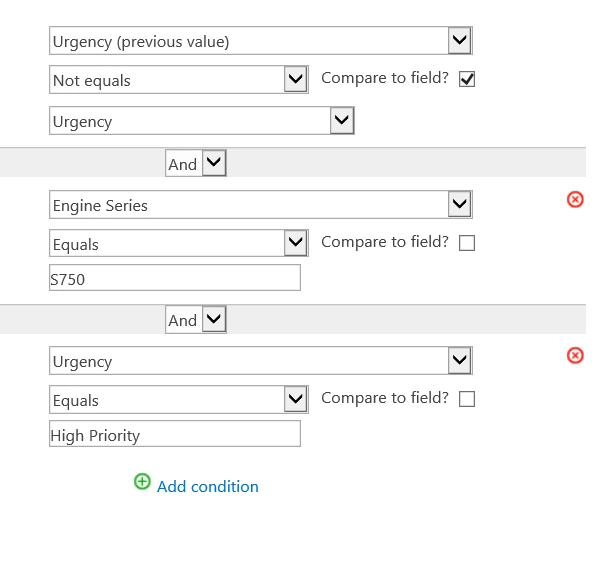
I tried doing them separatly using a conditional start, but it would not even recognize my workflow. So now I have tried a run if and it is working. It is just not working the way I want it to. I want it to only execute the workflow if those two conditions have changed. I need it to run if they select High Urgency on a brand new form and I need it to run if the Urgency changes from Normal to High. Right now it will do that, but then if someone goes in and modifies a different field, say status it is triggering the workflow and it runs again. I don't want it to do that.


I read on some places to do a yes no checkbox, but I can't quite wrap my head around how that works...


Any guidance is appreciated as I have spent too many hours trying to figure this out. 
3 replies

Forum|alt.badge.img+1
  • Author
  • May 6, 2020


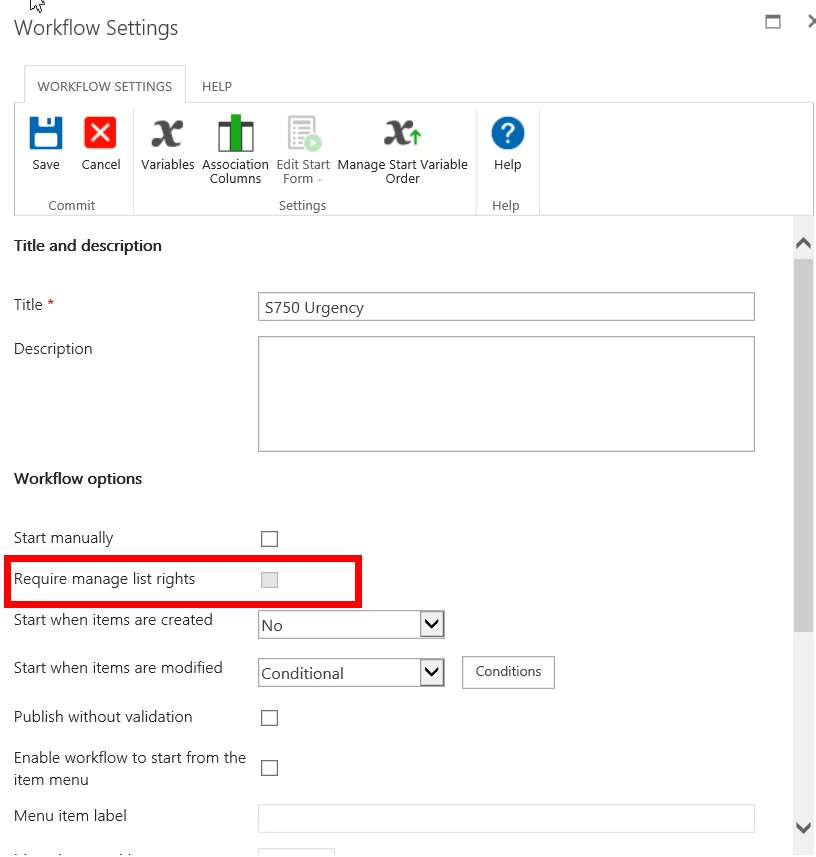
I am wondering if this post is my issue:  https://community.nintex.com/t5/Technical-Issues/Nintex-Workflow-with-Conditional-Start-is-not-working-for-a-user/ta-p/111051.

The option that they are talking about un-checking is grayed out for me (screenshot1).


I tested it with a coworker it executed from her computer.


I would appreciate it someone could look at my logic though and see if it makes sense.

7721iACC1C04A977C5C8D.png7722iA2712563AAF19364.png


Forum|alt.badge.img+12
  • Scholar
  • May 8, 2020

@CStraub ....conditional start when an item is created is available only in a list and not in a library. Since you're using InfoPath form, it stores in a form library. If you're saving Series and Urgency as SharePoint library columns then create your workflow which will trigger when an item is created and also when an item is modified. 


If your conditions are as described in your post then:


  1. Add Run If action --> Condition Urgency is High
  2. Add Set a condition --> Condition is Series is AAA?
    1. If YES then send a notification to AAA groups
    2. If NO then send a notification to BBB groups

Forum|alt.badge.img+1
  • Author
  • May 11, 2020

Thank you for your help @kunalpatel.