Nintex Community Menu Bar

Email Notification - disable “workflow notification” text which appears in email notification

  • November 6, 2019
  • 2 replies
  • 77 views

Forum|alt.badge.img+3

When I receive an email notification from Nintex workflow, there is a text ' workflow notification' at the beginning of the email. Is there a way I can get rid of this text? I will be sending the emails to people who don't have any idea of nintex. I don't want to confuse them with this text since it's not useful in any way for what I am doing. Please guide on how to deactivate it. Thanks

2 replies

Simon Muntz
Nintex Partner
Forum|alt.badge.img+23
  • Nintex Partner
  • November 6, 2019

HI,


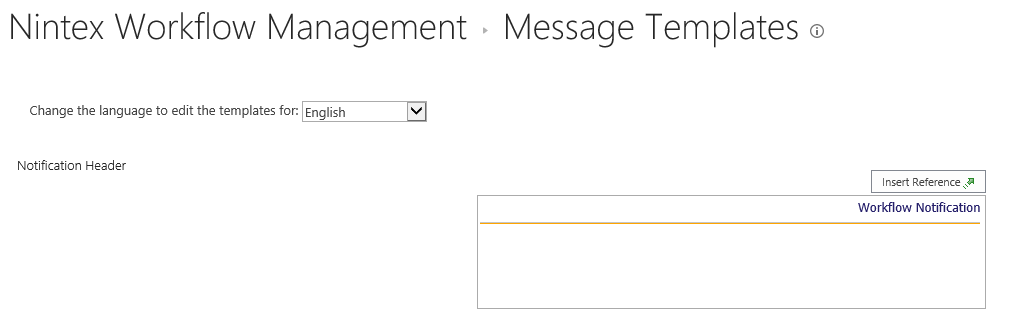
Navigate to Central Administration > Nintex Workflow Management (Or Nintex Administration) > Message Templates and alter to your liking.

5398iFD9B32A50C9BE97A.png


Forum|alt.badge.img+3
  • Author
  • November 14, 2019

Contacted IT department of my company since I was not able to disable the workflow notification. They fixed it. Thanks.


@SimonMuntz wrote:

HI,


Navigate to Central Administration > Nintex Workflow Management (Or Nintex Administration) > Message Templates and alter to your liking.

5398iFD9B32A50C9BE97A.png