Nintex Community Menu Bar

Display format of date field in Display Mode when stored in Repeating Section

  • December 17, 2019
  • 8 replies
  • 16 views

Forum|alt.badge.img+3

Hi Everyone,


First use of a Repeating Section today, can anyone please advise how I can get a date field to display correctly in display mode when the data is stored in a Repeating Section?

 

5971i02BC873495CD820A.png


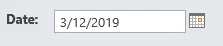
Edit mode displays fine:

5972i0CD481D6D5C6E1D8.png


Thanks.

8 replies

Simon Muntz
Nintex Partner
Forum|alt.badge.img+23
  • Nintex Partner
  • December 17, 2019
Hi,

In general nothing needs to be done to make the date display correctly, it just works out of the box.
Are you connecting the Repeating section to a column in SharePoint or is it unbound?
What build of Nintex forms are you using?
Are you able to provide an export of the form for testing.

Forum|alt.badge.img+3
  • Author
  • December 17, 2019

Hi Simon,


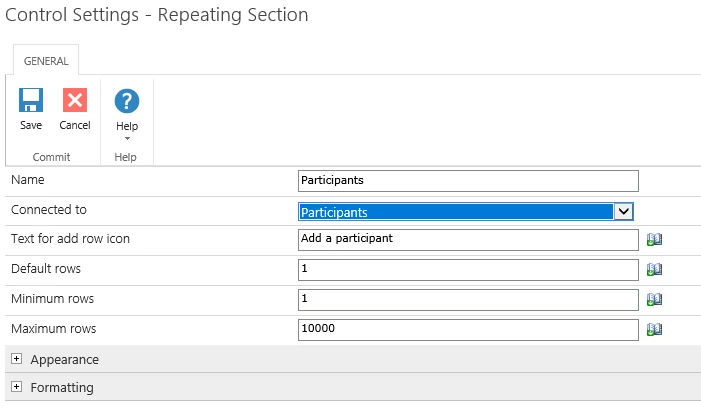
The Repeating Section is connected to a Multi Line Text field in a SP2013 List (got this from instructional video mentioned below).


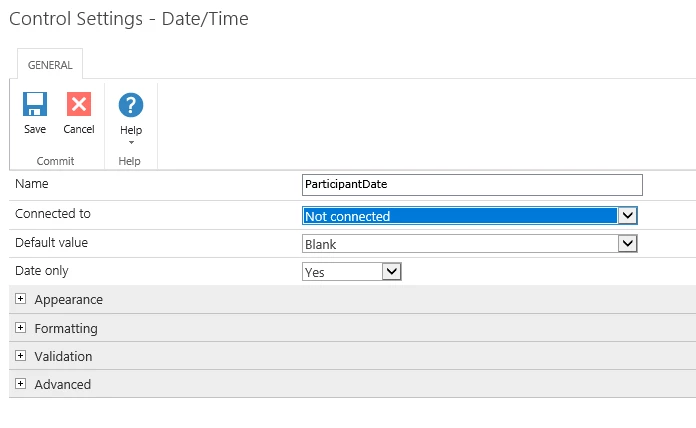
The Repeating Section contains a "People" control, a "Calculated Value" control, and this "Date/Time" control (date only). The People and Calc Value controls are displaying fine in Display and Edit modes.


From the instructional video I watched, only the Repeating Section was "Connected To" the SP List, and not the idividual items within the Repeating Section. Is this correct?


SP2013 and Nintex 2013


5977iB6F6B50943ADA511.png5979i7CE8E1DB3CE0E16A.png5978i9706F513D2F40B90.png

Thanks


Simon Muntz
Nintex Partner
Forum|alt.badge.img+23
  • Nintex Partner
  • December 17, 2019
Yes this is correct.
Is the column in SharePoint configured as Plain text?

Forum|alt.badge.img+3
  • Author
  • December 17, 2019

Yes, is set as plain text


Simon Muntz
Nintex Partner
Forum|alt.badge.img+23
  • Nintex Partner
  • December 17, 2019
Can you provide a sample of what the XML looks like in the column?

Forum|alt.badge.img+12
  • Scholar
  • December 17, 2019

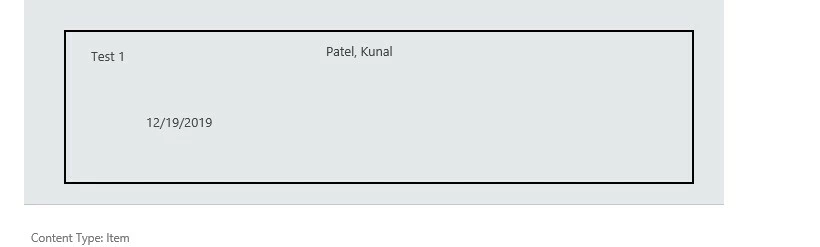
@dean_white ...I've tested and it's working fine for me....I didn't have to make any changes in the configurations. Could you please try to move date control out of repeating section and then test it? If it's working fine then try to move it back inside RepSec or else add a new one. My test's screenshot is below:


5989i7EE765933442CE2C.jpg


Forum|alt.badge.img+3
  • Author
  • December 17, 2019

Hi @kunalpatel,


I removed (deleted) the Date Control and added a new one to the repeating section.... and it now works.


Very Weird.


Thanks for your help and thanks to SimonMuntz  for your suggestions. This is a great community.


Forum|alt.badge.img+12
  • Scholar
  • December 17, 2019

@dean_white ....sometimes when you move the control outside or inside of another controls or if they touch the borders with adjacent controls then it happens like this....also sometimes even rules won't work properly too.