
Nintex Community Menu Bar

Days Items in a list are at each status

  • May 1, 2020
  • 21 replies
  • 48 views

NintexNewb
Forum|alt.badge.img+3

Hello,


I'm very new to Nintex workflows and Nintex forms. I am trying to create a column in my SharePoint list that shows how many days it has been since an item was created and then would like to go on to show how many days that item has been "assigned" and "active". Is there a workflow that I could create that would update a "days open" column? I have only been able to create a workflow that sends out notifications when an item is created or resolved that is the current extent to my knowledge.


Thank you for any help you can provide!!! 

21 replies

Simon Muntz
Nintex Partner
Forum|alt.badge.img+23
  • Nintex Partner
  • May 4, 2020
Hi,

What you are wanting to do is very possible.
Firstly this would be a scheduled site workflow that would run daily and update all the items in the list.
You would have three columns to update.
days open total
days open active
days open assigned

When the workflow runs it queries the list using a Query list action and gathers all the item ID's.
The next action is a For Each which will go through all the ID's one by one.
In the for each the next action would be a Build string that grabs the created date of the item and todays date and using the fn-DateDiffDays() inline function works out how many days since the item was created and updates the "days open total" column.
The next thing to happen is the staus is checked to see if the item is assigned or active.
You will then have two "Run If" actions but only one will run.
First will Run If The status is active.
It will get the current days active from the days open active column and using a math operation action add 1 to it and update the days open active column.
If it is no the action will be skipped.

The second Run If action will run if the status is Assigned. It will get the current days assigned from the days open assigned column and using a math operation action add 1 to it and update the days open assigned column.
This will be skipped if status is Active.

The for each will go through every item and update it everyday.

NintexNewb
Forum|alt.badge.img+3
  • Author
  • May 18, 2020

@SimonMuntz Thank you!! Is there any way you have a screenshot of this workflow? I am going to attempt to build it now but if there is a visual out there that would be great! Thank you again! 


Simon Muntz
Nintex Partner
Forum|alt.badge.img+23
  • Nintex Partner
  • May 20, 2020

Please see the attached workflow which you can import into your environment as a SITE workflow.

I made one change and that was to use a switch instead of 2 run if actions.


NintexNewb
Forum|alt.badge.img+3
  • Author
  • May 20, 2020

@SimonMuntz Thank you so much for this it was very helpful! I am playing around with it now and just have a question. I'm not 100% sure how to fill out the "Update Item" and "Math Operation" parts of the workflow. I keep trying different scenarios and I can't quite get it. 


Simon Muntz
Nintex Partner
Forum|alt.badge.img+23
  • Nintex Partner
  • May 20, 2020

Unfortunately when a workflow is imported and it cant find the related lists it can clear the configuration.

Create a List called Days using the attached list template and the configuration should not clear.


NintexNewb
Forum|alt.badge.img+3
  • Author
  • May 20, 2020

@SimonMuntz Thank you so much!! Once again I appreciate how much help you are providing. Unfortunately my company does not give me access to upload a list template. I believe I need SharePoint designer the option is not there for me. I'm so sorry to ask but is there any other way you can give me the information of that "Days List" and I could create one from scratch? When I downloaded it it downloaded into adobe pro and would not open. I am sorry to bother you so much this is one of the last asks the managers wanted for our tracking system and I'm so close! 


Simon Muntz
Nintex Partner
Forum|alt.badge.img+23
  • Nintex Partner
  • May 20, 2020

Hi,

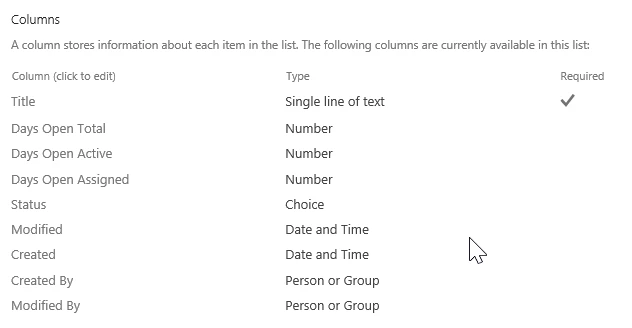
Here is a screen shot of the columns in the list.

7829iD1972812E8179C3C.png


NintexNewb
Forum|alt.badge.img+3
  • Author
  • May 21, 2020

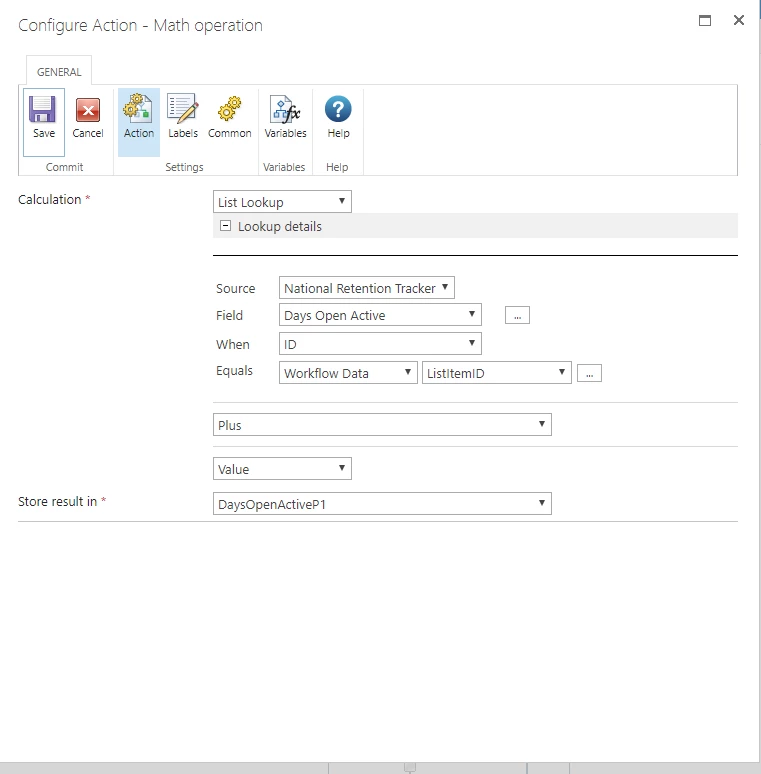
@SimonMuntz  Thank you again you are amazing! It uploaded! I'm almost done recreating it but it won't let me save my Math operation and it looks like this. I copied the workflow you sent me exactly but for some reason it won't save.

7830i755556097237E413.png


Simon Muntz
Nintex Partner
Forum|alt.badge.img+23
  • Nintex Partner
  • May 21, 2020
Hi,

I think there is a gui issue with this action.
Above DaysOpenActiveP1 it says value. Change it to something else and then back to value and another field will appear next to it. in that field enter the number 1.
The action will then save.

NintexNewb
Forum|alt.badge.img+3
  • Author
  • May 21, 2020

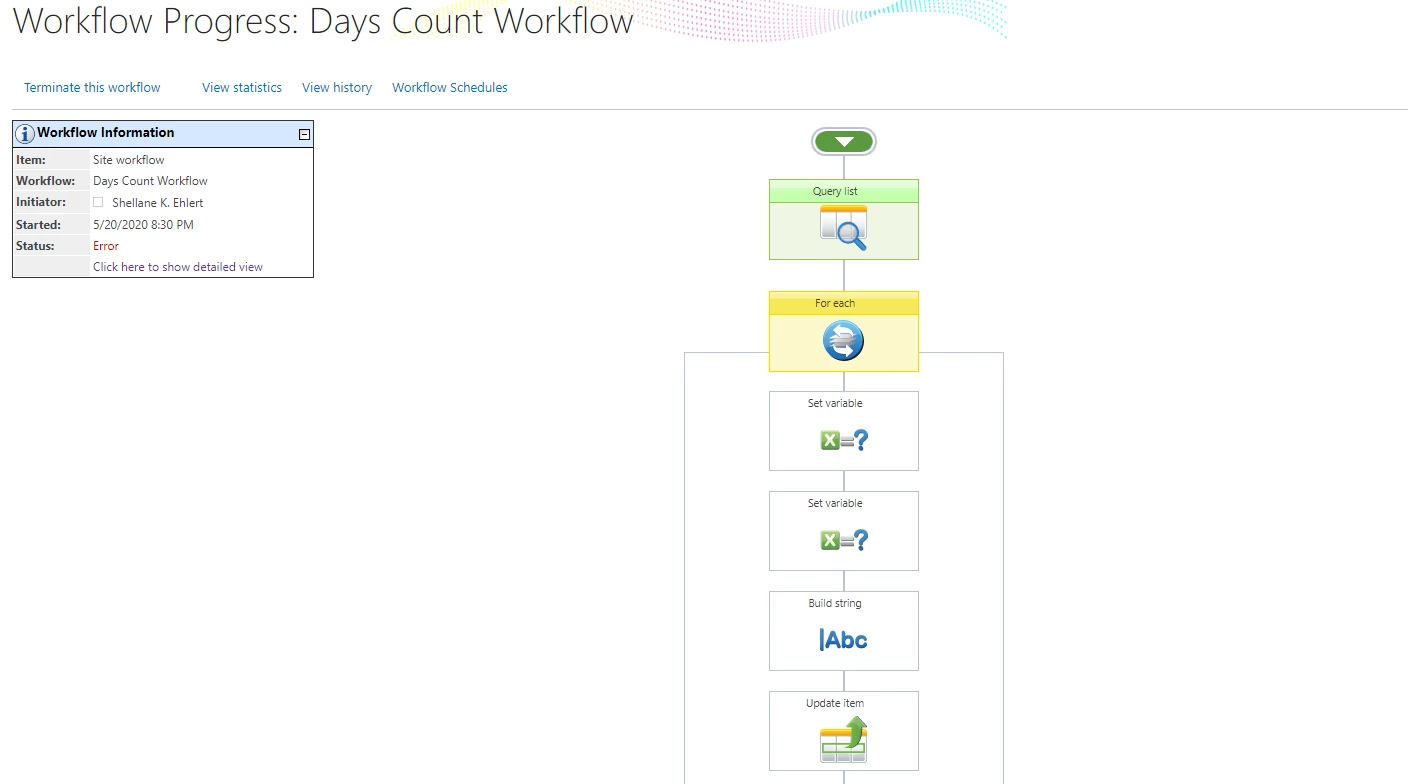
@SimonMuntz Thank you again! You are so helpful I hope they are paying you well! I got it all put together and ran it but it's odd because there is an error and it does not complete running. Do you know what this means? I double checked and I have everything set exactly how the one you sent me is.


7832iB33C070BB2F9DFC5.png


Simon Muntz
Nintex Partner
Forum|alt.badge.img+23
  • Nintex Partner
  • May 21, 2020
Looks like an issue once it hits the for each.
Does the graphical view show which action the workflow stopped at?
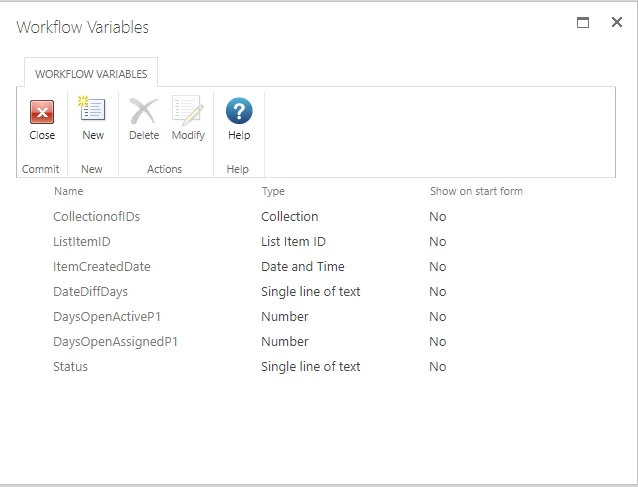
Did you change the lookups source list in the set variable actions?
Maybe look at the ULS logs to better understand what went wrong.

NintexNewb
Forum|alt.badge.img+3
  • Author
  • May 21, 2020

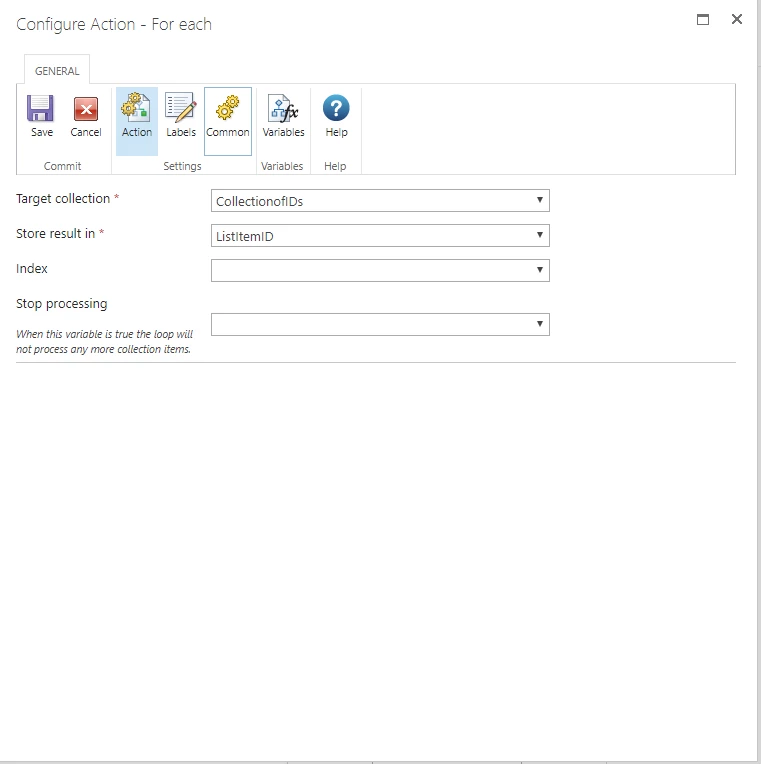
@SimonMuntz unfortunantly they don't give me access to the ULS for our SharePoint site. But at this point it shows it's erroring at the "For Each" I double checked all my input and it mirrors yours exactly. This may be my sign to throw in the towel. I'm not sure what more I could change about it. Thank you again for all of your help!!!! 7833iE179D9576D3A203A.png


Simon Muntz
Nintex Partner
Forum|alt.badge.img+23
  • Nintex Partner
  • May 21, 2020
Are there any items in the list? If there are no items the foreach will have nothing to do and could error.

NintexNewb
Forum|alt.badge.img+3
  • Author
  • May 21, 2020

@SimonMuntz We ran a bunch of test "tickets" earlier this week so we do have some items. Would it be something in the For each loop that is going wrong or the for each box itself? I'm stumped! 7834iF2214F8CAC68B475.png7835i61C54C37EE8CF8F9.png


Simon Muntz
Nintex Partner
Forum|alt.badge.img+23
  • Nintex Partner
  • May 21, 2020
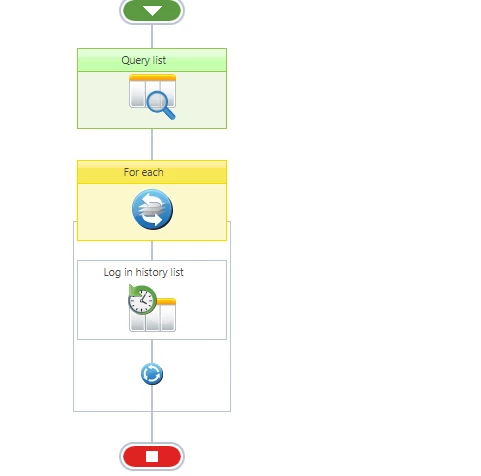
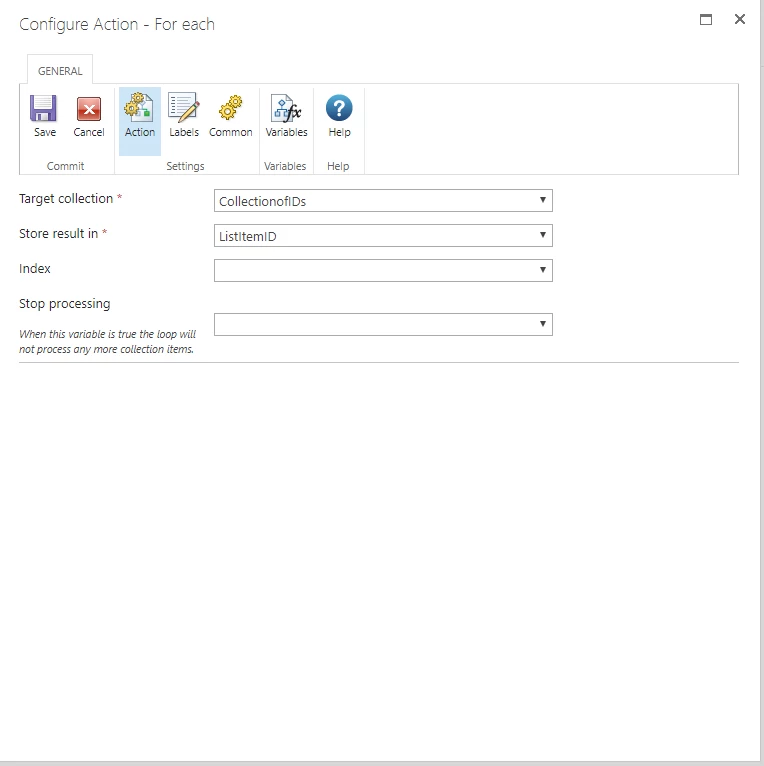
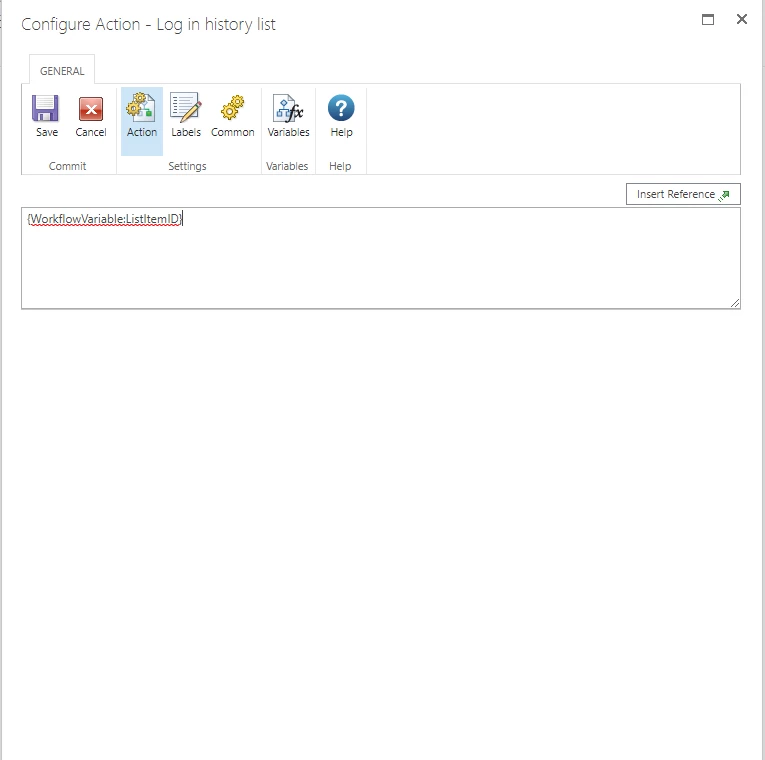
To test the "for each" action just add a Log In history action only and see if it logs the ID's. Remove everything else from within the for each.

NintexNewb
Forum|alt.badge.img+3
  • Author
  • May 21, 2020

@SimonMuntz It sounds like it's the for each that is erroring. I've attached screenshots of the test. I'm thinking something is not connected properly? But I'm not sure what? Could it be the collection of IDs?7846iB5A360EC728DFEAF.png7842i1E55DD26FC6ECEE3.png7843i2F17366042427A0E.png7844i2184B341B1FAF452.png7845i03B4814E629CB1AC.png


NintexNewb
Forum|alt.badge.img+3
  • Author
  • May 21, 2020

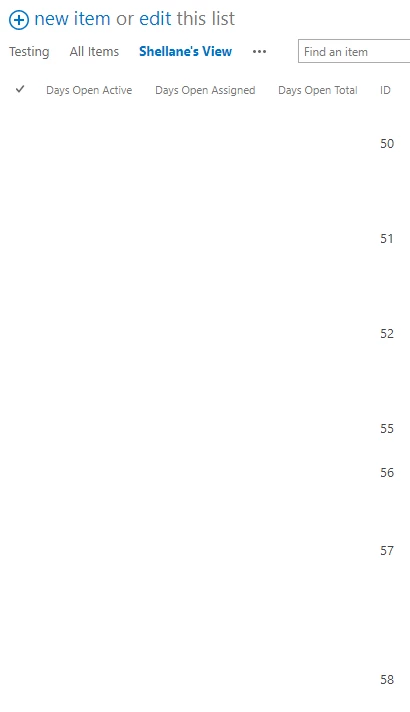
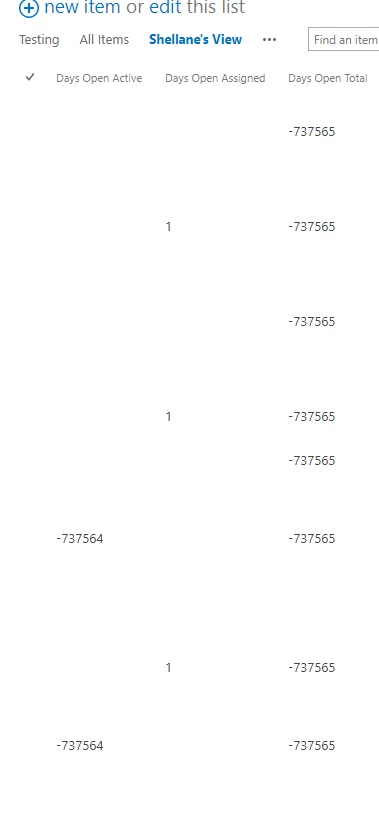
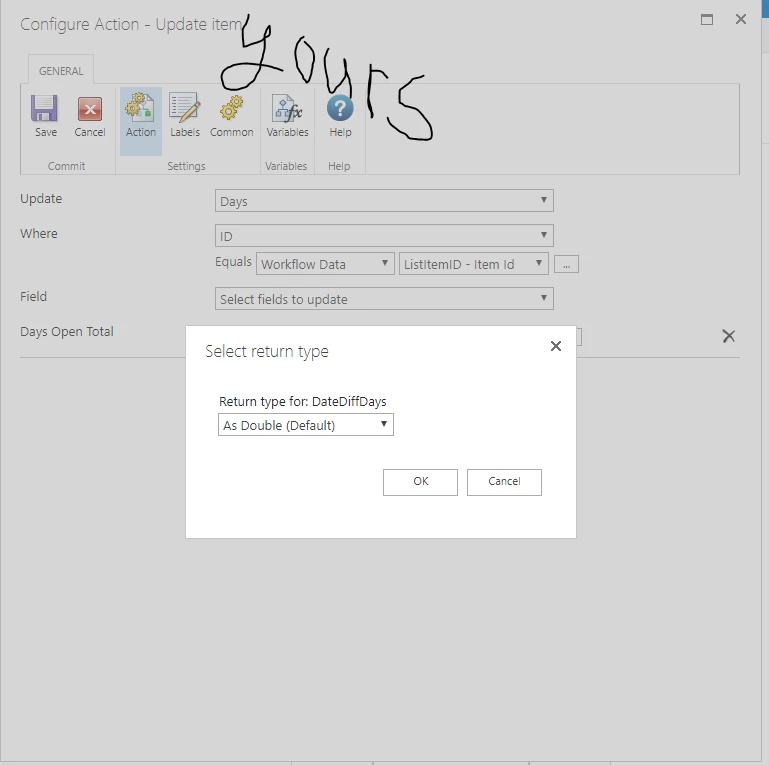
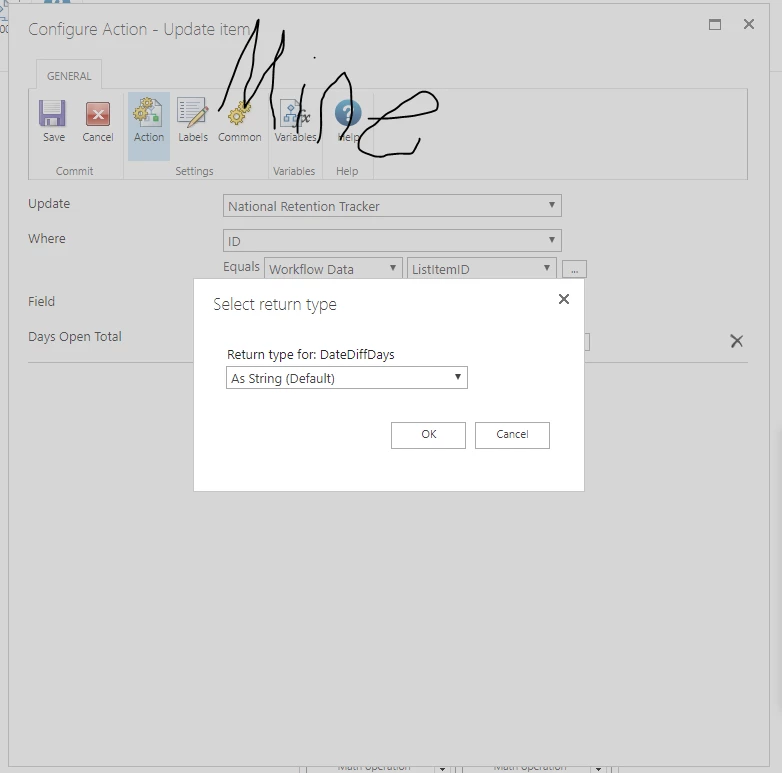
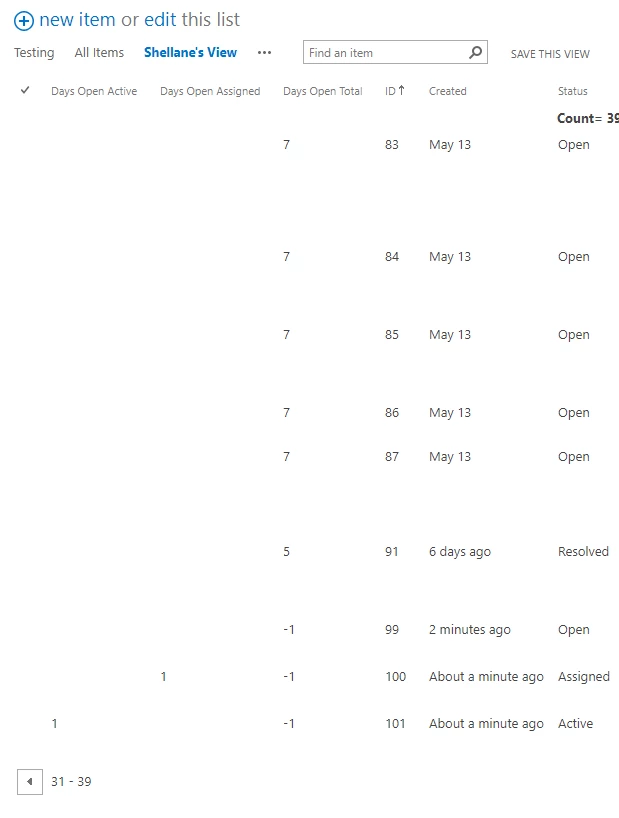
@SimonMuntz I went in and re uploaded your template and formatted it to the tracker I'm building and it runs now but the issue is this is what my results look like.... there is one thing in my workflow that I can't copy on yours could this be it? I've attached screenshots of it. You have return type of Update Item "As Double (Default)" my workflows don't give me those options it defaults to "As String (Default)" could this be why it's showing those weird negative days? Thank you again!!!!!! 7850i9D3384148472FDC7.png7851iE63495E569648893.png7852iB9177ADE1301F607.png


Simon Muntz
Nintex Partner
Forum|alt.badge.img+23
  • Nintex Partner
  • May 22, 2020
Hi,

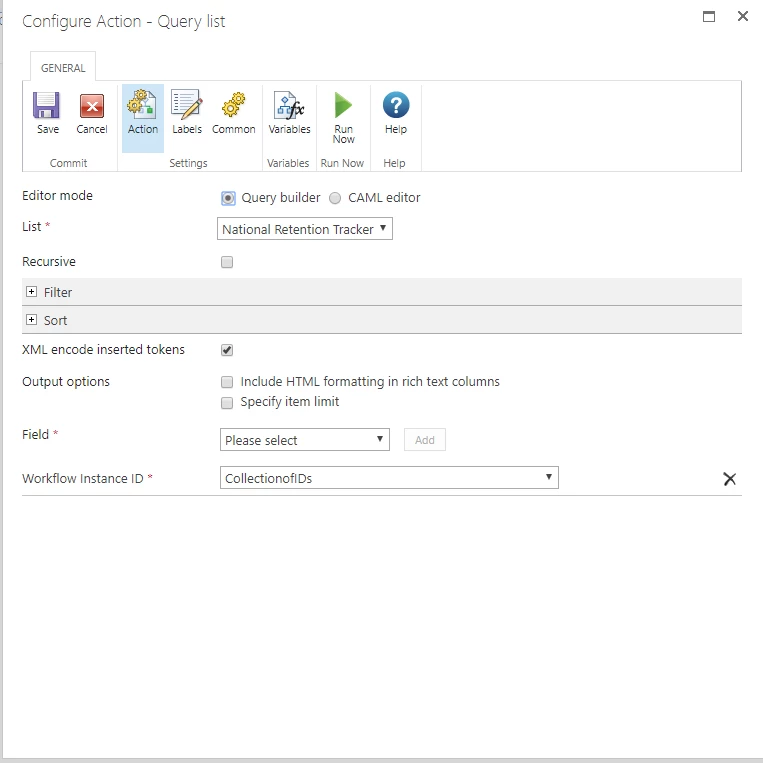
Looks like in your original query action you were querying the workflow instance id instead of just the item "ID" and that is why your for each was hanging.

Ok so this weird number is actually not that weird. The datediffdays function returns decimals.
II found that I made a mistake. You will need to change the build string to the below to stop them going into a negative number.
fn-DateDiffDays({ItemProperty:Created},{Common:CurrentDate})

If you add a Round() function you will get whole numbers.
fn-Round(fn-DateDiffDays({ItemProperty:Created},{Common:CurrentDate}))

NintexNewb
Forum|alt.badge.img+3
  • Author
  • May 22, 2020

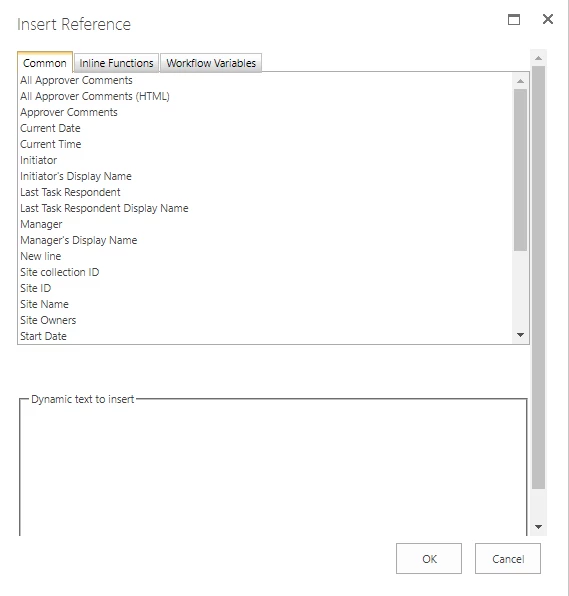
@SimonMuntz Thank you so much for sticking this out with me! For some reason when I try to use the build string there is no option for {ItemProperty:Created} would this be a variable I need to make? Below is a screen shot of the things I can add to the string but there is no Item property for some reason. I feel like I'm so close to making this a possibility! 

7873i87328CC690570F44.png


Simon Muntz
Nintex Partner
Forum|alt.badge.img+23
  • Nintex Partner
  • May 22, 2020
Sorry I am confusing you. I was running a test on a list workflow not a site workflow.

Should be:
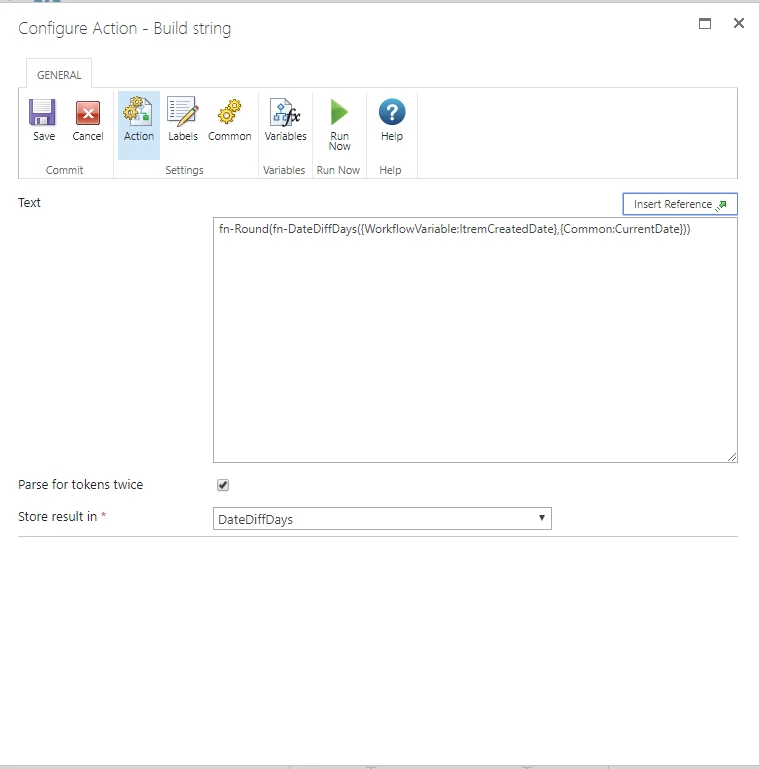
fn-round(fn-DateDiffDays({WorkflowVariable:ItremCreatedDate},{Common:CurrentDate}))

NintexNewb
Forum|alt.badge.img+3
  • Author
  • May 22, 2020

@SimonMuntz It's working for the ones I created before for the in open category the new ones are still showing negative for some reason... but the assigned and active categories are working!  


7876i3BF0087460811B05.png7877iE754D6DE711F7E54.png