Nintex Community Menu Bar

Create ics and send as an email attachment

  • August 28, 2019
  • 3 replies
  • 128 views

Forum|alt.badge.img+3

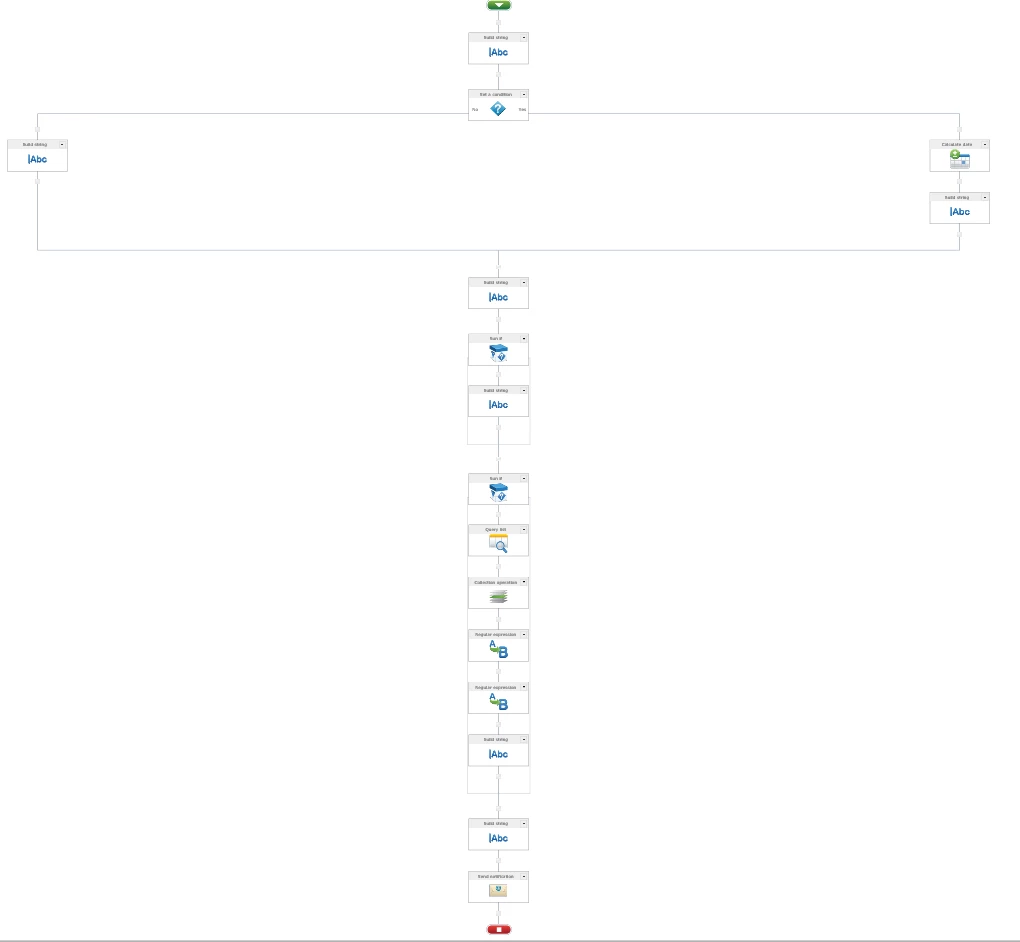
So I have (tried) to create a workflow that will create an ics. file and send that as an email attachement... I get an error that says 'Failed to query list data. The '=' character, hexadecimal value 0x3D, cannot be included in a name. Line 1, position 153.'  But I cant find the referenced line 1 position 153.... Does anyone have a simpler way to send a notification that can input a calendar event from a sharepoint calendar into an outlook calendar?


Note: I do not have an action called 'create appointment' and I am running sharepoint 2010.


TIA 4142iF65B156FB8E1DE39.png4141i7538B5E373366717.png
3 replies

Simon Muntz
Nintex Partner
Forum|alt.badge.img+23
  • Nintex Partner
  • August 28, 2019

Hi


There is only one query list action in the workflow so the error is coming from it. 

I would say that there is a typo in the CAML query. Most likely missing a quote or something for one of the <FieldRef Name = sections and the equals sign is being picked up as part of the name. 


Forum|alt.badge.img+3

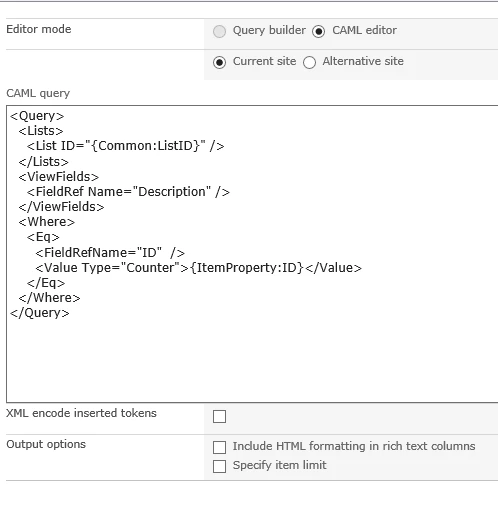
Hey Simon, this is how I have my query list configured, I don't understand why it isn't liking the = sign as none of them are within the quotation marks therefore shouldn't be included in the name right?


Thanks Heaps!

4157i6D6D9BD88B3B6488.png


Simon Muntz
Nintex Partner
Forum|alt.badge.img+23
  • Nintex Partner
  • August 29, 2019
Hi,
It appears you are following this tutorial: https://community.nintex.com/t5/Nintex-for-SharePoint/Create-an-appointment-element-ics-with-Nintex-Workflow-2013/m-p/84133

For the Query action it states:
- XML encode inserted tokens: checked
- Output option: Include HTML formatting in rich text columns
Your screen shot is not showing these two options checked.