Nintex Community Menu Bar

Create a pop-up on Nintex form to display document library

  • August 21, 2020
  • 6 replies
  • 73 views

Forum|alt.badge.img+1

Hi,

I am new to SharePoint development. We have a requirement that needs a form with a button to open a pop-up. The pop-up window must display the document library from which a user can choose documents and attach them to the form, just like how the 'Attachments' button works for local files. I would like to know if this can be achieved using JavaScript. We are using SharePoint 2013 on-prem.


Any help would be appreciated.

Thanks!

6 replies

Forum|alt.badge.img+2
  • August 25, 2020

Hi,
You need to use custom javascript action

  • Crate a new Custom JavaScript button.
  • Go to Control Settings of button and add the following (replace the title and URL)
function redirectToNewForm(){ var options = { title: "Your Title", url: 'http://mysite/sites/page.aspx', dialogReturnValueCallback:Function.createDelegate(null, portal_modalDialogClosedCallback)}; SP.UI.ModalDialog.showModalDialog(options); }

Regards

Shashika


Forum|alt.badge.img+1
  • Author
  • August 26, 2020
Thanks, how can I make it work like 'Attachments' control? I want to have the ability to select documents from the pop-up and add them to the form item. Just like how 'Attachments' control works for browsing and attaching documents from PC.

Forum|alt.badge.img+2
  • August 27, 2020

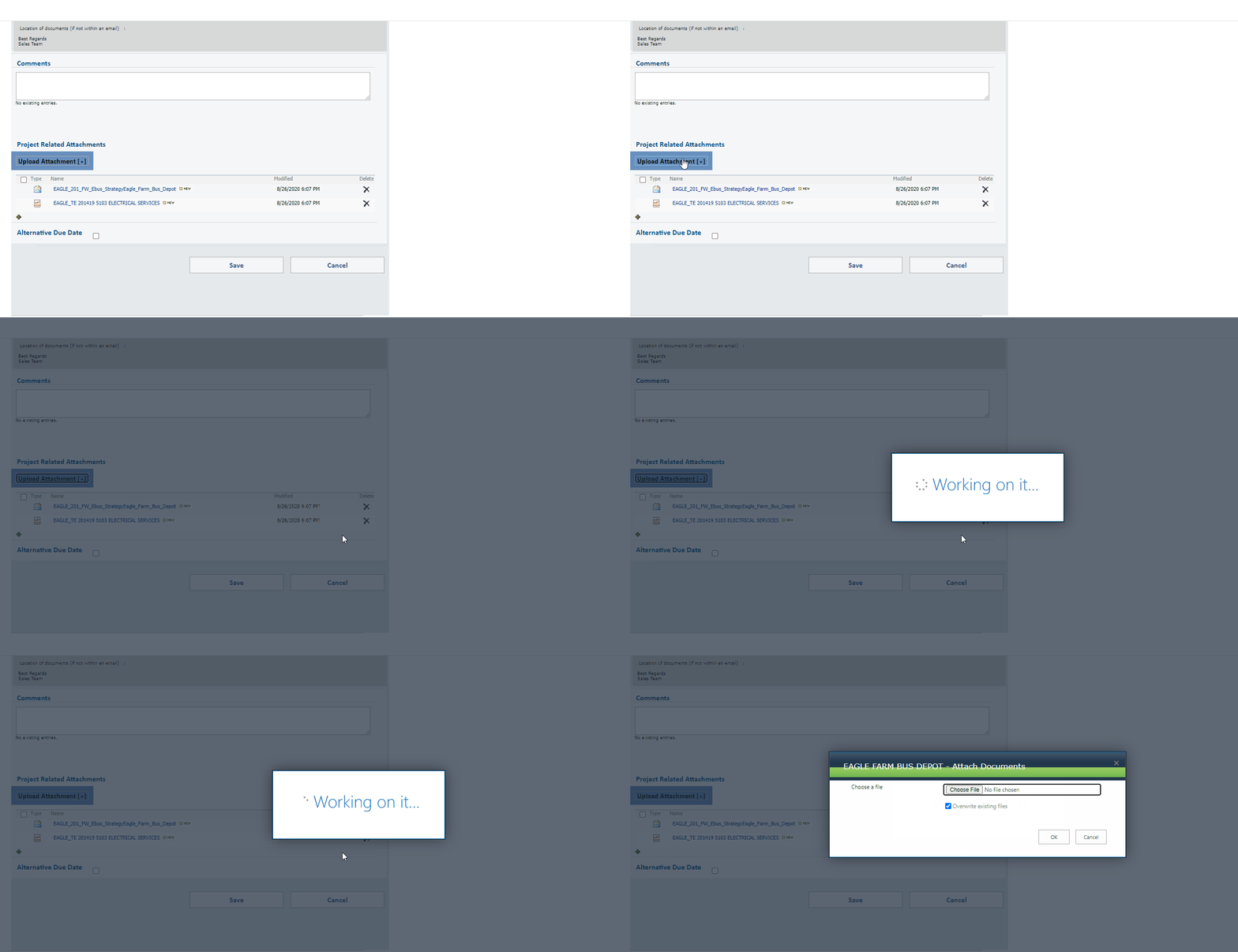
Are you referring to something like below ? If so you need to pass a parameter to your document library from the javascript

8778iC0B4C64FF983F334.gif


Forum|alt.badge.img+1
  • Author
  • September 3, 2020

Yes, exactly this. Here the control opens a dialog to browse files on the computer, similarly I am looking to implement the ability to open files in the Sharepoint library. Can you please elaborate on the solution that you mentioned. TIA


Forum|alt.badge.img+1
  • Author
  • September 3, 2020

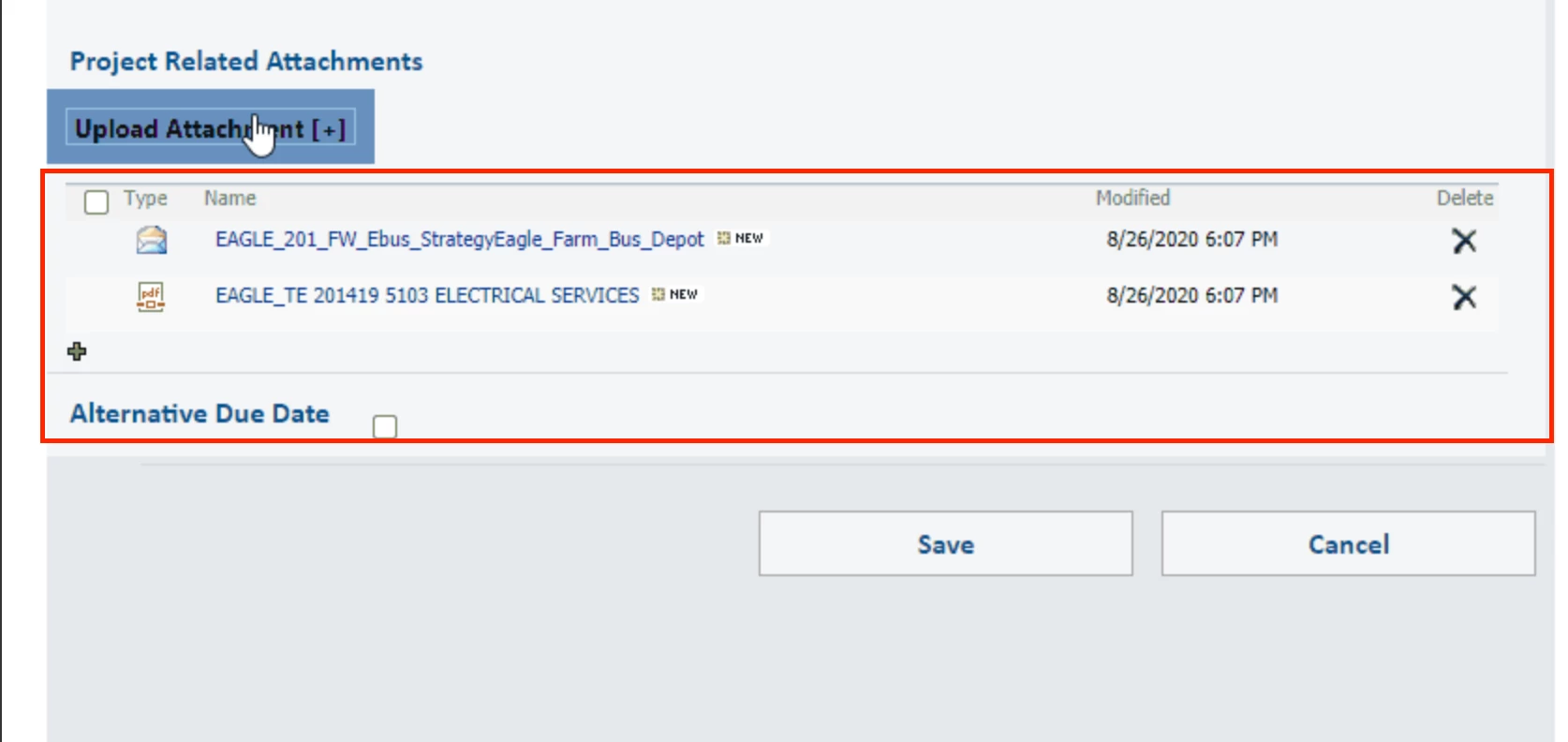
@schetti92  Also, can you please tell me how we can display the chosen files in a tabular form, like how you have it in the

8865i675F1E218AFAEECC.png

screenshot attached. 


Forum|alt.badge.img+2
  • September 4, 2020

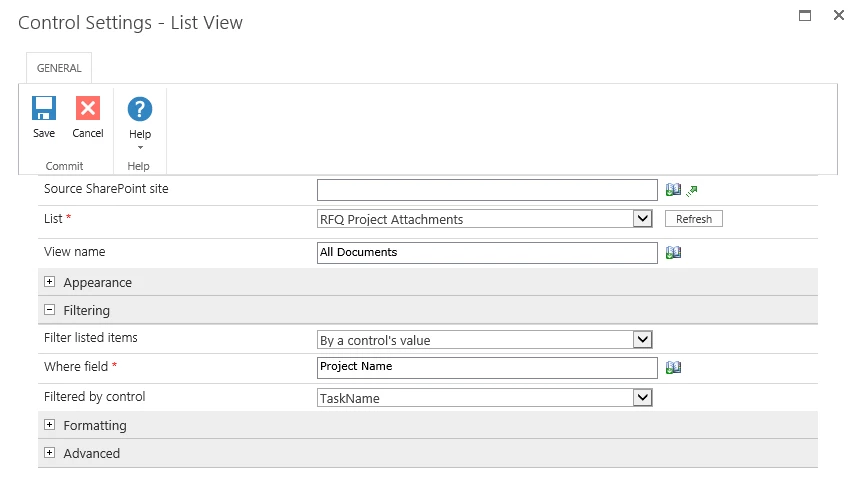
@Sushmita05, You need to insert "List View" Control and add the filtering options. 

8866i0ACE7B2262A72416.png

Note : Modify your view to show/hide columns