Nintex Community Menu Bar

Count the repeated values in a column using lookup

  • October 19, 2019
  • 4 replies
  • 27 views

Forum|alt.badge.img+3

Hello,


I have a column for status. Status is a choice type column with three choices 'Not Started', 'In-Progress' and 'Completed'. Let's say in this list I have 5 items. Each item will have a status. Let's say these status values for 5 items are [Not Started, In-Progress, Not Started, Not Started, Completed].


In Nintex form, I have created three calculated value control fields: Number of Not Started Items, Number of In-Progress items and Number of Completed items. 


How can I use lookup to calculate the number of Not Started, In-Progress and Completed items? In our case, there are 3 Not Started, 1 In-Progress and 1 Completed Status item. I would like to calculate these numbers using the same sort of functionality that may be calculated value field. Please let me know if there's more easier or better way to do it.


 

4 replies

Simon Muntz
Nintex Partner
Forum|alt.badge.img+23
  • Nintex Partner
  • October 19, 2019
It is not possible to do a count of returned items of a lookup control on a Nintex form.

If you want to display this information I suggest creating a list view that shows the count and then use a list view control on the form that shows the view you created.

Forum|alt.badge.img+3
  • Author
  • October 26, 2019

I didn't understand what you suggested. Can you elaborate or share some documentation? Can also share screenshots of what you are trying to tell.


Simon Muntz
Nintex Partner
Forum|alt.badge.img+23
  • Nintex Partner
  • October 27, 2019

OK,

So you have a list with a status column which is a choice column with three options 'Not Started', 'In-Progress' and 'Completed'

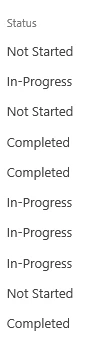
When the column has data it would look like:

5080iAB3D0880F4464B40.png

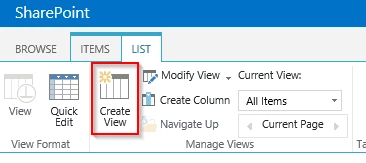
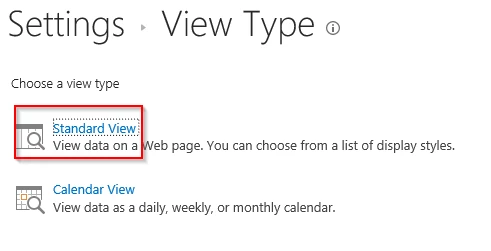
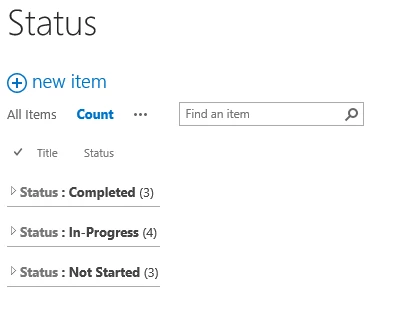
So create a view in SharePoint which shows the count for each status.

5081iF1D52EBE881B2800.png

5082iC16A831593D8A9BD.png

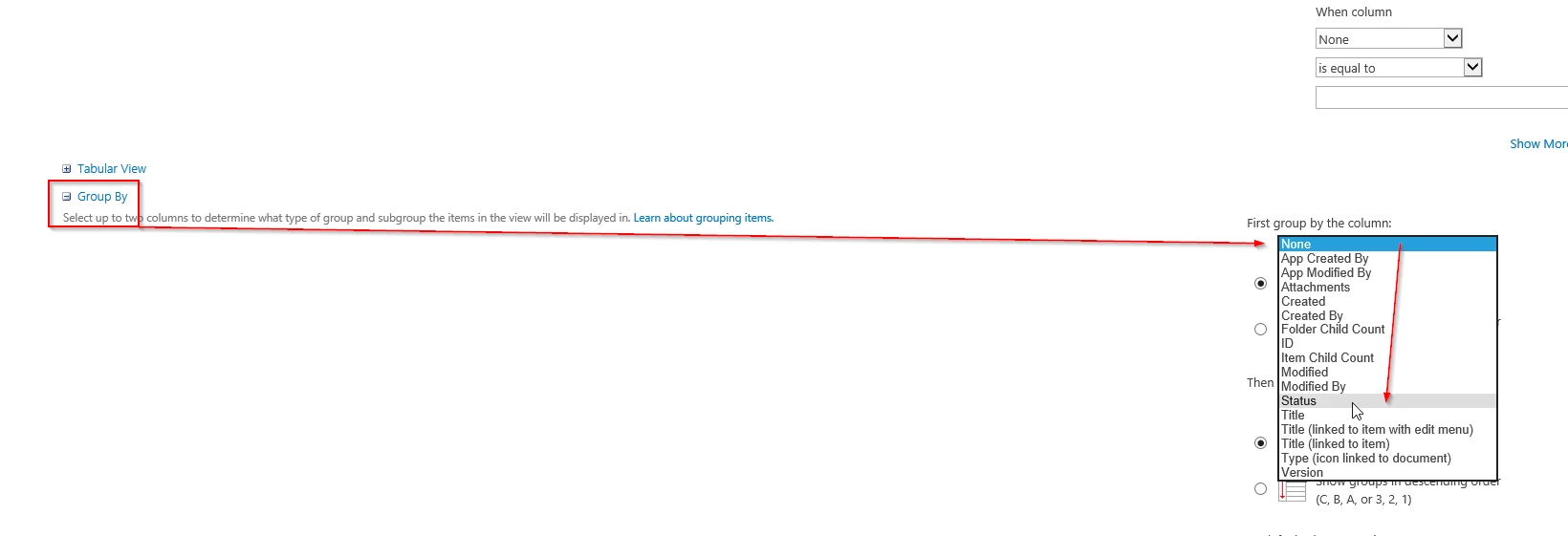
Group by the Status column.

5083i98B809B67C84416C.png


When choosing this view in SharePoint it will look like the screen shot below which shows the count for each status.

5084i5F44BEC66C43FEF8.png

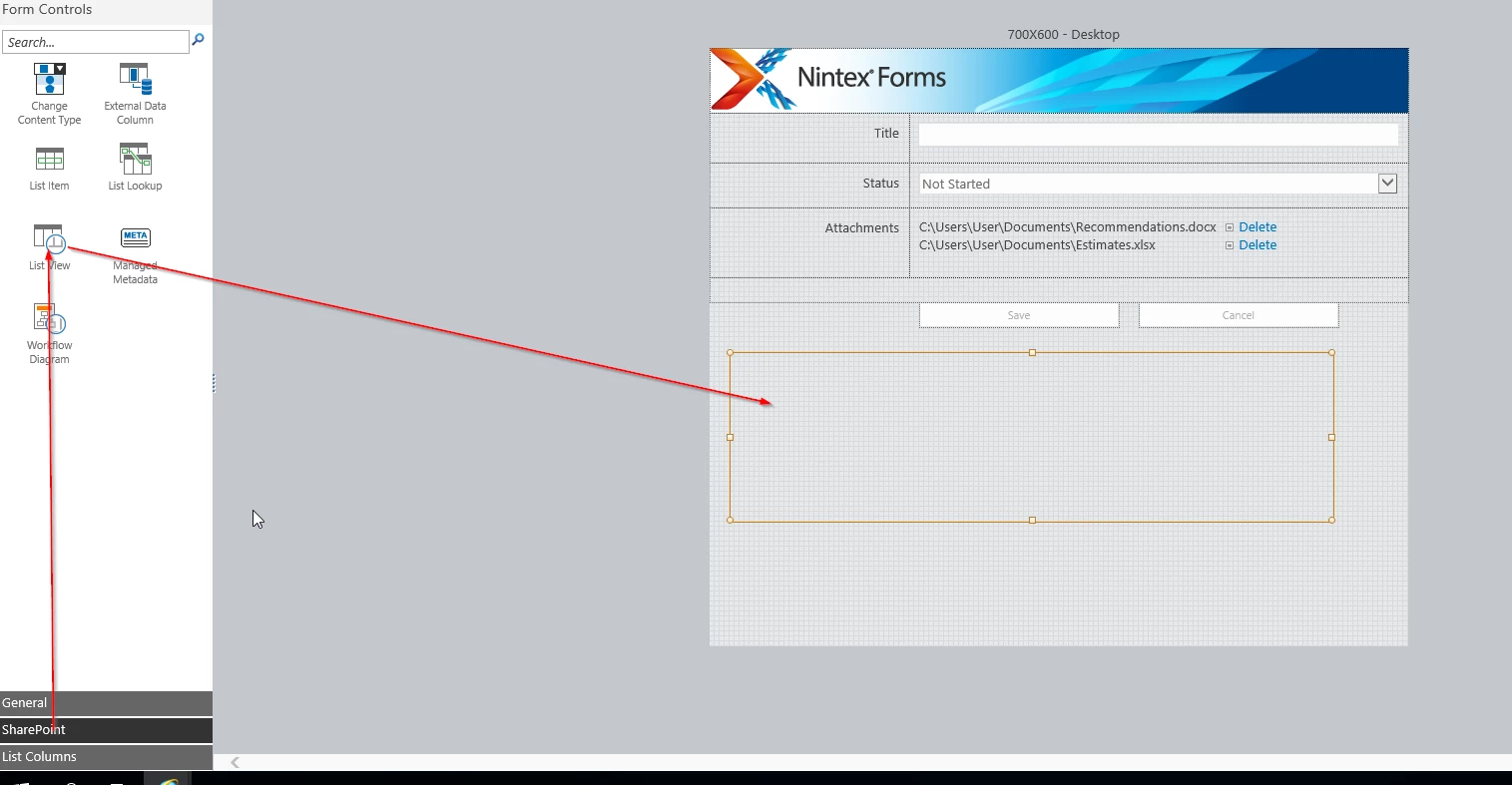
In the Nintex forms add the list view control to your form.

5085iEE3638C5BFECA4A4.png

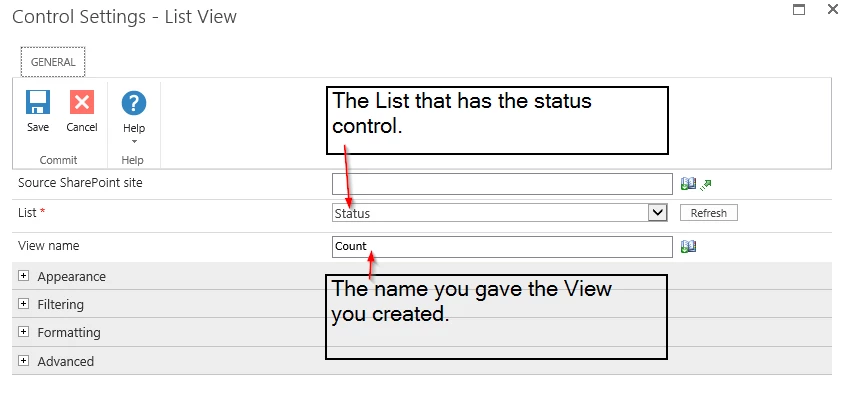
List View Control Configuration:

5086iA02423F92E92C920.png

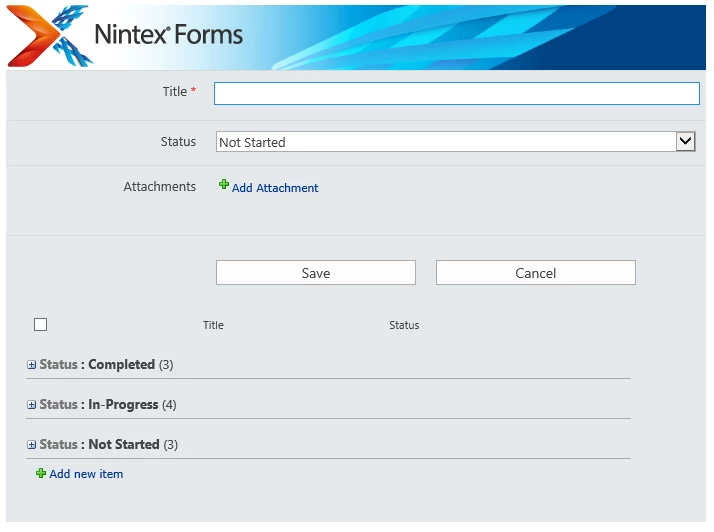
When creating a new form you will see the following which will give you the counts that you are after.

5087i5E40C79BB5767903.png

Hope this helps.


MegaJerk
Forum|alt.badge.img+14
  • Scholar
  • October 28, 2019

This is a trivial thing depending on your circumstance. 

Are you using Classic Forms? 

Is there any relationship between the Items with Statuses, and the Item containing the Form you'd like to use to show those Items? (That is: Is it a Single Parent Item that is tracking the statuses of 1 or more Children Items on a different list?)