Nintex Community Menu Bar

Copy from Calculated Field to Multi Line Textbox

  • May 9, 2019
  • 13 replies
  • 86 views

Forum|alt.badge.img+8

I've got a calculated field with a value that I'd like to copy to a multi line text field with a button click in the form. I know that I could do it via workflow but I'd like to do it right in the form if that is possible. Maybe with some javascript magic? All of the search results I find on this show how to do it via workflow. Thanks!

13 replies

Forum|alt.badge.img+14
  • Scholar
  • May 9, 2019

Forum|alt.badge.img+8
  • Author
  • May 10, 2019

emha,

I am trying your solution and keep getting 'UpdateTextBox' is undefined when I preview the form. Here is what I am currently doing:


1. Modified calculated control formula to this:


UpdateTextBox(<Exististing formula>)


2. Added this snippet to Javascript section of form settings (Recipients is the field I want to update with calc field value)


function UpdateTextBox(inpval){
NWF$('#'+Recipients).val(inpval);
return inpval;
}


Forum|alt.badge.img+8
  • Author
  • May 14, 2019

What am I doing wrong?


Forum|alt.badge.img+14
  • Scholar
  • May 15, 2019

it should work this way....


hopefuly you haven't taken/copied "<Exististing formula>" literally and you've replaced it with your real formula...


have you copied function code to a global scope, ie. out of any function or event handler you might have already had in form settings.


have you checked developer consoile for any errors?


Forum|alt.badge.img+8
  • Author
  • May 15, 2019

My existing formula is similar to this:


lookup("Field1","ID", parseLookup(ControlName,false), "Recipients")


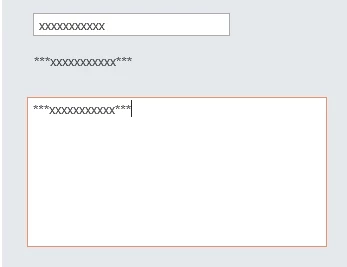
And I put the code in the Javascript section of the form settings as in the attached screenshot.


Forum|alt.badge.img+8
  • Author
  • May 15, 2019

I was getting an error saying "Recipients is undefined" with this code. So I used the "Insert Reference" to put the Recipients field in the code. And now it's back to the "UpdateTextBox is undefined" error.


Forum|alt.badge.img+11
  • Nintex Partner
  • May 15, 2019

Have you set "Recipients" as you javascript variable ID in the field settings? It should be under Advanced properties


Forum|alt.badge.img+8
  • Author
  • May 16, 2019

Jack,

I got this copied over to a dev environment so I can save my work and not disrupt the live form that people are using.


I put "Recipients" in the javascript variable fields. That didn't seem to have any effect.


Forum|alt.badge.img+8
  • Author
  • May 16, 2019

emha,

I opened the developer console, no errors. The only warning was this:


"The code on this page disabled back and forward caching"


Forum|alt.badge.img+8
  • Author
  • May 16, 2019

To recap, here is what I currently have. There are no errors, and the calculated fields populates, but not the Recipients field.


This is what I'm using in the formula for the calculated field:


UpdateTextBox(lookup("ListName","ID", parseLookup(ControlName,false), "Recipients"))


This is the function defined in form settings:


function UpdateTextBox(inpval){NWF$('#'+Recipients).val(inpval); return inpval;}


Forum|alt.badge.img+14
  • Scholar
  • May 17, 2019

aah, I realized just now your target field is multiline text box. the example is for single line text field.

setting multiline text value is bit or much more complex and depends on the exact type of the field


Forum|alt.badge.img+8
  • Author
  • May 17, 2019

emha,

The type of multi line text is plain text. 


Forum|alt.badge.img+14
  • Scholar
  • May 20, 2019

for plain text control the code should still work.

there must some other problem with your form....


2233i1008F461F03286CE.jpg


are you able to debug through the code what's going on there?