Nintex Community Menu Bar

combine two fields based on choice and show as one in sharepoint list

  • September 12, 2019
  • 1 reply
  • 14 views

Forum|alt.badge.img+4

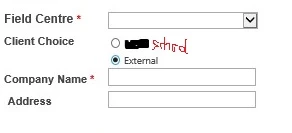
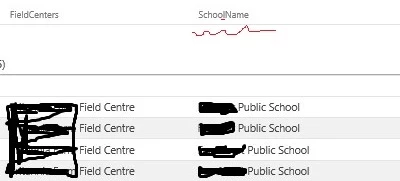
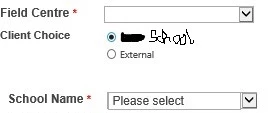
One nintex form (2013) with Client Choice ( School/External), if select School, then School Name(single line of text) is available from a selection list (List Lookup with source list); if select External, then Company Name (single line of text) can be filled in. The customer wants to combine "Company Name" and "School Name" fields into a new field (School_Name) and then shows it into Sharepoint list (either Company Name or School Name based on Client Choice- School/External. Anyone has idea to do it? I tried a calcualted valve control as new field (School_Name) , but does not work. below pictures shows requirements4476i57B8490105756987.jpg4477iE97F4FA8836506CC.jpg4478iB64DE5D69734130E.jpg


1 reply

Simon Muntz
Nintex Partner
Forum|alt.badge.img+23
  • Nintex Partner
  • September 12, 2019

Hi,

I think you were on the right track using a calculated value control to combine the outputs.

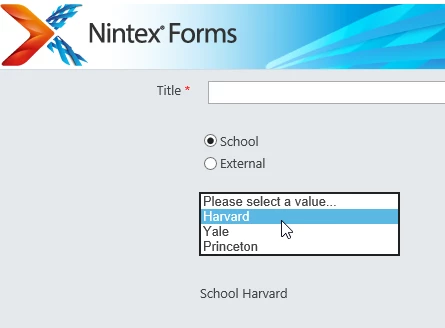
My form looks like:

4479iE2DA782BA0D8B0C0.png

Clicking school shows the dropdown and clicking External shows a text box.

The calculated value brings them together.

If(equals(SorE,"School"),SorE+" "+SName,SorE+" "+CompName)

The formula is saying "If the radio button is School then join school and what ever value is in the drop down, if its not school then join External and what ever value is in the Text control"

SorE is the School or External Radio button.

Sname is the School name from the dropdown.

CompName in the company name single lines of text control.

Connect that to a column in Sharepoint and thats it.

Attached my example form.  Just connect the Calculated value control to a column in your list and test if you need to.