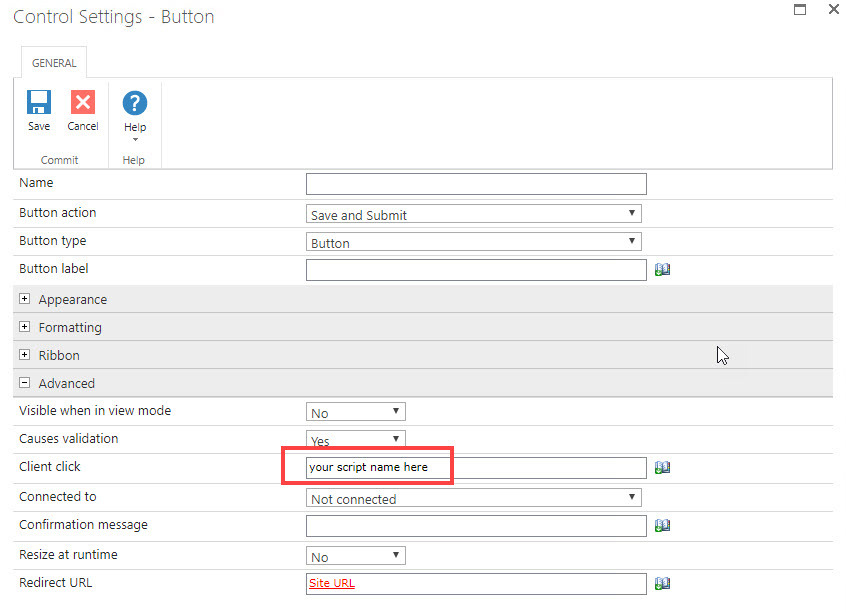
I would suggest adding a JavaScript print function to the Custom JavaScript in the Form Settings, then call the function from the button's Client click field, in the Advanced section. I'd also change the button label to "Save and Print" or something like that. Note that if you're printing from a form that is in New or Edit mode it will include the field borders, and text that takes up more space than the control size will be cut off.
actually i couldnt get what do you mean by " adding a JavaScript print function to the Custom JavaScript in the Form Settings " what is that "JavaScript print function" ?