Nintex Community Menu Bar

Cannot hide a single line text field when another single line field is null or empty

  • June 11, 2019
  • 5 replies
  • 15 views

Forum|alt.badge.img+1

I have a single line of text field that when the form first loads is the only one that shows to the user. When the user starts typing into this single line text field, I want another single line text field to show.

So the second single line text field should be hidden when the form first loads.

I've searched online and people recommend using isNullOrEmpty(value) to hide the second field, but this does not work for me. I have tried both Named Controls and Item Properties as values to no avail.

For some reason if the first field is a selection dropdown list then the hide/show function works.

Any ideas?

I am using Nintex Forms for Office365 App VersionNFO 2.0.1.1


Thanks

5 replies

Forum|alt.badge.img+14
  • Scholar
  • June 12, 2019

isNullOrEmpty(NamedControl) is correct approach.


try to add a calculated value ,control on the form with just the same formula as hiding rule and check how does it evaluate for empy and filled control.


Forum|alt.badge.img+1
  • Author
  • June 20, 2019

Thank you for the recommendation. The result is an empty string. What does that mean?


Forum|alt.badge.img+14
  • Scholar
  • June 21, 2019

can you post a screenshot how does your rule looks like?

hopefully you built the formula with the builder not just copy pasted it.


check the developer console for any errors reported


Forum|alt.badge.img+1
  • Author
  • June 21, 2019

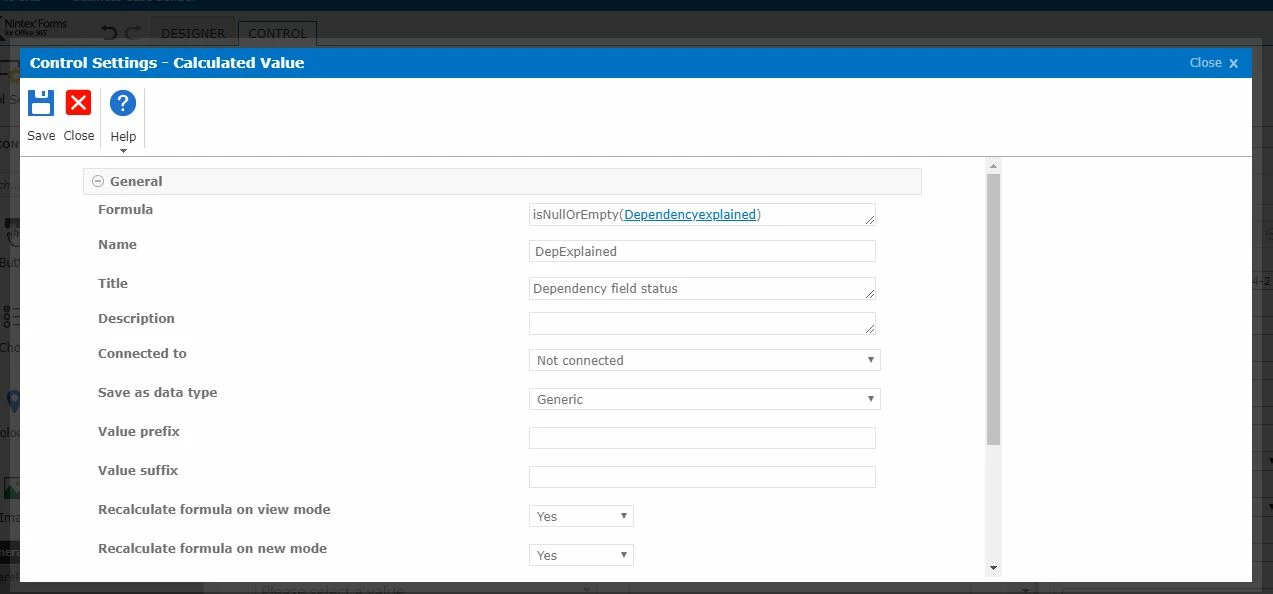
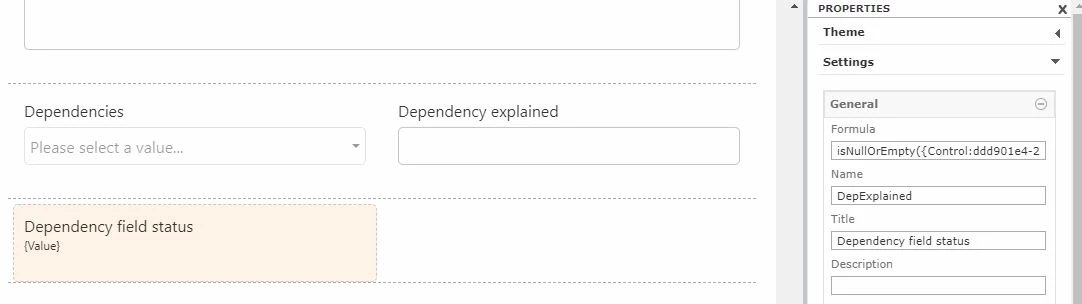
2713i86D9F9AE176233CC.jpg2712iB947BBD017EF56EC.jpg

These are 2 snapshots. Dependency explained is single line text, and in my original request I was trying to create a rule that if this field is empty, then the other field would be hidden. With your recommendation to add the calculated field I just added it here to test whether it returns the expected value, but still shows empty string.


Forum|alt.badge.img+14
  • Scholar
  • June 21, 2019

{Control:xxxxxx} in your formula means it refers to unknown resp. not existing control.

you likely deleted a control and then added it once again.


Delete the formula a set it up once again from scratch