Nintex Community Menu Bar

Cannot connect to server - web request - using public GET

  • May 13, 2019
  • 9 replies
  • 91 views
  • Translate All

Forum|alt.badge.img+2

My end game is to POST to Jira to create issues, but I couldn't connect to the server, so I stripped my testing back to a public GET with no authentication. But I'm still strugglying to get it to work.


With the URL https://httpbin.org/get I tested the connection in Web Request... but I still get the error 'Cannot connect to server.' What am I doing wrong?
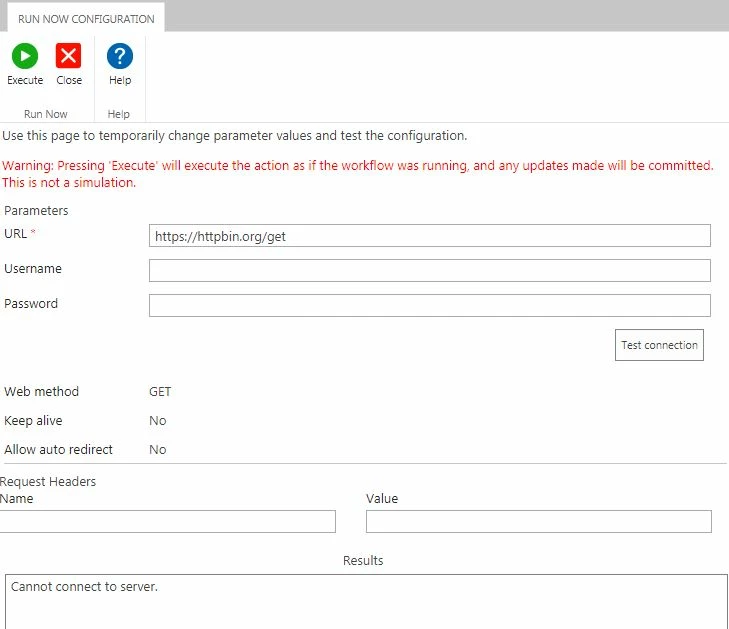



1949i1DBF45F7F17040FC.jpg


9 replies

Forum|alt.badge.img+14
  • Scholar
  • May 15, 2019

can you reach the URL from a browser?

looks like something is blocking you to access it

Translate

Forum|alt.badge.img+2
  • Author
  • May 15, 2019

I can.

I'm new to Nintex so didn't know if it was something I was doing wrong with the request. I've raised this to our internal SharePoint team to look at.


Thanks!

Translate

Forum|alt.badge.img+14
  • Scholar
  • May 15, 2019

note the action is being sent and executed on the server, so URL should be accessible from the server.


what about if you try with some well known site, eg. google? or a site within your network - may even be your SP site?

Translate

Forum|alt.badge.img+2
  • Author
  • May 15, 2019

I tried https//:google.com and got the same 'Cannot connect to server' error.


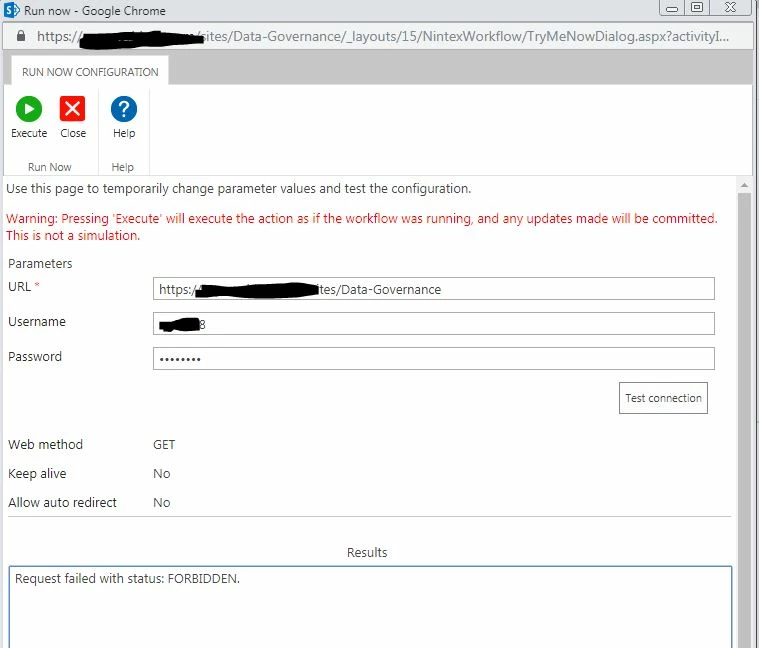
I tried the home page of my SP site and this time the error was 'Request failed with status: FORBIDDEN'. Perhaps this was more sucessful, but doesn't satisfy a GET request?

Translate

Forum|alt.badge.img+14
  • Scholar
  • May 15, 2019

I guess that's auth issue - provide username and pwd for your SP site as well

Translate

Forum|alt.badge.img+2
  • Author
  • May 15, 2019

Same forbidden error even with my SP credentials.

Translate

Forum|alt.badge.img+14
  • Scholar
  • May 15, 2019

what's the exact http error?

Translate

Forum|alt.badge.img+2
  • Author
  • May 15, 2019

2133i2910E7E294BD12ED.jpg

Translate

Forum|alt.badge.img+14
  • Scholar
  • May 17, 2019

I'd suggest to get in contact with you SP and/or network admins.

there seem to be policies that blocks your conenctions.

Translate