Nintex Community Menu Bar

Calculate Date is showing time stamp in Flexi Task Email & Eliminate Weekend Days

  • November 25, 2019
  • 3 replies
  • 12 views

ellie5225
Forum|alt.badge.img+3

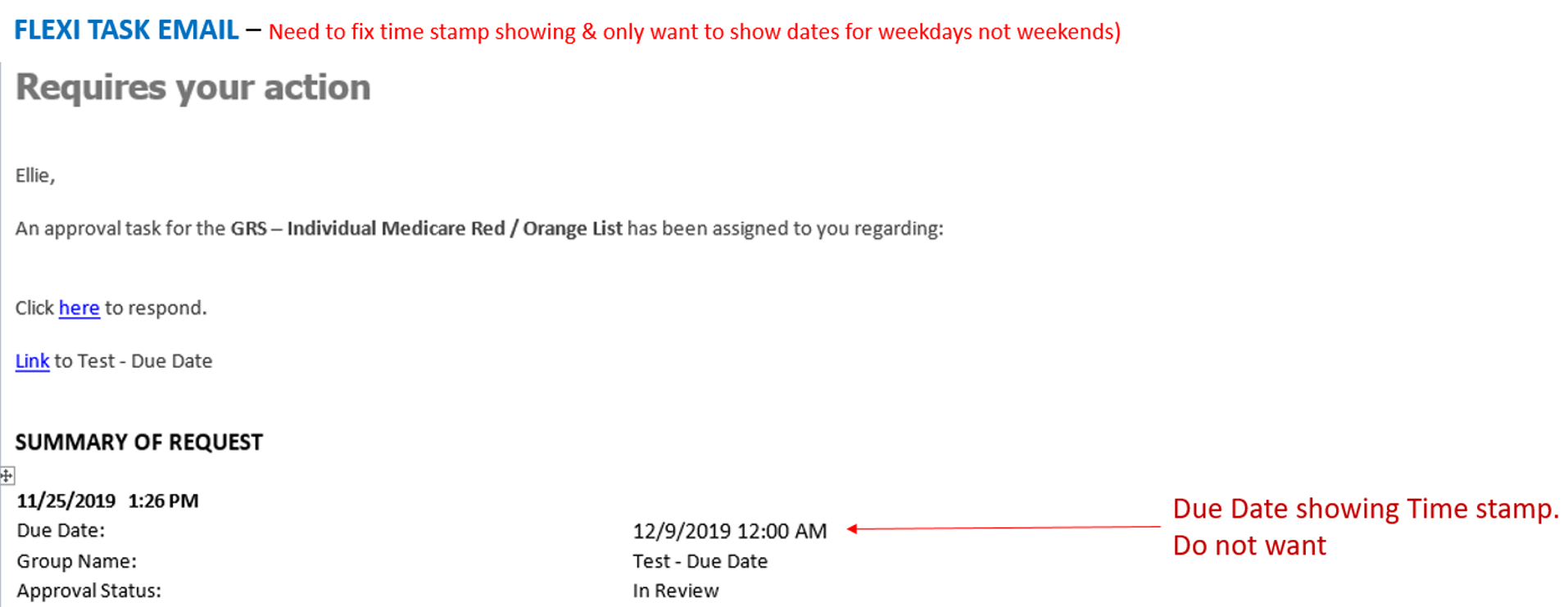
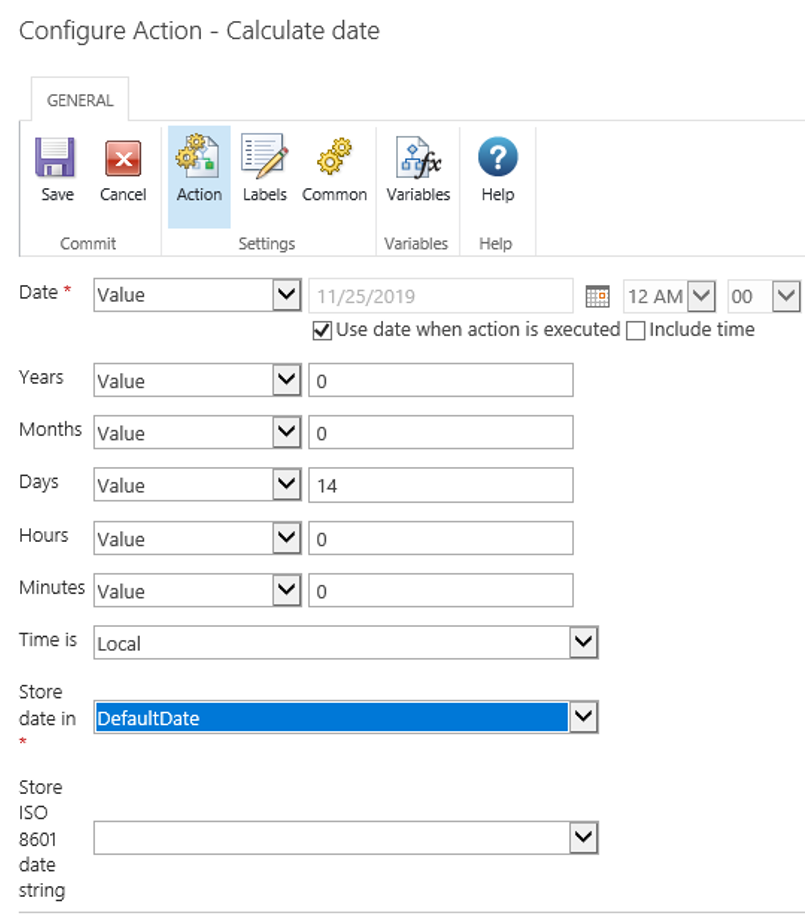
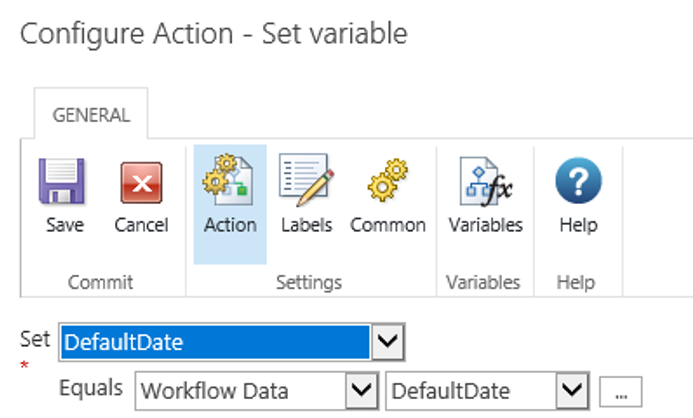
Does anyone know what would be causing the timestamp to show in the email still when I didn't select show include time under the ACTION: Calculate Date. Also is there a way to eliminate weekends here as well?
 

5633i1FCEC778A099A0E4.png5634i6D46AD5591F21E7B.png5635i9AF14476BFD1E887.png

3 replies

Forum|alt.badge.img+12
  • Scholar
  • November 25, 2019

@ellie5225 ....after date calculation, use build string and formatdate function to get just the date


formatDate(DefaulDate, "MM/DD/yyyy")


Use this string variable in your e-mail notification.


You're storing the value in date time variable, if you don't check the time it means it will be always 12 AM but time will show.


ellie5225
Forum|alt.badge.img+3
  • Author
  • November 25, 2019

Thank you, kunalpatel1029                    


Somehow I can't get that to work. However, I see many other posts with that same solution so I know it is correct.

It must be a bracket or something not working for me. I did do a workaround, by creating a calculated SharePoint list field and referenced that within my send email notification.


Simon Muntz
Nintex Partner
Forum|alt.badge.img+23
  • Nintex Partner
  • November 25, 2019

Hi,@ellie5225


I see you have found a solution to your problem but just in regards to the Build String action did you include the fn- at the start of the formula  e.g fn-FormatDate(date,dd/MM/yyyy)?