Nintex Community Menu Bar

Best way to wait for Item to be created in another list before trying to update the item

  • February 12, 2020
  • 3 replies
  • 41 views

Forum|alt.badge.img+1

(Sharepoint On Prem 2013 - Nintex Workflow 2013)


Please can someone suggest a better/best practice way of waiting (to be certain) when i create an item in another list, that the item exists before i try to copy values to the created item.


Is the method i use (below) foolproof or can you suggest a better/improved way to accomplish my task?

It does seem to work so far (all be it slowly because of the "loop")


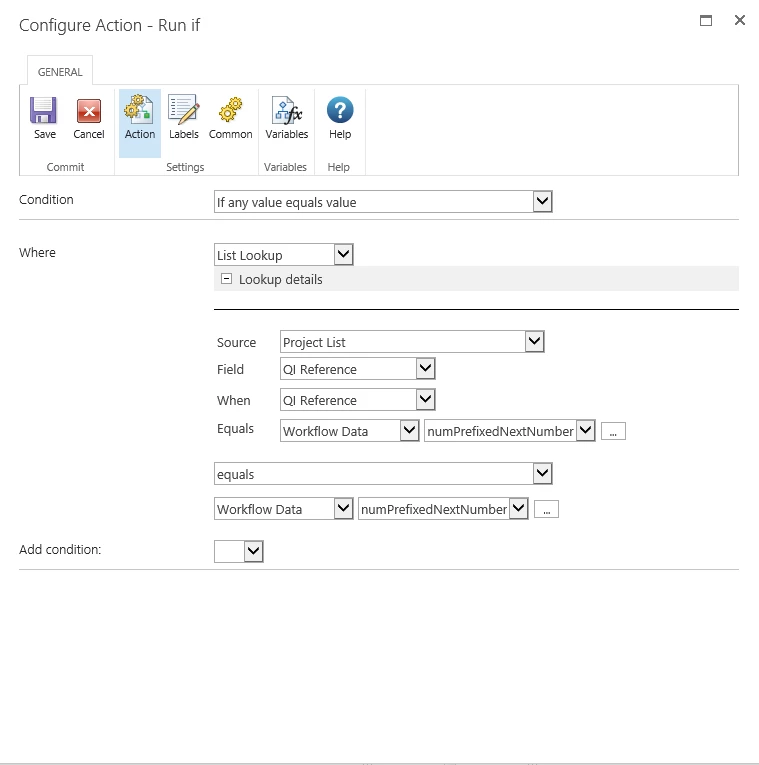
My actions are configured as:

 

6460i8B1BC08F71F2BB06.png


Create an item in "Project List" with both [Title] and [QI Reference] columns = the same "numPrefixedNextNumber" variable:
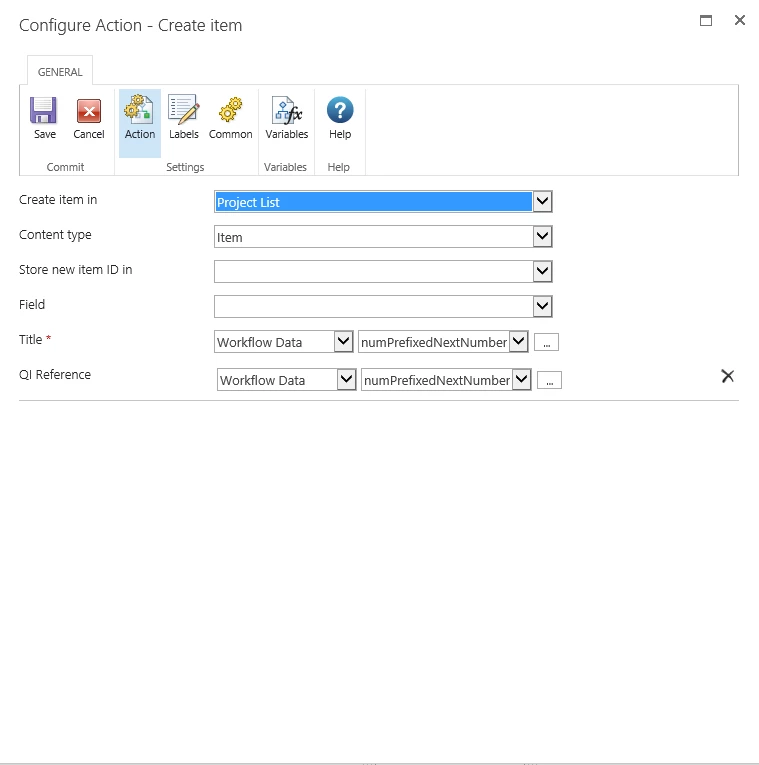
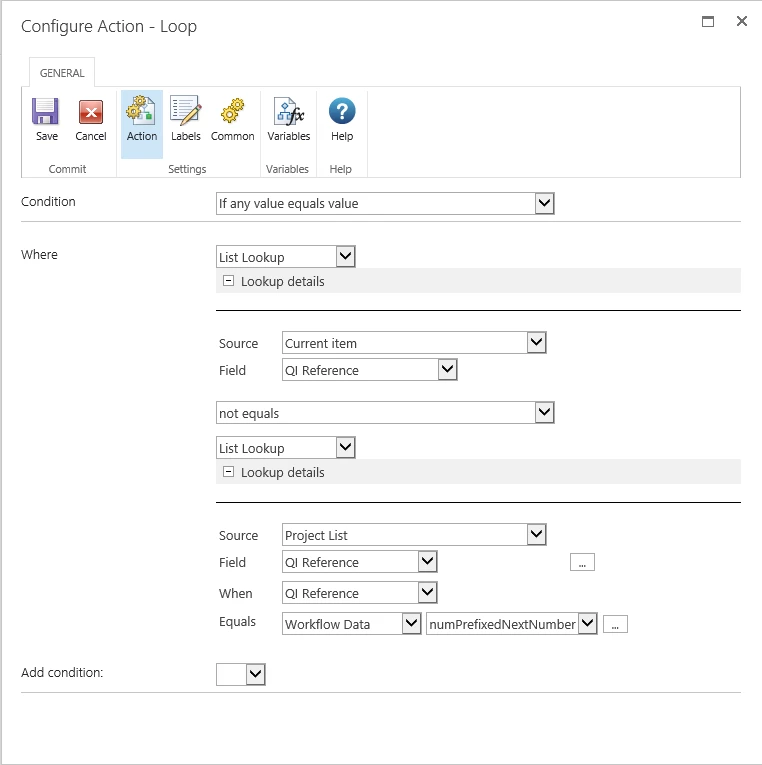
 

6456i594A055BD2DFA3A9.png


6462i4BBFB5FD9338C0AF.png


6463iAB57D007363EB9E6.png


Then the Data is copied from the "Project Request" List to the "Project List" - and seems to work ok so far.

But is there a more effiecient way of making sure the Item exists than using this workflow?


Any advise appreciated :)

 

3 replies

Simon Muntz
Nintex Partner
Forum|alt.badge.img+23
  • Nintex Partner
  • February 13, 2020
HI,

I dont think there is any reason to wait at all.
Just create the item and then update it with the required data.
The workflow will not proceed until the item is created.
Worst case scenario just add a pause after the create item but this is worse case.

Forum|alt.badge.img+1
  • Author
  • February 16, 2020

Thanks for replying.

After creating the item i then copy some field data from the "Project Request List" to the "Project List".

Occasionally the workflow errors and the data is not copied. Would prefer to avoid a pause - seems a bit of a fingers crossed solution.

Wanted to make sure the item is confirmed to exist before the other data is copied across (Update Multiple Items).

I wanted the workflow to avoid going to the copied data actions until the Item DEFINATELY exists, so there are no errors (ever).


Simon Muntz
Nintex Partner
Forum|alt.badge.img+23
  • Nintex Partner
  • February 16, 2020
If you are wanting to "check" I do not think you will avoid a pause.
You cant keep checking. You check and then pause and then check and then pause.
Adding just the one pause will be sufficient time to make sure the item is created.