Nintex Community Menu Bar

Approval Process based on the Cost

  • October 28, 2019
  • 4 replies
  • 13 views

Forum|alt.badge.img+4

Hi All,

I have created a basic form than needs the approval based on the cost. If the cost is less than $1000 the direct manager needs to approve and its above $1000 direct manager and finance manager needs to approve. However the issue I have is if the cost is over $1000 when the manager approves the WF wont go to the manager for approval and it will finish and it shows as a complete.

I am using Run if and Request approval fields to do this task.
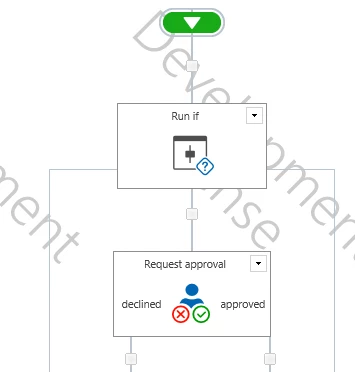
5112i88A7FD934A0BA9F6.png


Thanks in advance.

4 replies

Forum|alt.badge.img+12
  • Scholar
  • October 28, 2019

@Harris021 ....Instead of RunIf...why don't you use Set Condition action?


Use this logic If cost item property < $1000 (since in your logic you're missing for = $1000, I'm assuming for >=$1000 you need other approval)


If true then in that branch assign task to direct manager


If false then assign task to direct & finance manager. Make sure you create seperate task and select appropriate outcome condition.


Forum|alt.badge.img+4
  • Author
  • October 29, 2019

Thanks Kunalpatel for your message, the problem is I have 3 conditions,

  • Cost less than $1000
  • Cost More than $1000 and Less than $2000
  • Cost More than $2000

I didnt specify my requirements clrearly and sorry for that. Do you still think I can achieve this with Set Conditions ?

Regards


Simon Muntz
Nintex Partner
Forum|alt.badge.img+23
  • Nintex Partner
  • October 29, 2019


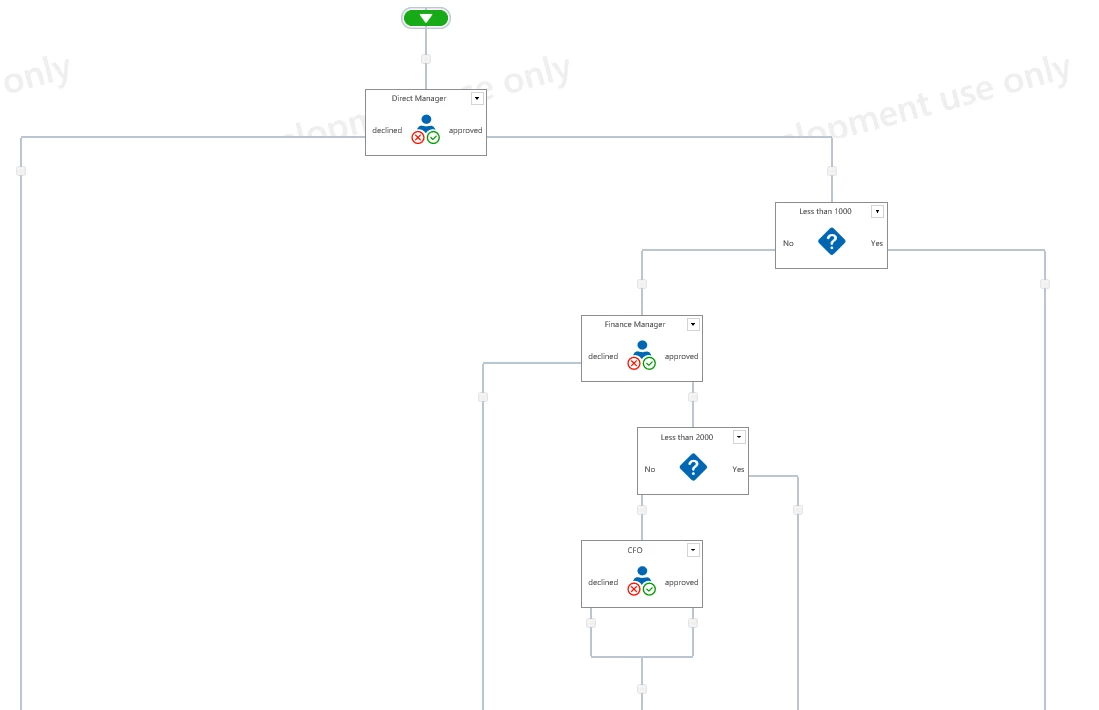
Yes Set Condition would still work.  The workflow would look something like below.


5127i01D505267E686A13.png


Forum|alt.badge.img+12
  • Scholar
  • October 29, 2019

@Harris021 ......since the cost is always going to be a particular value, did you try using parallel action with 3 branches and in each branch apply your condition and assign task accordingly?