Hi Team,
Getting the below error on the LOOPLUS screen in salesforce.
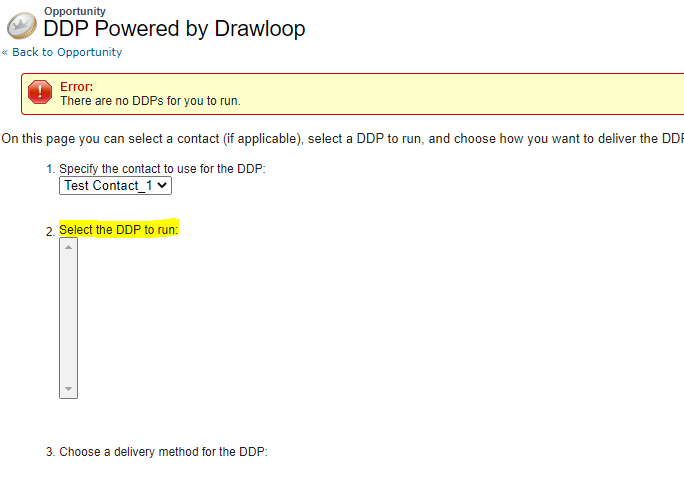
We have few DDPs under the DDP tab, Can anyone help us to fix this issue?
Thanks,
Karthikeyan

Hi Team,
Getting the below error on the LOOPLUS screen in salesforce.
We have few DDPs under the DDP tab, Can anyone help us to fix this issue?
Thanks,
Karthikeyan
Best answer by Karthikeyan_DL
Hi Calderon,
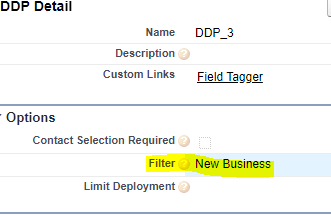
Thanks for the quick response. we found the issue that there will be filter logic in the LOOPLUS button with Opportunity "Type".
We added the type value in the DDPs field "Filter" then the DDPs is visible now.
Thanks.
Enter your E-mail address. We'll send you an e-mail with instructions to reset your password.