



Start Event: SharePoint List
Note: The below can also be performed on “Query a list” & “Retrieve an item” actions.
Step 1
Setup Start Event
Step 2
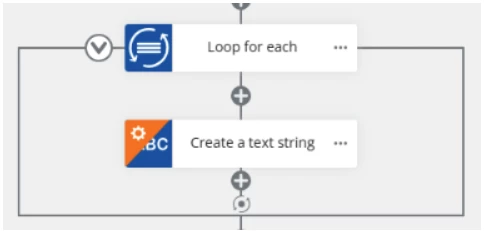
Add a “Loop for Each” action

Step 3
Set “Loop for Each” “Target collection” as Item Attachments from the start event

Step 4
Add a “Create a text string” inside of the “Loop for Each”
Step 5
Add the below to the “Create a text string”
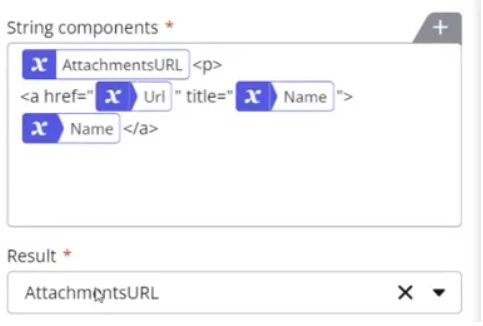
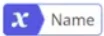
| = The name of the attachment (From Start Event variable), as reflected on the SP List item. |

| = The URL of the attachment (From Start Event variable). |

| = Variable (User defined) used to combine each of the loop runs, separated by a <p> ( HTML paragraph tag) |
Example Output:
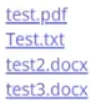
Can be used in actions like: Tasks Form & Emails
Credit: Prineel Paupamah, Built in function.