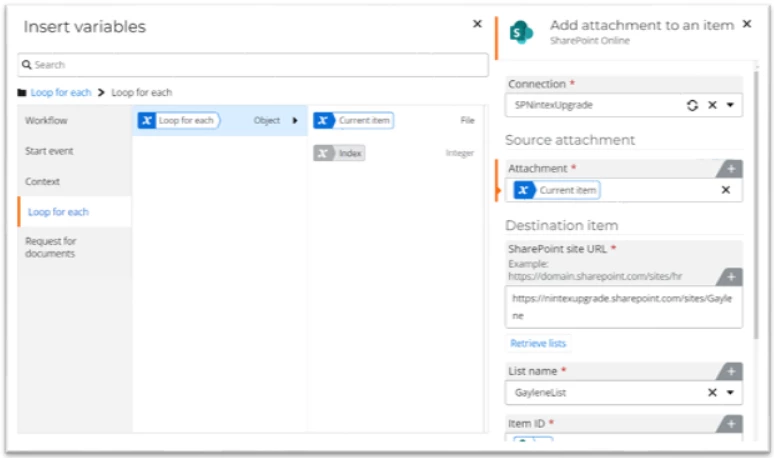



You may need to save attachments added to a task form to a SharePoint list. To do this, you will need to (assuming there is no assign a task action in the workflow):
-
Add an assign a task action to the workflow and configure it.
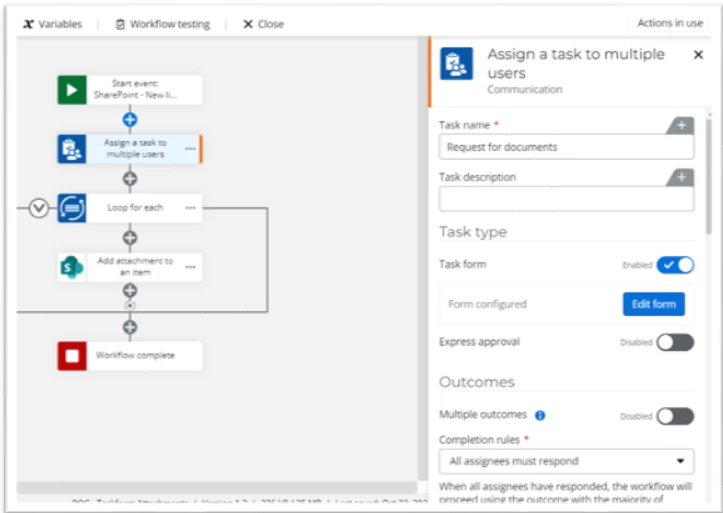
-
When configuring the task form add the File Upload control to the form

-
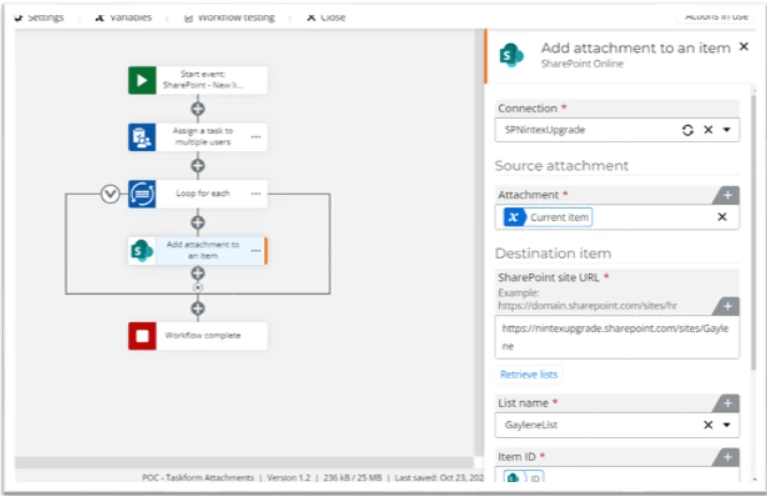
Add a loop for each action below the assign a task action to loop through the file upload variable from the form.
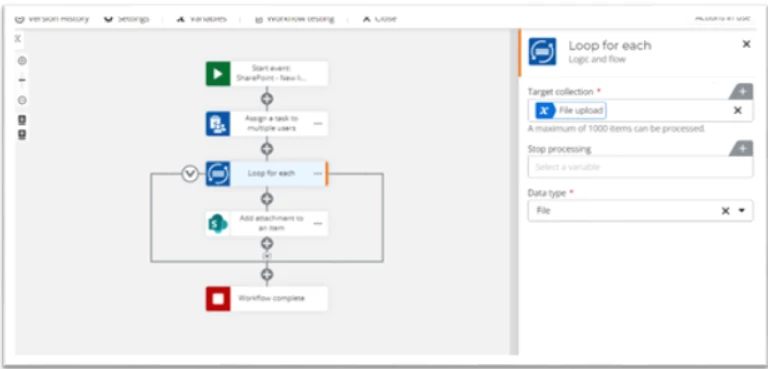
-
Insert the file upload form variable into the target collection section of the action configuration and select the file data type.
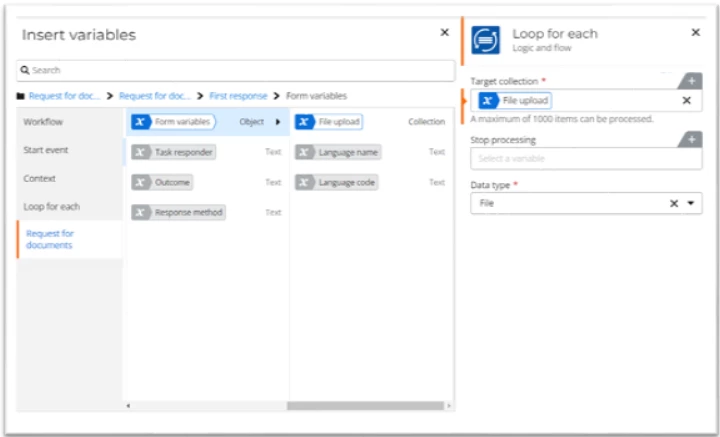
-
Add an add attachments to an item SharePoint action inside the loop.
-
In the attachment section of the configuration, insert the current item variable from the loop for each, and add the ID field from the start event variables to the item ID section.